
Server Finder by BlockAtlas
Find your Minecraft server today in game! Browse, add, and join servers directly in-game. No more tab switching - it's real-time and seamless!
Screenshots
About this Mod
Server Finder by BlockAtlas
Overview
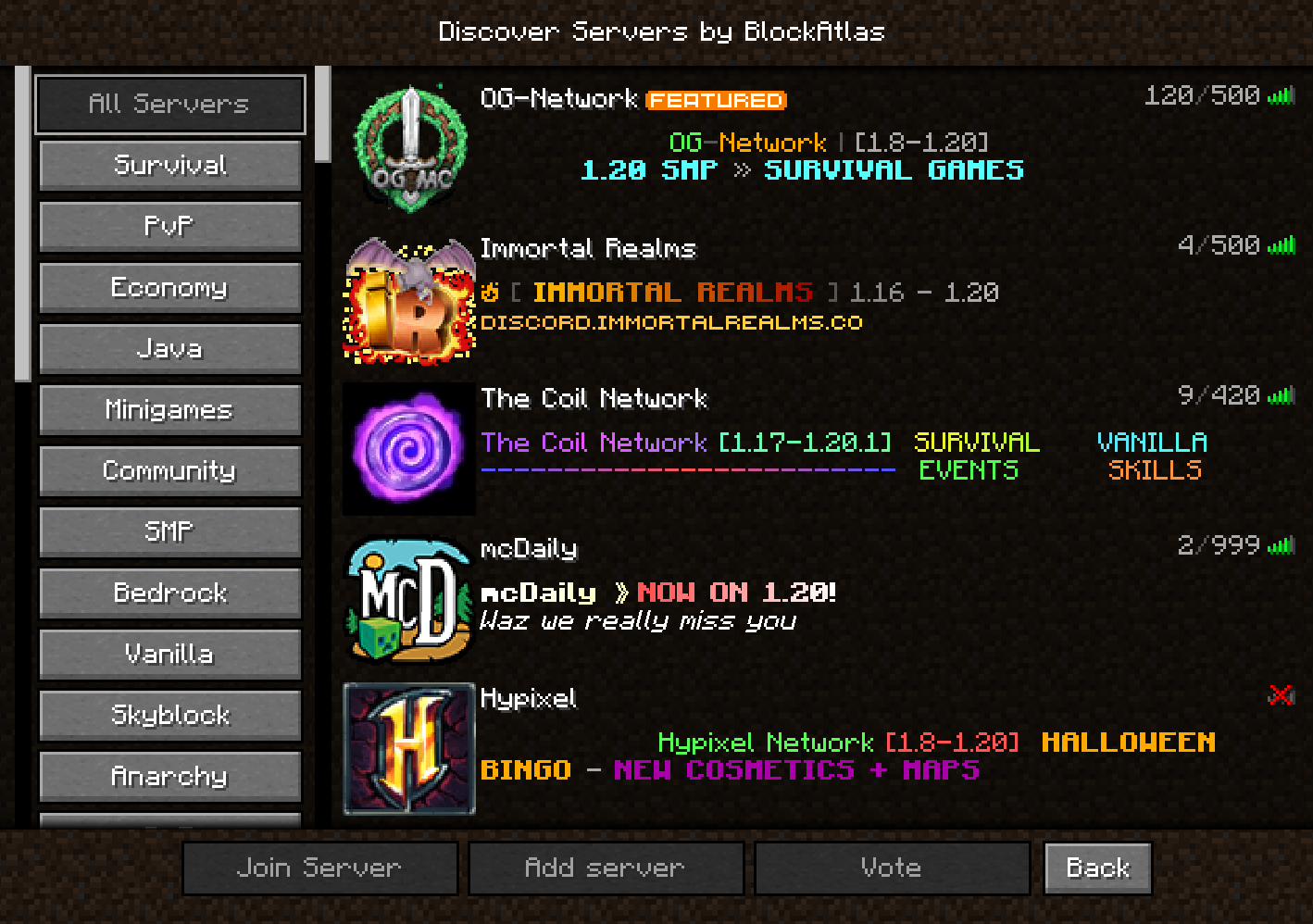
The BlockAlas mod offers a user-friendly, in-game server browsing experience. With a sleek and organized interface, players can discover, add, and join servers without ever leaving their game.
Features:
1. Server Categories (Left Panel):
- All Servers: View all available servers at once.
- Survival: Find servers focused on survival gameplay.
- PvP: Servers centered around player versus player combat.
- Economy: Join servers with an in-game economy system.
- Java: Specifically for Java version servers.
- Minigames: Servers offering various minigames.
- Community: Servers with a strong community focus.
- SMP: Survival Multiplayer servers.
- Bedrock: For Bedrock version servers.
- Vanilla: Pure, unmodified servers.
- Skyblock: Floating island survival challenge servers.
- Anarchy: Servers with minimal rules and restrictions.
- and much more
2. Server Listings (Right Panel):
- You are able to double click each server listing to join just like the vanilla multiplayer screen.
- You can scroll and find up to date servers all in game!
3. Functional Buttons:
- Join Server: Connects you directly to the highlighted server.
- Add Server: Add a new server to your multiplayer list.
- Vote: Vote for your favourite servers.
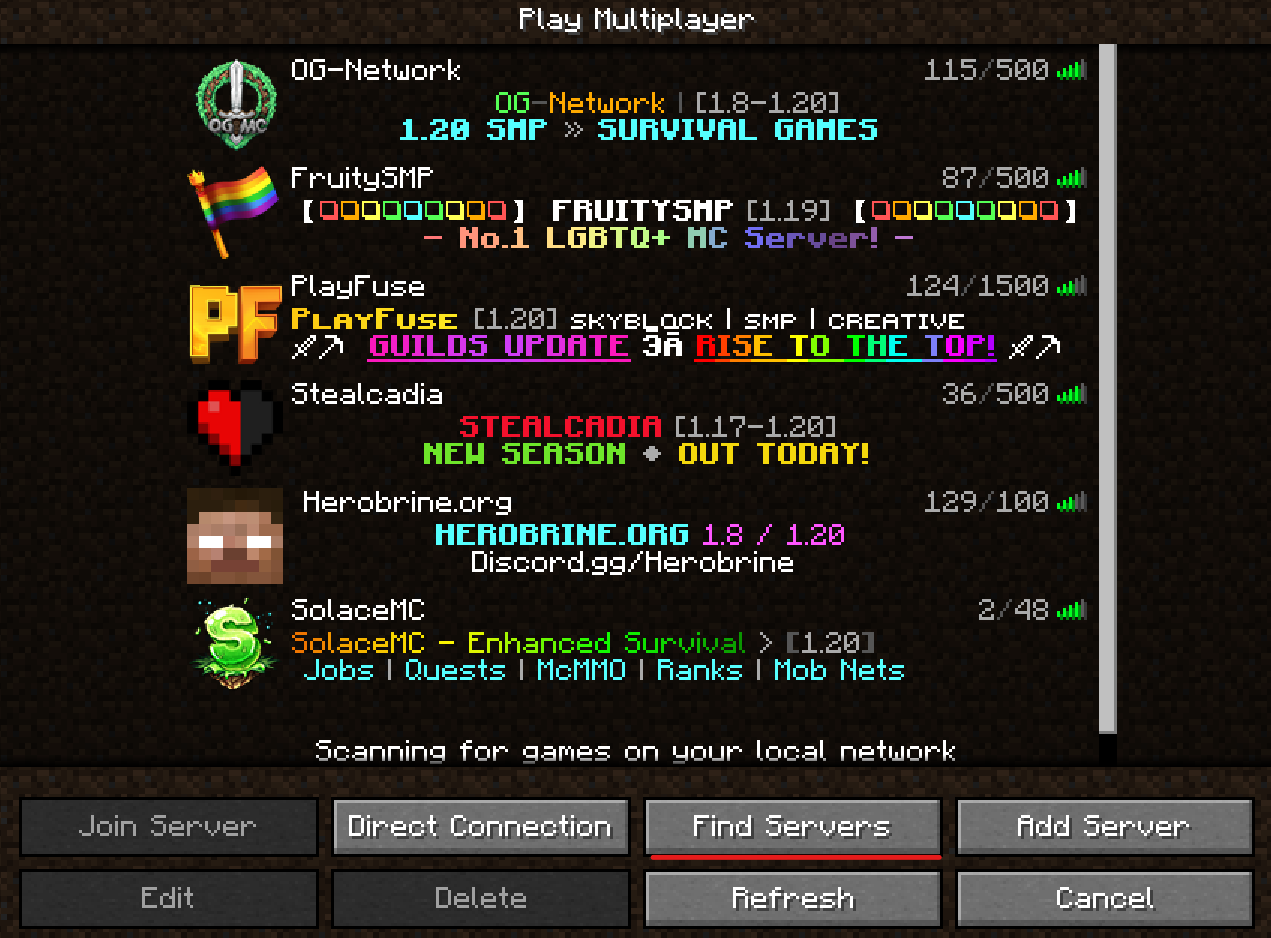
- Back: Return to the multiplayer screen.
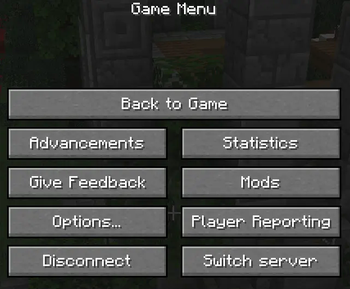
You are able to now switch servers while in game via the new button in the ESC menu.
Please note: We do collect statistics on join statistics via the list.
With BlockAlas, finding the perfect server for your gameplay style has never been easier. Enjoy a seamless transition between server browsing and gameplay, all from within the Minecraft UI.
All servers are updated live from https://blockatlas.net/
Report any bugs found via our discord: https://discord.gg/C7FQf29hCD
Available Versions
How to Install Server Finder by BlockAtlas on Your Server
Order Server
Order a Minecraft Java server with at least 3 GB RAM (4 GB recommended).
Set fabric Loader
In the panel under "Egg", select the fabric loader and matching Minecraft version (1.21.4).
Install Mod
Open the mod browser in the dashboard and search for "Server Finder by BlockAtlas". Click "Install" – done! Alternatively, upload the .jar via SFTP to the /mods folder.
Compatibility
Mod Loaders
Minecraft Versions
1.21.4, 1.21.1, 1.21 (+5 more)
Server-side
✗ UnsupportedRecommended RAM
4 GB(min. 3 GB)Frequently Asked Questions
Server Finder by BlockAtlas server crashes on startup – what to do?
Most common cause: wrong fabric version or insufficient RAM. Check the server log (latest.log) for "OutOfMemoryError" or "Mixin" errors. With Mado Hosting: ensure at least 3 GB RAM is allocated and the loader matches the mod version (1.21.4). You can switch loaders with one click in the panel.
Is Server Finder by BlockAtlas compatible with fabric and forge?
Server Finder by BlockAtlas officially supports fabric, forge for Minecraft 1.21.4, 1.21.1, 1.21. Note: Forge and Fabric mods are NOT cross-compatible – pick one loader and stick with it. The Mado dashboard automatically detects incompatible loader combinations.
Server lagging with Server Finder by BlockAtlas – how to optimize performance?
Recommended RAM: 4 GB (per 8 players). Use /spark profiler to check if Server Finder by BlockAtlas consumes the most tick time. Common fixes: reduce server view-distance to 8-10, install "performant" or "starlight" as supplementary mods on Forge. With Mado Hosting, your server runs on NVMe SSDs with dedicated CPU cores for minimal latency.
Similar Mods






Rent Modded Server
Install Server Finder by BlockAtlas with just one click on your server.