Server Hats
Server-side Fabric mod that allows players equip items as hats
Screenshots
About this Mod
Server-side Fabric mod that allows players equip items as hats.
To equip an allowed item, simply put it in the helmet slot - no commands necessary!
The mod is very customizable, making it easy to tune it to your preference.
Requires Fabric API
Features
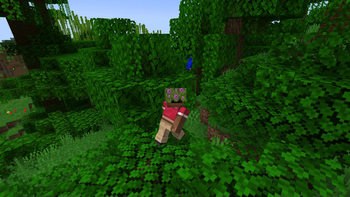
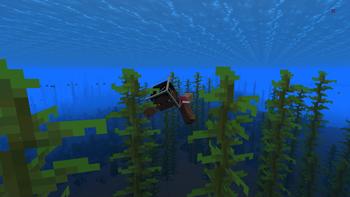
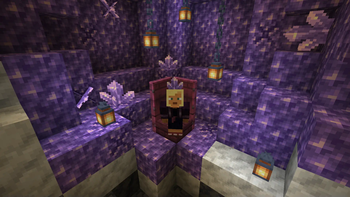
By default, mod allows players to equip most items that have special rendering rules in vanilla Minecraft:
- Banners
- Fence gates
- Amethyst clusters and buds
- Beds
- Feather
- End rod
- Lightning Rod
- Spyglass
- Lead
- Bone
- Cod
- Conduit
And some other ones I thought looked cool\funny:
- Glass blocks (including tinted and stained glass)
- Azalea bushes
- Scaffolding
- Big dripleaf
- Slime and honey blocks
- Composter
You can remove/add any items to this list. You can also make it so any item in the game can be used as a hat!
These items can also be equipped to players with a dispenser and can be enchanted with curse enchantments on an anvil (for when you want to test your friendships).
Shift-clicking these items will not equip them - that way players won't accidentally end up with their building blocks on their heads.
You can tweak all of those features using a /hats command, or a configuration file. You can read more here:
https://github.com/WerDei/Server-Hats/wiki
Known issues
- While in multiplayer, players in creative mode cannot equip allowed items to a helmet slot
Found a bug?
Please consider reporting it on GitHub.
Available Versions
How to Install Server Hats on Your Server
Order Server
Order a Minecraft Java server with at least 3 GB RAM (4 GB recommended).
Set fabric Loader
In the panel under "Egg", select the fabric loader and matching Minecraft version (1.20.2).
Install Mod
Open the mod browser in the dashboard and search for "Server Hats". Click "Install" – done! Alternatively, upload the .jar via SFTP to the /mods folder.
Compatibility
Mod Loaders
Minecraft Versions
1.20.2, 1.20.1, 1.20 (+12 more)
Server-side
✓ RequiredRecommended RAM
4 GB(min. 3 GB)Frequently Asked Questions
Server Hats server crashes on startup – what to do?
Most common cause: wrong fabric version or insufficient RAM. Check the server log (latest.log) for "OutOfMemoryError" or "Mixin" errors. With Mado Hosting: ensure at least 3 GB RAM is allocated and the loader matches the mod version (1.20.2). You can switch loaders with one click in the panel.
Is Server Hats compatible with fabric and quilt?
Server Hats officially supports fabric, quilt for Minecraft 1.20.2, 1.20.1, 1.20. The Mado dashboard automatically detects incompatible loader combinations.
Server lagging with Server Hats – how to optimize performance?
Recommended RAM: 4 GB (per 8 players). Use /spark profiler to check if Server Hats consumes the most tick time. Common fixes: reduce server view-distance to 8-10, install "performant" or "starlight" as supplementary mods on Forge. With Mado Hosting, your server runs on NVMe SSDs with dedicated CPU cores for minimal latency.
Similar Mods




![[TaCZ] Timeless and Classics Zero](https://cdn.modrinth.com/data/SzzJttH8/fd27766d2bb8390d284696b1dbd358f87e081439_96.webp)

Rent Modded Server
Install Server Hats with just one click on your server.