
Server Storage Item Frame
a server side useful custom item frame for your storage management
Screenshots

About this Mod
📦 Server Storage Item Frame
100% Server-Side • No Client Required
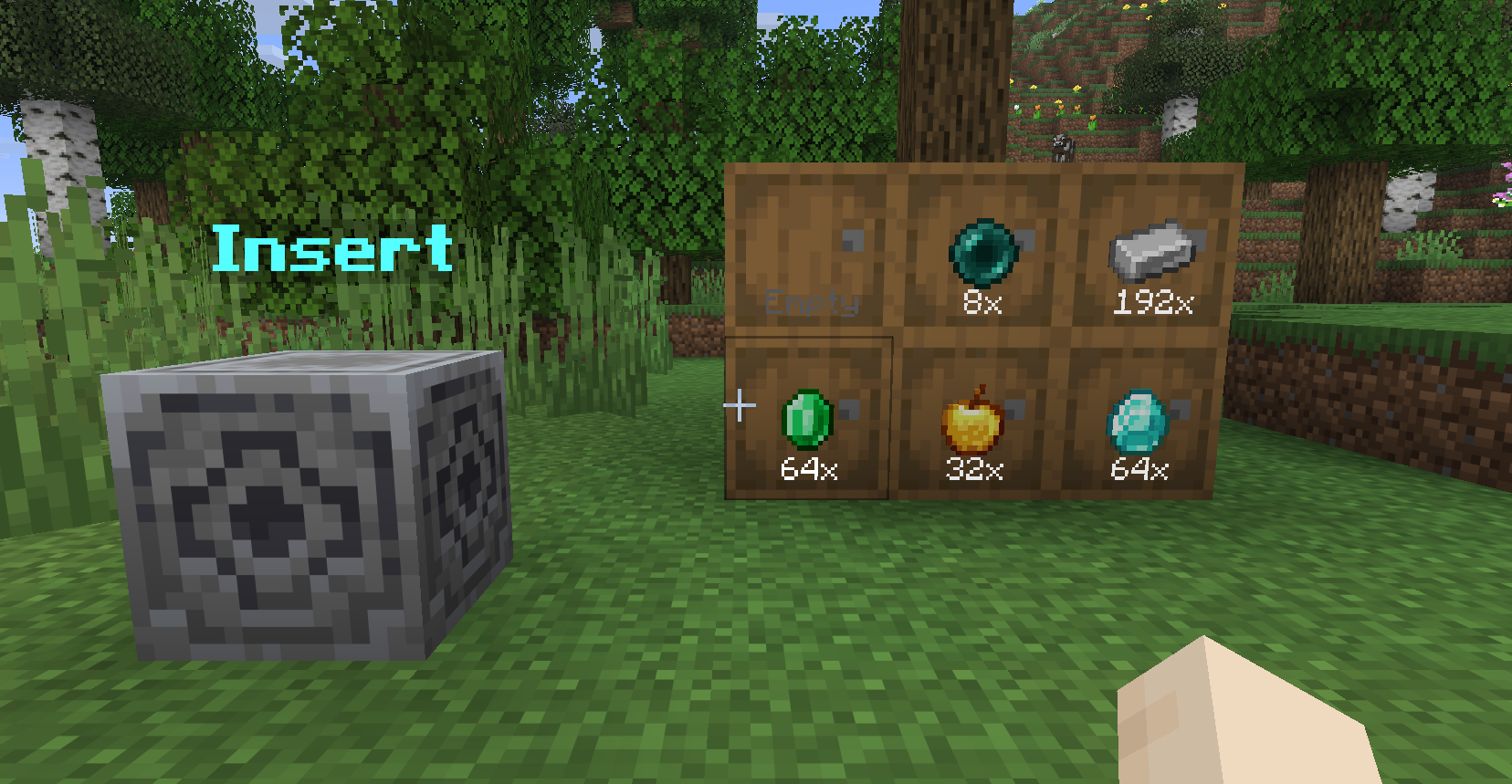
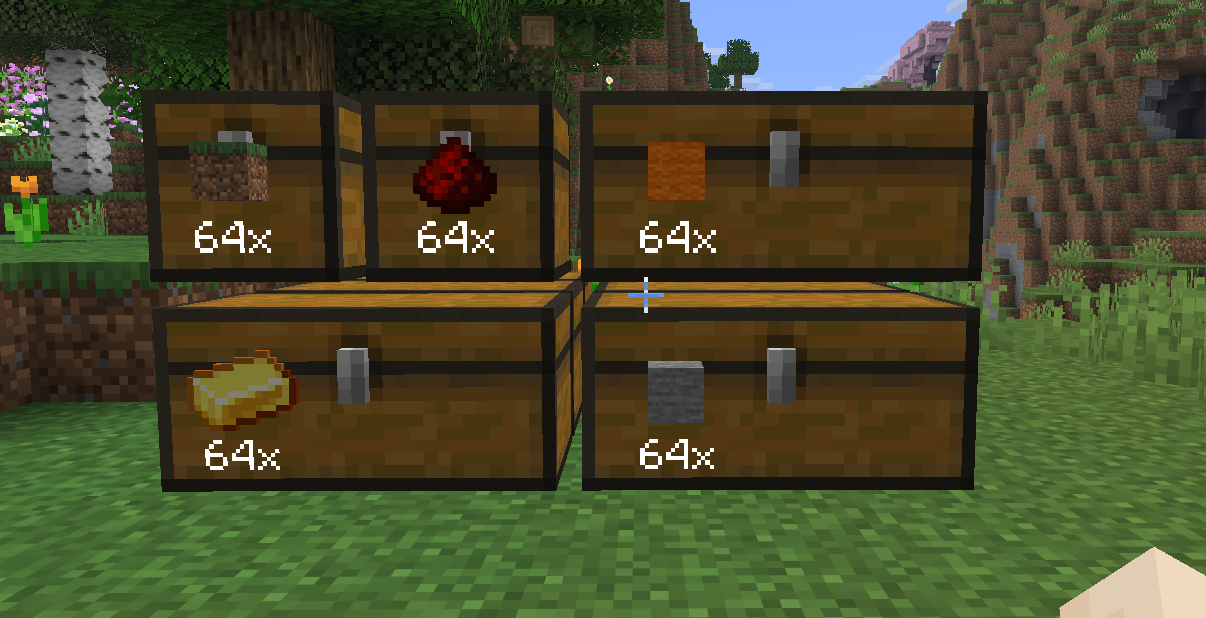
✨ Overview
Server Storage Item Frame enhances storage management without requiring any client-side installation.
Turn your storage system into a clean, visual, and interactive network using invisible item frames and a centralized deposit hub—perfect for multiplayer servers that want functionality without forcing mods on players.
🛠 Features
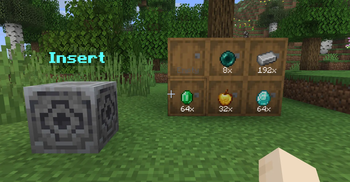
🖼 Storage Item Frames
Transform any container into a smart visual storage slot.
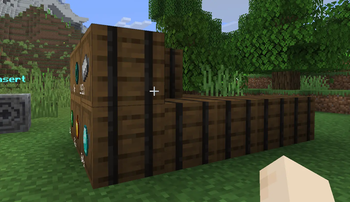
Invisible Frames
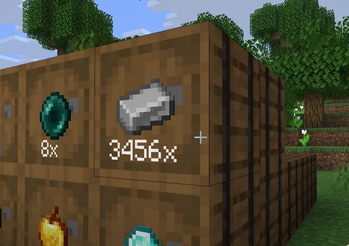
Only the item and its quantity are visible for a clean look.Live Item Count
Automatically displays the total amount across all connected containers.Smart Chain Detection
Scans up to 5 blocks deep behind the frame
✔ Supports double chests
✔ Works with complex storage wallsQuick Interactions
- Right-Click: Withdraw 1 item
- Sneak + Right-Click: Withdraw a full stack
- Left-Click: Deposit held item
- Sneak + Left-Click: Deposit full stack
🧭 Storage Hub
A centralized deposit block (based on the Lodestone).
Instant Sorting
Punch the hub with an item to automatically send it to the correct storage.Smart Matching
Finds the appropriate Storage Item Frame and container chain.Visual Feedback
Item transfer is shown with particle trails from the hub to the destination.
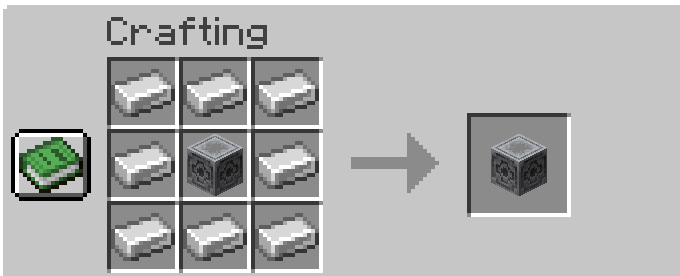
🔨 Crafting Recipes
Storage Item Frame
Storage Hub
❓ FAQ
Why Server-Side Only?
Most storage mods require both client and server installation.
This mod is designed to work entirely on the server, so players can join without installing anything.
Why No Custom Textures?
To stay fully server-side, the mod reuses vanilla Minecraft assets—no resource packs needed.
Will There Be Updates?
Possibly! This is currently a side project, but improvements and new features may come over time.
💡 Why Use This Mod?
- ✔ No client installation required
- ✔ Clean and minimal visual storage system
- ✔ Perfect for SMP and public servers
- ✔ Vanilla-friendly design
- ✔ Fast and intuitive item management
Available Versions
How to Install Server Storage Item Frame on Your Server
Order Server
Order a Minecraft Java server with at least 3 GB RAM (4 GB recommended).
Set fabric Loader
In the panel under "Egg", select the fabric loader and matching Minecraft version (26.1.1).
Install Mod
Open the mod browser in the dashboard and search for "Server Storage Item Frame". Click "Install" – done! Alternatively, upload the .jar via SFTP to the /mods folder.
Compatibility
Mod Loaders
Minecraft Versions
26.1.1
Server-side
✓ RequiredRecommended RAM
4 GB(min. 3 GB)Frequently Asked Questions
Server Storage Item Frame server crashes on startup – what to do?
Most common cause: wrong fabric version or insufficient RAM. Check the server log (latest.log) for "OutOfMemoryError" or "Mixin" errors. With Mado Hosting: ensure at least 3 GB RAM is allocated and the loader matches the mod version (26.1.1). You can switch loaders with one click in the panel.
Is Server Storage Item Frame compatible with fabric?
Server Storage Item Frame officially supports fabric for Minecraft 26.1.1. The Mado dashboard automatically detects incompatible loader combinations.
Server lagging with Server Storage Item Frame – how to optimize performance?
Recommended RAM: 4 GB (per 8 players). Use /spark profiler to check if Server Storage Item Frame consumes the most tick time. Common fixes: reduce server view-distance to 8-10, install "performant" or "starlight" as supplementary mods on Forge. With Mado Hosting, your server runs on NVMe SSDs with dedicated CPU cores for minimal latency.
Similar Mods






Rent Modded Server
Install Server Storage Item Frame with just one click on your server.