
ServerLocalizer
A powerful Minecraft server content localization AI translation mod, allowing you to easily enjoy international servers!
Screenshots
About this Mod

🌐 ServerLocalizer





🎮 A powerful Minecraft server content localization AI translation mod, allowing you to easily enjoy international servers!
📖 Introduction
ServerLocalizer is a Forge mod for Minecraft 1.8.9 that provides high-quality, customizable game content translation by intercepting server packets and calling AI large language model APIs. It helps you overcome language barriers and enjoy a seamless gaming experience on international servers.
✨ Features
Core Translation Functions
- Item Translation: Automatically translates item names and lores.
- Chat Translation: Instantly translates any chat message by clicking the
[T]button next to it. - Style Preservation: Fully retains color codes and text formatting in both items and chat.
Intelligence & Efficiency
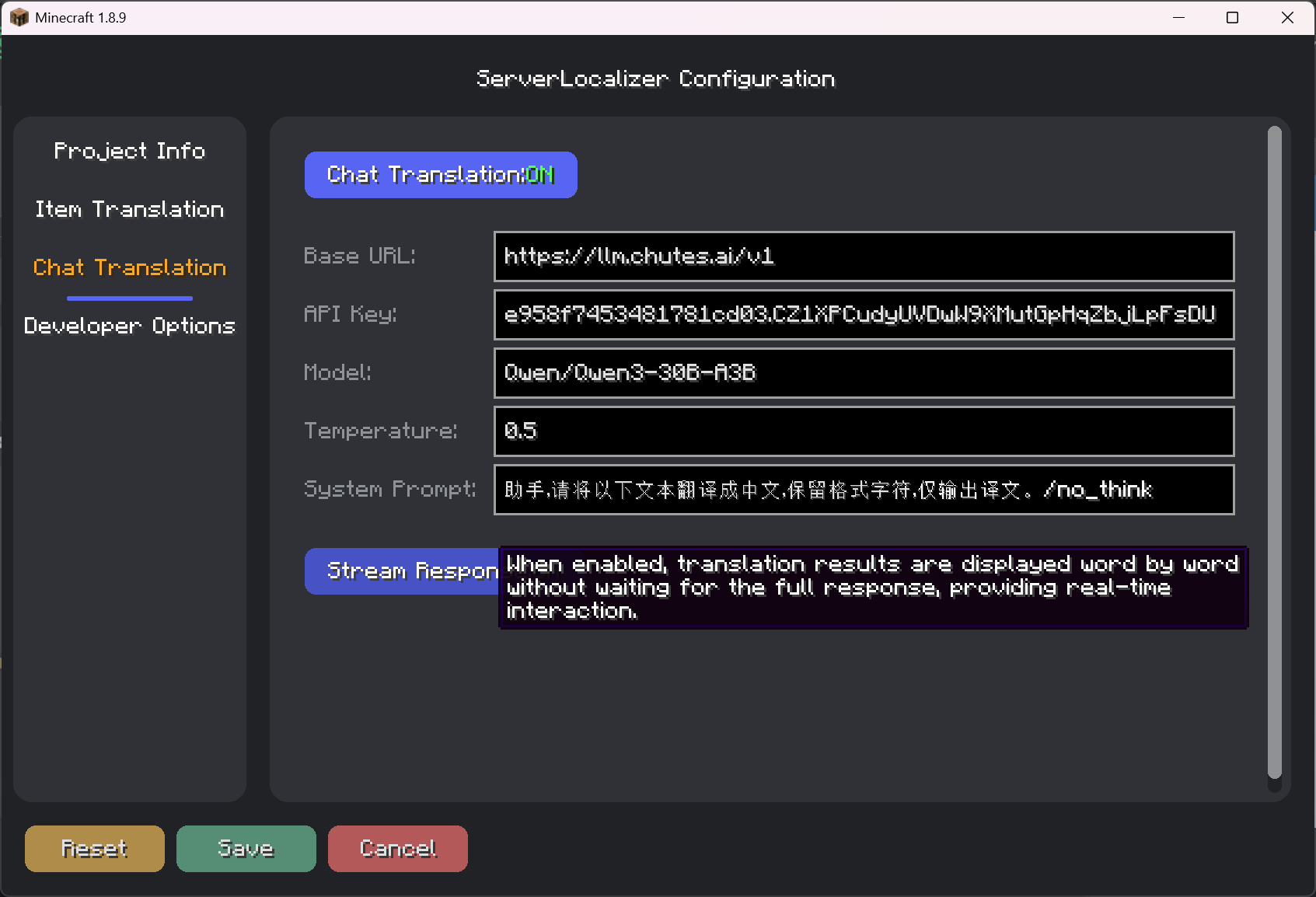
- Stream Response: When enabled, translation results are displayed word by word, providing a smoother interactive experience without waiting.
- Smart Caching: Automatically caches translation results to avoid redundant requests and save resources.
- Concurrent Processing: Uses a thread pool to handle multiple translation requests, ensuring smooth game performance.
User Experience
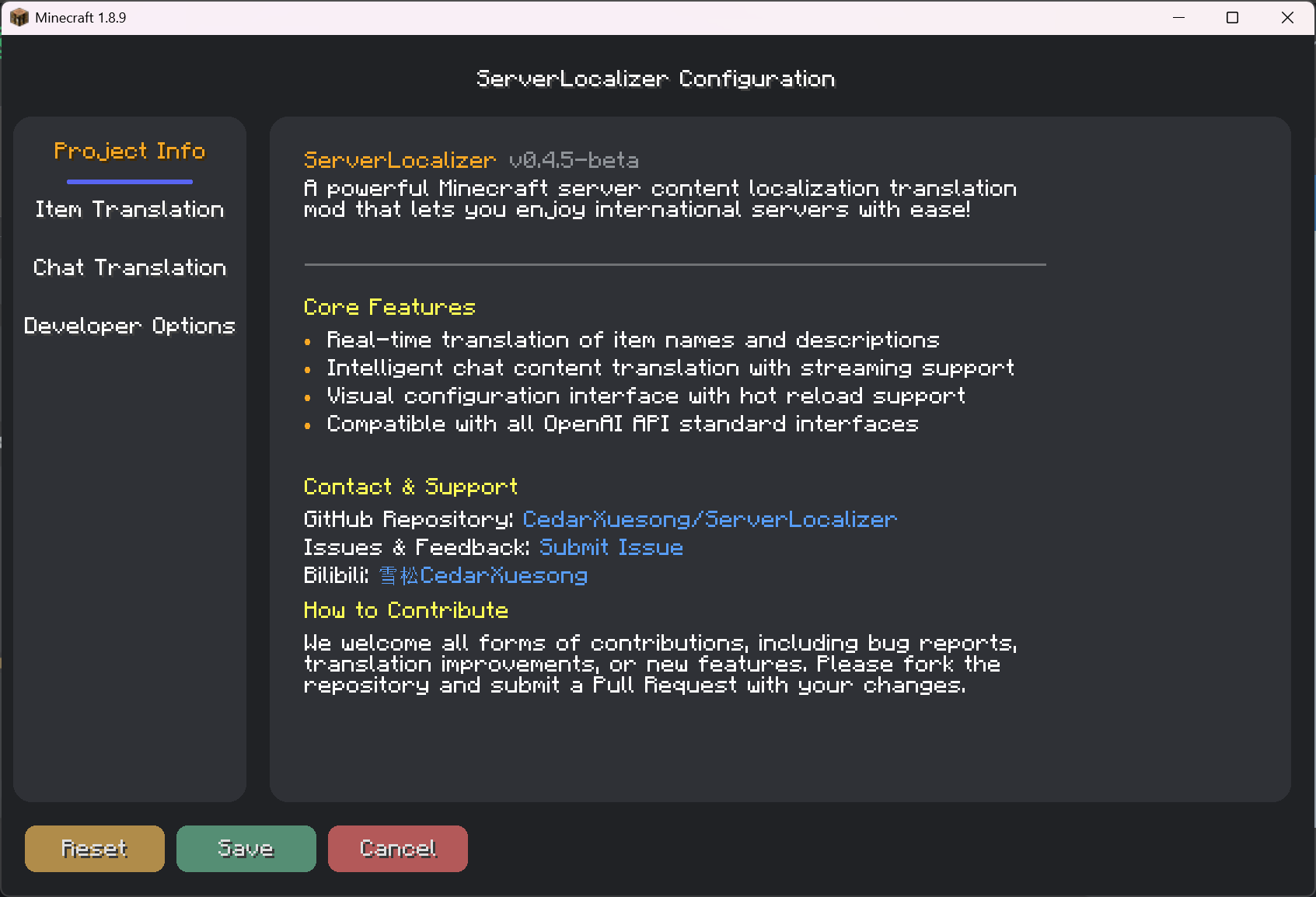
- Visual Configuration GUI: Provides a modern GUI for users to easily adjust all settings.
📥 Installation Guide
Prerequisites:
- Minecraft 1.8.9
- Forge
11.15.1.2318or a later version
Installation Steps:
- Download the latest
ServerLocalizer-x.x.jarfrom the Releases page. - Place the downloaded
.jarfile into your.minecraft/modsfolder. - Launch the game to start using the mod.
- Download the latest
🎮 How to Use
- Open Configuration:
- From the main menu or pause menu, click "Mods" -> find "ServerLocalizer" -> click the "Config" button.
- Alternatively, use the in-game command
/serverlocalizer config.
- Configure API:
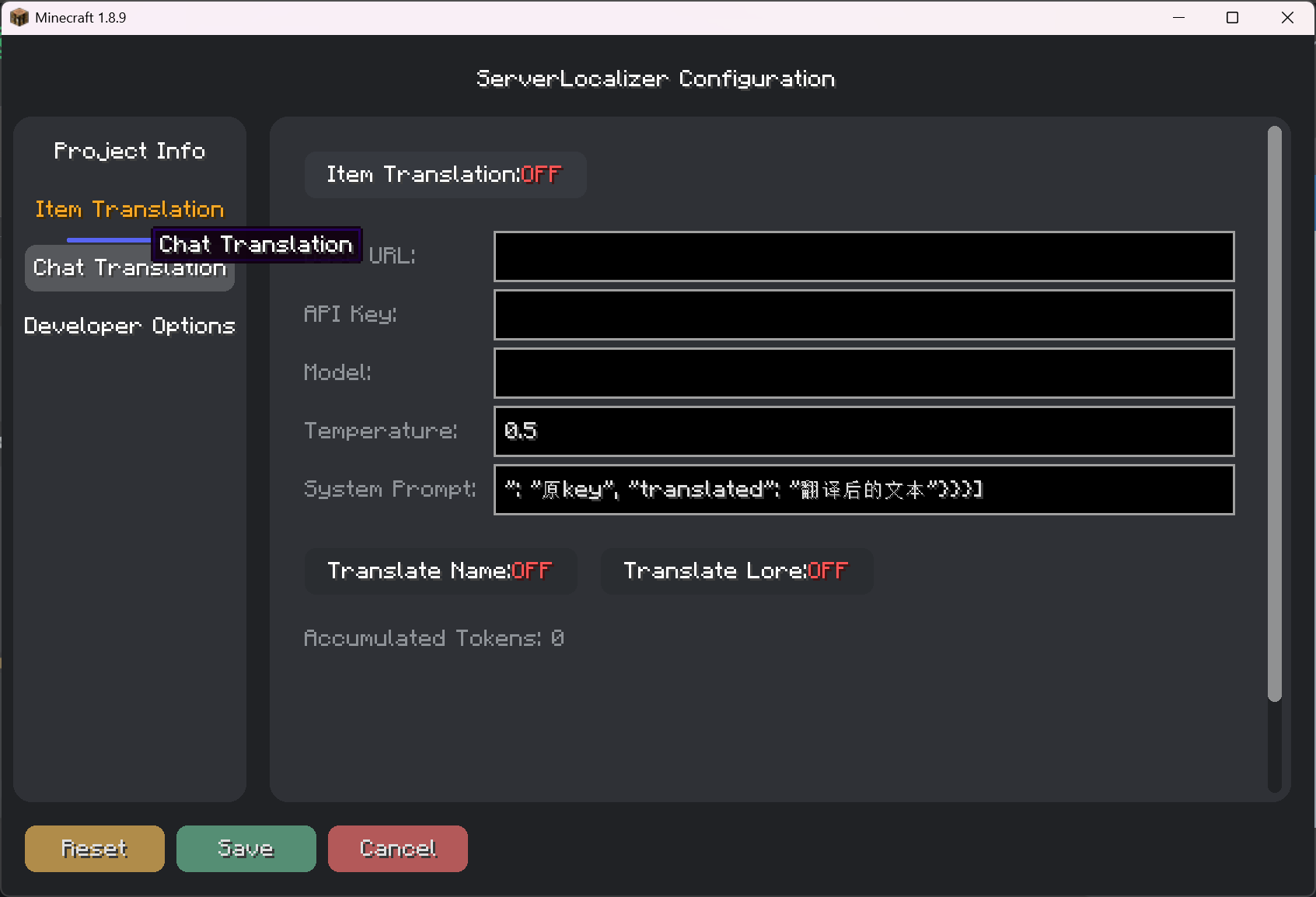
- In the "Item Translation" and "Chat Translation" tabs, enter your API service address (Base URL), API Key, and Model name.
- This mod is compatible with any model service that adheres to the OpenAI API standards.
- Enable Features:
- In the respective tabs, enable the features you need, such as "Item Translation" or "Chat Translation".
- Save Configuration:
- Click the "Save" button at the bottom left. All settings will take effect immediately.
- Start Translating:
- Items: Hover over an item to see the translation.
- Chat: Click the
[T]button next to a chat message to start the translation.
⌨️ Command List
The main command is /serverlocalizer.
/serverlocalizer config: Opens the mod's graphical configuration interface./serverlocalizer translate <messageId>: Translates a chat message with a specific ID (mainly used internally by clicks).
📂 Configuration Files
All configurations are stored in the .minecraft/config/serverlocalizer/ModConfig.json file. It is recommended to modify settings through the in-game GUI rather than editing this file manually.
🔧 Development Guide
Setup Environment
# Clone the project
git clone https://github.com/CedarXuesong/ServerLocalizer.git

# Setup the development workspace
./gradlew setupDecompWorkspace

# Generate IDE configurations
./gradlew eclipse    # For Eclipse
./gradlew idea       # For IntelliJ IDEA
🤝 Contributing
We welcome all forms of contributions!
- Submit Bug Reports: Report any issues you find via GitHub Issues.
- Improve Translations: Fork the repository and optimize the translation cache files.
- Add New Features: Feel free to contribute your code via Pull Requests.
📞 Contact
- Author: CedarXuesong
- Bilibili: 雪松CedarXuesong
- Feedback & Issues: GitHub Issues
🙏 Acknowledgements
- Minecraft Forge - The powerful mod loader.
- SpongePowered Mixin - The flexible code injection framework.
- All developers and users who have contributed to this project and provided feedback ❤️.
Available Versions
How to Install ServerLocalizer on Your Server
Order Server
Order a Minecraft Java server with at least 3 GB RAM (4 GB recommended).
Set forge Loader
In the panel under "Egg", select the forge loader and matching Minecraft version (1.8.9).
Install Mod
Open the mod browser in the dashboard and search for "ServerLocalizer". Click "Install" – done! Alternatively, upload the .jar via SFTP to the /mods folder.
Compatibility
Mod Loaders
Minecraft Versions
1.8.9
Server-side
✓ RequiredRecommended RAM
4 GB(min. 3 GB)Frequently Asked Questions
ServerLocalizer server crashes on startup – what to do?
Most common cause: wrong forge version or insufficient RAM. Check the server log (latest.log) for "OutOfMemoryError" or "Mixin" errors. With Mado Hosting: ensure at least 3 GB RAM is allocated and the loader matches the mod version (1.8.9). You can switch loaders with one click in the panel.
Is ServerLocalizer compatible with forge?
ServerLocalizer officially supports forge for Minecraft 1.8.9. The Mado dashboard automatically detects incompatible loader combinations.
Server lagging with ServerLocalizer – how to optimize performance?
Recommended RAM: 4 GB (per 8 players). Use /spark profiler to check if ServerLocalizer consumes the most tick time. Common fixes: reduce server view-distance to 8-10, install "performant" or "starlight" as supplementary mods on Forge. With Mado Hosting, your server runs on NVMe SSDs with dedicated CPU cores for minimal latency.
Similar Mods






Rent Modded Server
Install ServerLocalizer with just one click on your server.