
Sideflord's Easy Trading Mod
A mod made to simplify trade between players and introduce an easy to use economy for servers
Screenshots

About this Mod
SETM adds:
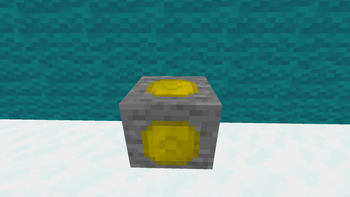
- 2 new blocks (TradingPost, CoinOre)
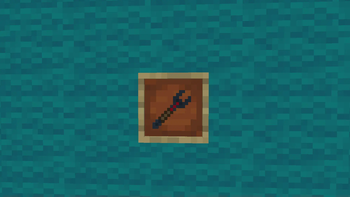
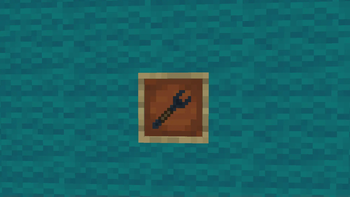
- 2 Items (TradingPostTool, QuartzCog)
- Coins, that is used as main trading currency in this mod.
If you ever wanted to have simple, easy to use trading system, that you can set anywhere in the world, its just the mod that you need.
Here is a few steps to start using these blocks:
- First you need to obtain quartz and diamonds to craft quartz cogs
- Second create tool and TradingPost
- Third place TradingPost and claim it with tool
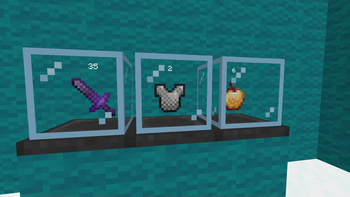
- Fourth set any item you want to trade in the highest slot and change price
- Fifth press lock button to lock price and get your item ready to sell
Usefull tips
- To show or hide your balance press B (By Default)
- Main source of money in this mod is Coin Ore (Can be mined in the overworld From -64Y to 64Y)
- There's no coin item in this mod, in exchange all your money is showed in special balance UI
Plans for future
- Block for buying items
- Dungeons to earn more money
- Balancing Coin Ore to fit new dungeons
Available Versions
How to Install Sideflord's Easy Trading Mod on Your Server
Order Server
Order a Minecraft Java server with at least 4 GB RAM (6 GB recommended).
Set forge Loader
In the panel under "Egg", select the forge loader and matching Minecraft version (1.20.6).
Install Mod
Open the mod browser in the dashboard and search for "Sideflord's Easy Trading Mod". Click "Install" – done! Alternatively, upload the .jar via SFTP to the /mods folder.
Compatibility
Mod Loaders
Minecraft Versions
1.20.6, 1.20.1
Server-side
✓ RequiredRecommended RAM
6 GB(min. 4 GB)Frequently Asked Questions
Sideflord's Easy Trading Mod server crashes on startup – what to do?
Most common cause: wrong forge version or insufficient RAM. Check the server log (latest.log) for "OutOfMemoryError" or "Mixin" errors. With Mado Hosting: ensure at least 4 GB RAM is allocated and the loader matches the mod version (1.20.6). You can switch loaders with one click in the panel.
Is Sideflord's Easy Trading Mod compatible with forge and neoforge?
Sideflord's Easy Trading Mod officially supports forge, neoforge for Minecraft 1.20.6, 1.20.1. The Mado dashboard automatically detects incompatible loader combinations.
Server lagging with Sideflord's Easy Trading Mod – how to optimize performance?
Recommended RAM: 6 GB (per 5 players). Use /spark profiler to check if Sideflord's Easy Trading Mod consumes the most tick time. Common fixes: reduce server view-distance to 8-10, install "performant" or "starlight" as supplementary mods on Forge. With Mado Hosting, your server runs on NVMe SSDs with dedicated CPU cores for minimal latency.
Similar Mods



![CobbleDollars [Cobblemon Addon]](https://cdn.modrinth.com/data/s7N7AsqL/684040a264fc1d7f9b856ec5d2da39767398c7ad.png)

Rent Modded Server
Install Sideflord's Easy Trading Mod with just one click on your server.