
Seven Days to Survive
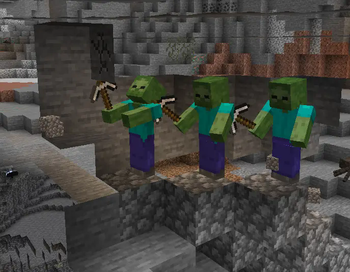
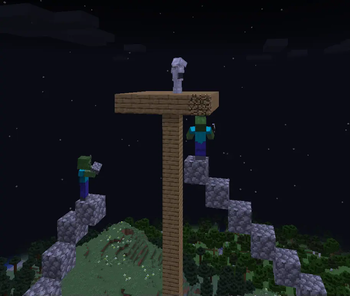
A hardcore survival mod where zombies can dig and build to hunt you down. With increased detection range and relentless AI, no shelter is safe—especially during the terrifying Oblivion Nights!
Screenshots
About this Mod
About
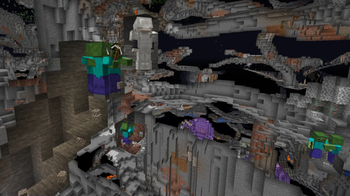
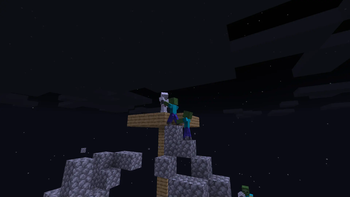
Seven Days to Survive is a difficulty overhaul mod that significantly increases the challenge of survival by improving the AI of vanilla Minecraft zombies. Their detection range is greatly increased, and they have gained the ability to dig and place blocks, making them relentless in their pursuit of the player. No longer will walls or terrain keep you safe—zombies will actively tunnel, build, and navigate obstacles to reach you.
The Synaptic Seal
To help you hold out, the mod introduces the Synaptic Seal, a special block that suppresses zombies' digging and building behavior within a 1x1 chunk radius by default.
Expanding its Range:
- Right-click with an Echo Shard to expand suppression to 3x3 chunks.
- Add four more Echo Shards to reach a maximum of 5x5 chunks.
- Sneak + Right-click with an empty hand to remove shards.
Oblivion Night
But beware: every seventh night, the world is plunged into an Oblivion Night—a night of chaos and terror.
During Oblivion Night:
- Zombies’ detection range increases drastically.
- Synaptic Seals are disabled—digging and building suppression no longer works.
- Zombies spawn with randomized armor, swords, and a speed boost, making them deadlier than ever.
No shelter is truly safe. You’ll need to fight, adapt, and survive the horde at its strongest.
Will you adapt and fortify against the Undead, or will they claim your world?
Issues
If you encounter any issues or bugs, please report them under the 'Issues' tab on this mod's Modrinth page or via Issues. This helps us track and fix problems more efficiently. Thank you for your support!
Available Versions
How to Install Seven Days to Survive on Your Server
Order Server
Order a Minecraft Java server with at least 3 GB RAM (4 GB recommended).
Set fabric Loader
In the panel under "Egg", select the fabric loader and matching Minecraft version (1.20.1).
Install Mod
Open the mod browser in the dashboard and search for "Seven Days to Survive". Click "Install" – done! Alternatively, upload the .jar via SFTP to the /mods folder.
Compatibility
Mod Loaders
Minecraft Versions
1.20.1
Server-side
✓ RequiredRecommended RAM
4 GB(min. 3 GB)Frequently Asked Questions
Seven Days to Survive server crashes on startup – what to do?
Most common cause: wrong fabric version or insufficient RAM. Check the server log (latest.log) for "OutOfMemoryError" or "Mixin" errors. With Mado Hosting: ensure at least 3 GB RAM is allocated and the loader matches the mod version (1.20.1). You can switch loaders with one click in the panel.
Is Seven Days to Survive compatible with fabric and forge and neoforge?
Seven Days to Survive officially supports fabric, forge, neoforge for Minecraft 1.20.1. Note: Forge and Fabric mods are NOT cross-compatible – pick one loader and stick with it. The Mado dashboard automatically detects incompatible loader combinations.
Server lagging with Seven Days to Survive – how to optimize performance?
Recommended RAM: 4 GB (per 8 players). Use /spark profiler to check if Seven Days to Survive consumes the most tick time. Common fixes: reduce server view-distance to 8-10, install "performant" or "starlight" as supplementary mods on Forge. With Mado Hosting, your server runs on NVMe SSDs with dedicated CPU cores for minimal latency.
Similar Mods




Rent Modded Server
Install Seven Days to Survive with just one click on your server.