SFM-Flow
A Re-imagined SFM with Flowcharts
Screenshots
About this Mod
WARNING: ALPHA RELEASE. SHOULD BE SAFE TO USE IN NORMAL SAVE, BUT MAKE BACKUPS JUST IN CASE. API CHANGES ARE STILL LIKELY.
SFM-Flow is a complete, modernized visual flowchart automation mod built from the ground up for NeoForge 1.21.1. It allows you to design, coordinate, and execute complex logistical routines using an interactive graphical flowchart canvas, specialized cables, modular cards, and physical network nodes.
Core Features
1. Interactive Logic Canvas & Menus
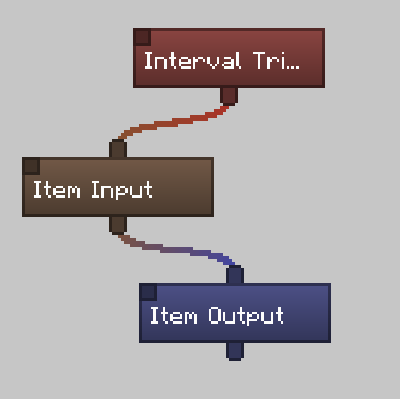
- Standardized Compact Nodes: Canvas nodes are kept permanently compact to maximize workspace visibility. Customizable gradient color-coding helps you organize active routines at a glance.
- Contextual Right-Click Menus: Right-clicking any node opens a clean dropdown to rename the component, edit settings, change the node's color, copy, or delete it.
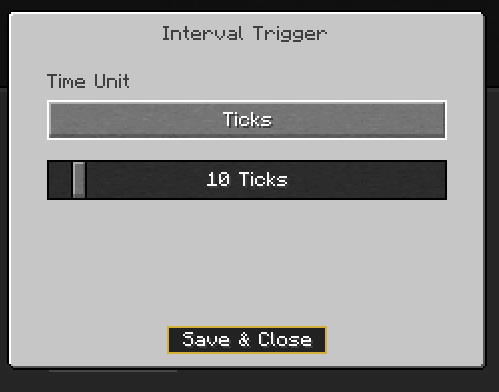
- Symmetrically Centered Settings Overlays: Double-clicking nodes opens a centered modal panel. The main canvas is dimmed, highlighting your active configuration tasks (e.g. setting periods on an Interval Trigger or managing filters on an Item Input).
2. Physical Network Components
Build out your logistical infrastructure using a wide array of physical blocks:
- Machine Inventory Manager: The core computer of the network. It hosts the flowchart logic, scans adjacent cables, and compiles your commands.
- Network Cables (Standard & Hardened): The conductive routing medium of your system. Hardened variants are blast-resistant to protect your connections in hazardous environments.
- Observer Cables: Electrically silent, directional block-update monitors that detect adjacent state changes without emitting standard redstone signals.
- Redstone Network Emitter & Receiver: Independent, multi-sided analog redstone signal managers capable of handling levels from
0to15directly through your flowchart instructions. - Item & Fluid Hatches: Vacuum and ejection hatches that suction ground items in a 3x3x3 space, eject item entities into the world, or handle in-world fluid blocks.
- Card Clusters (Standard & Advanced): Modular sub-chassis slots that let you insert up to 9 (Standard) or 18 (Advanced) execution cards (like vacuum, ejection, and redstone cards) to run proxy actions over specific faces.
3. Symmetrical 3D Block Previews & Slot Layouts
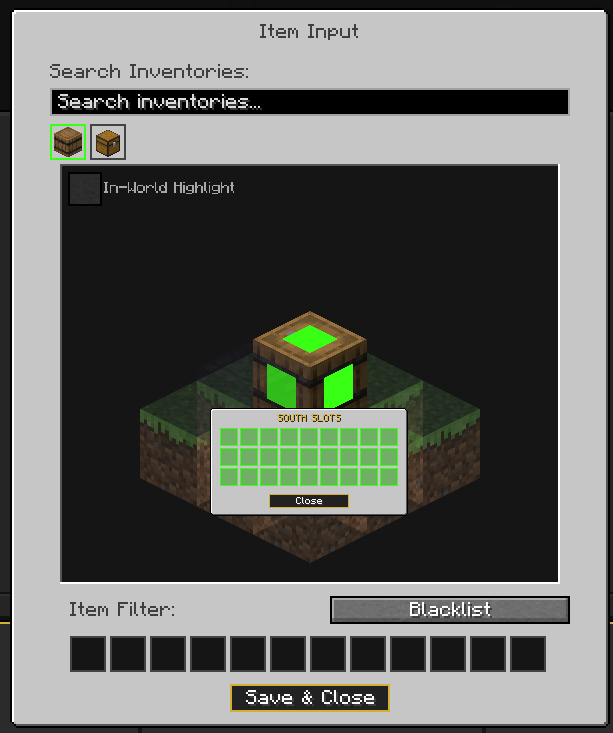
- Orbitable 3D Preview: When configuring item or fluid transfers, rotate and orbit a 3D preview of the targeted inventory using your mouse. Left-click any of the three visible faces to toggle side access.
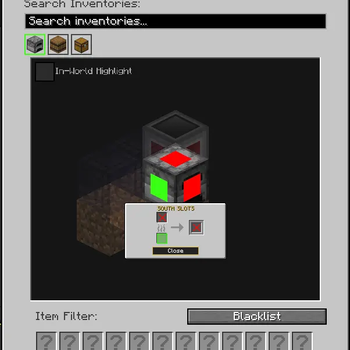
- Themed Slot Configurator: Shift-Left-click a 3D block face to open a custom layout showing exactly how slots are configured for that side. Slots are themed to match furnaces, crafters, brewing stands, droppers, dispensers, or hoppers at 50% scale, letting you toggle slot-by-slot access using neon green (active) and red (inactive) highlights.
Under the Hood: Performance & Reliability
SFM-Flow has been engineered to prevent server tick spikes and lag:
- Asynchronous Planning Kernel: Logic evaluations are processed off-thread on dedicated daemon thread pools, keeping the main Minecraft tick loop unburdened.
- 1ms Cooperative Time Budget: Off-thread operations are broken down into small, 1ms slices to safely coordinate network tasks.
- O(1) Garbage-Free Traversals: Physical network maps are managed through primitive ID arrays and spatial chunk grouping, eliminating unnecessary object allocation and Garbage Collector overhead.
- Physical Circuit Breaker: If a flowchart enters an infinite loop, the execution kernel automatically trips once it exceeds a 1000-node evaluation threshold, cleanly terminating the run and logging diagnostic details for debugging.
- Network Optimization Rules: Synchronization packets are optimized to transmit only on distinct mouse releases or scroll wheel actions, eliminating packet flooding during active slider dragging.
Addon Developer API (dta.sfmflow.api)
SFM-Flow is designed with a fully decoupled, extensible architecture for addon creators:
- Fluent Component Builders: Register custom components in the
sfmflow:flow_component_typeregistry using the clean, chainableFlowComponentBuilder. - Dynamic Capabilities: Avoid hardcoded integrations. Use
FlowCapabilityRegistryto register extensible capability pathways and execution callbacks for custom items, fluids, energy, or chemical transfer types. - Side-Safe Plugin System: Leverage the
ISFMFlowPluginandISFMFlowClientPluginendpoints to safely isolate visual presentation rules from server-side logic, avoiding classloading complications. - Vanilla UI Adapters: Wrap standard Minecraft controls in
ApiWidgetAdapterto coordinate dragging offsets and preserve correct mouse click focus.
Available Versions
How to Install SFM-Flow on Your Server
Order Server
Order a Minecraft Java server with at least 3 GB RAM (4 GB recommended).
Set neoforge Loader
In the panel under "Egg", select the neoforge loader and matching Minecraft version (1.21.1).
Install Mod
Open the mod browser in the dashboard and search for "SFM-Flow". Click "Install" – done! Alternatively, upload the .jar via SFTP to the /mods folder.
Compatibility
Mod Loaders
Minecraft Versions
1.21.1
Server-side
✓ RequiredRecommended RAM
4 GB(min. 3 GB)Frequently Asked Questions
SFM-Flow server crashes on startup – what to do?
Most common cause: wrong neoforge version or insufficient RAM. Check the server log (latest.log) for "OutOfMemoryError" or "Mixin" errors. With Mado Hosting: ensure at least 3 GB RAM is allocated and the loader matches the mod version (1.21.1). You can switch loaders with one click in the panel.
Is SFM-Flow compatible with neoforge?
SFM-Flow officially supports neoforge for Minecraft 1.21.1. The Mado dashboard automatically detects incompatible loader combinations.
Server lagging with SFM-Flow – how to optimize performance?
Recommended RAM: 4 GB (per 8 players). Use /spark profiler to check if SFM-Flow consumes the most tick time. Common fixes: reduce server view-distance to 8-10, install "performant" or "starlight" as supplementary mods on Forge. With Mado Hosting, your server runs on NVMe SSDs with dedicated CPU cores for minimal latency.
Similar Mods


Rent Modded Server
Install SFM-Flow with just one click on your server.