
ShadowCrates
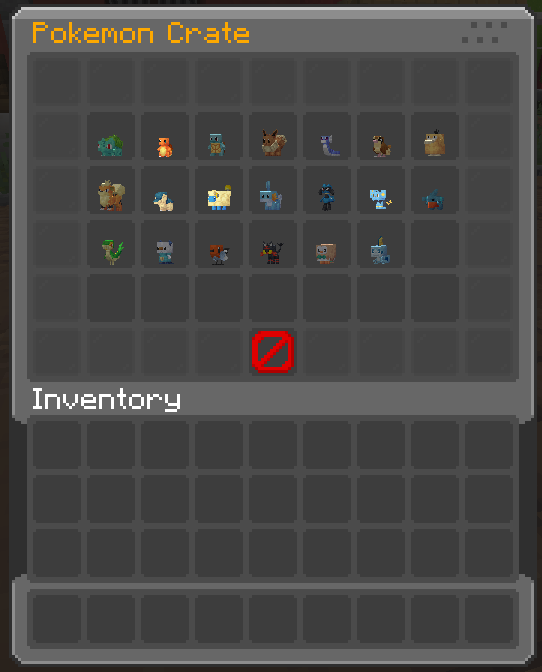
It is a mod that implements the ability to add Crates System on fabric servers. And it has special support for cobblemon items display.
Screenshots
About this Mod
🌏 ShadowCrates
ShadowCrates is a fully customizable Crate System for Minecraft Fabric servers. It allows server administrators to create, configure, and manage crates that players can open using special crate keys. With customizable animations, sounds, and rewards!
📜 Features:
- ✅️ Fully Configurable Crates - Define crates in JSON format, including rewards, animations, sounds, particle effects, and key items.
- ✅️ Custom Enchantment & NBT Support - Rewards retain all item properties, including enchantments, custom model data, and atributes.
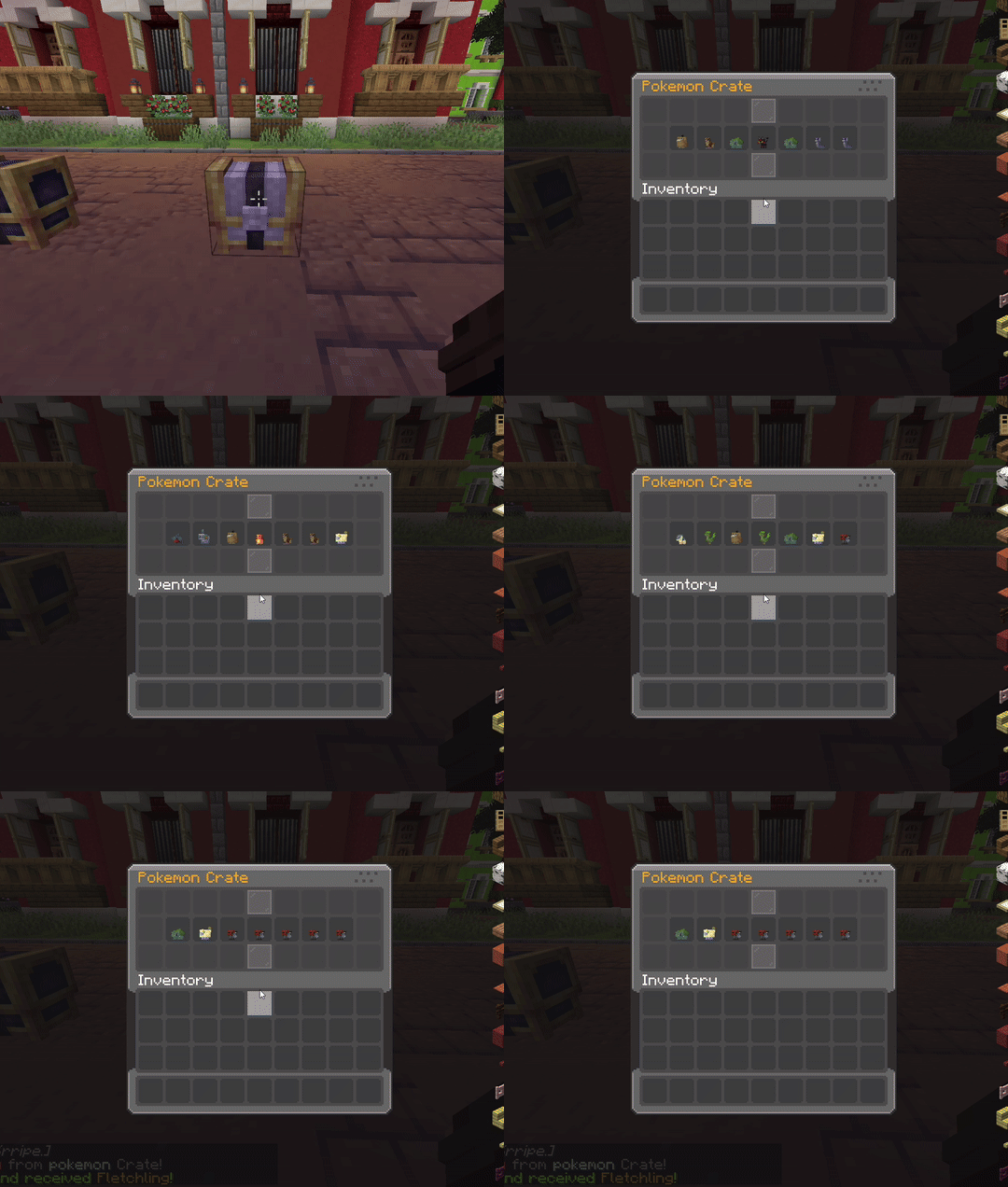
- ✅️ Configurable Animations - Set the number of animation steps and intervals for crate opening effects.
- ✅️ Particle Effects - Choose different particle effects per crate for a visually appealing opening sequence.
- ✅️ Permission-Based Access - Restrict specific crates using LuckPerms or any permission plugin.
- ✅️ Command Execution - Run custom commands when a player wins a reward.
- ✅️ Custom Sounds - Play unique sounds when opening a crate or winning a reward.
- ✅️ Language & Message Customization - Edit all messages, GUI titles, and lore with full RGB color support.
- ✅️ Crate Location System - Assign crates to specific blocks in the world, allowing physical crate locations.
- ✅️ Backup System – Automatic & manual backup creation in
/config/shadowcrates/backups/, with JSON restore support. - ✅️ Database Support – Use SQLite or MySQL to store all crate data (keys, prizes, crate blocks). Auto migration + backup included.
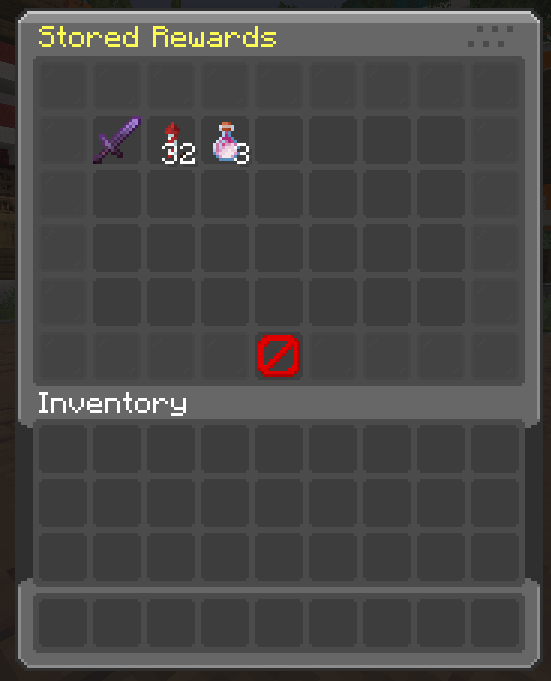
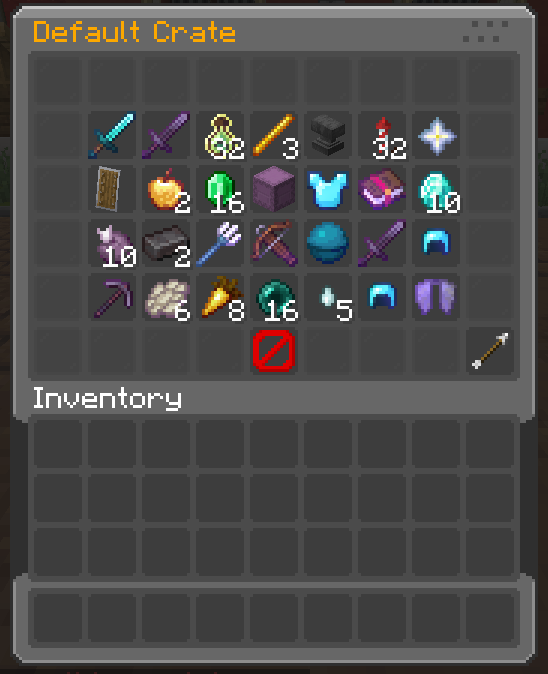
- ✅️ Powerful GUI System – Preview crates, claim stored prizes, and view virtual keys with fully customizable menus.
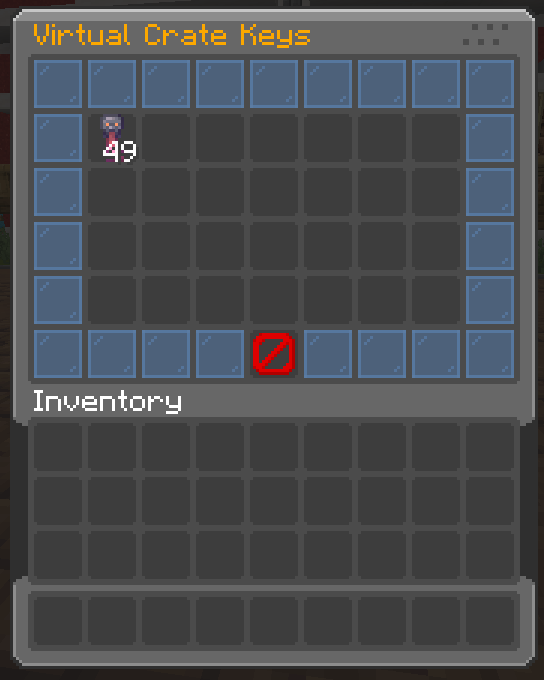
- ✅️ Virtual Key System – Players can store keys virtually, preventing duplication exploits.
- ✅️ Support for Cobblemon Items – Render Pokémon items (e.g. pokemon:abra) as prize icons and display items in GUIs.
⚙️ Commands:
Spoiler
/crate create <name>➜ Create a new crate./crate delete <name>➜ Delete an existing crate./crate reload➜ Reload all config files./crate set <name>➜ Set crate on targeted block./crate unset <name>➜ Remove crate from block./crate key give <crate> <amt> <player>➜ Give virtual or physical keys./crate key storage➜ View your stored keys./crate storage➜ Claim prizes stored items./crate clearstorage <player>➜ Deleting items from storage./crate backup now➜ Manually create a backup./crate backup restore➜ Restore from the latest backup./crate key clear <player>➜ Clear keys for player./crate key count <player> <crate>➜ See stored key count./crate key giveall <amount> <player>➜ Give all keys to a player.
🔒 Permissions:
Spoiler
crate.create➜ for /crate createcrate.delete➜ for /crate deletecrate.reload➜ for /crate reloadcrate.set➜ for /crate setcrate.unset➜ for /crate unsetcrate.storage➜ for /crate storagecrate.clearstorage➜ for /crate clearstoragecrate.key.give➜ for /crate key givecrate.key.storage➜ for /crate key storagecrate.key.clear➜ for /crate key clearcrate.key.count➜ for /crate key countcrate.key.giveall➜ for /crate key giveallcrate.backup➜ for /crate backup now & /crate backup restore
🎞 Animations:
List of animation formats for opening crate:
Spoiler
defaultinstantcsgoslotsvortexwheelpickmeteor
List of animation formaats for idle particles:
Spoiler
orbitdual_orbitringpulsespiralspringflowerstarraysrainstacksparklemeteor_rainring_verticalburstcomet
📂 Configuration Files:
📁
/config/shadowcrates/config.json
– General settings, messages, and toggles.📁
/config/shadowcrates/crates/*.json
– Crate definitions including items, commands, probabilities, and keys.📁
/config/shadowcrates/menu_preview.json
– Preview GUI configuration.📁
/config/shadowcrates/menu_storage.json
– Crate reward storage GUI.📁
/config/shadowcrates/menu_key_storage.json
– Virtual key storage GUI.📁
/config/shadowcrates/data/
– Stores crate block locations.📁
/config/shadowcrates/backups/
– Auto/manual backup folders
Available Versions
How to Install ShadowCrates on Your Server
Order Server
Order a Minecraft Java server with at least 3 GB RAM (4 GB recommended).
Set fabric Loader
In the panel under "Egg", select the fabric loader and matching Minecraft version (1.21.3).
Install Mod
Open the mod browser in the dashboard and search for "ShadowCrates". Click "Install" – done! Alternatively, upload the .jar via SFTP to the /mods folder.
Compatibility
Mod Loaders
Minecraft Versions
1.21.3, 1.21.2, 1.21.1 (+1 more)
Server-side
✓ RequiredRecommended RAM
4 GB(min. 3 GB)Frequently Asked Questions
ShadowCrates server crashes on startup – what to do?
Most common cause: wrong fabric version or insufficient RAM. Check the server log (latest.log) for "OutOfMemoryError" or "Mixin" errors. With Mado Hosting: ensure at least 3 GB RAM is allocated and the loader matches the mod version (1.21.3). You can switch loaders with one click in the panel.
Is ShadowCrates compatible with fabric?
ShadowCrates officially supports fabric for Minecraft 1.21.3, 1.21.2, 1.21.1. The Mado dashboard automatically detects incompatible loader combinations.
Server lagging with ShadowCrates – how to optimize performance?
Recommended RAM: 4 GB (per 8 players). Use /spark profiler to check if ShadowCrates consumes the most tick time. Common fixes: reduce server view-distance to 8-10, install "performant" or "starlight" as supplementary mods on Forge. With Mado Hosting, your server runs on NVMe SSDs with dedicated CPU cores for minimal latency.
Similar Mods




![[TaCZ] Timeless and Classics Zero](https://cdn.modrinth.com/data/SzzJttH8/fd27766d2bb8390d284696b1dbd358f87e081439_96.webp)

Rent Modded Server
Install ShadowCrates with just one click on your server.