Shared Hits
Adds a gamerule to share hits taken by players with all other active players. Works on single-player, integrated/LAN servers, and dedicated servers.
Screenshots
About this Mod
Minecraft Shared Hits Mod
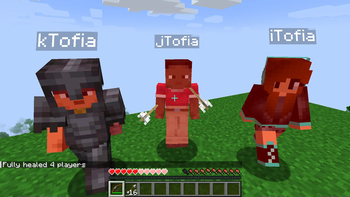
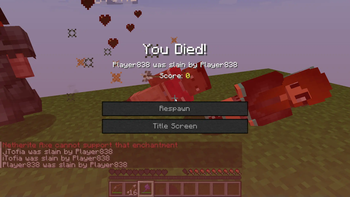
This is a simple Fabric mod that adds a gamerule to share damage taken by players with all other active players. It works on single-player, integrated/LAN servers, and dedicated servers.
Unlike most similar mods, shared hits in this mod share the same damage source, attack type, and direction of attack in addition to the amount of damage. This is not a health sync mod.
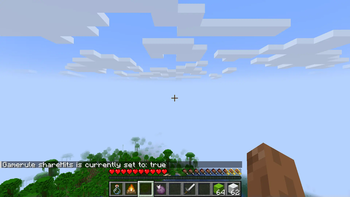
Gamerule
/gamerule shareHits [<value>]
- Default:
true - When enabled, any damage a player takes is also applied to all other active players.
- Only affects survival mode players; spectators and creative mode players are ignored.
Permissions
- Requires operator permissions (level 2) or higher to modify the gamerule just like any other gamerule.
Notes
- This mod is only required on servers and will be ignored on clients.
- Works with all vanilla (and probably modded) damage mechanics, accounting for shields, knockback, resistance effects, etc.
Last Note
If you liked the mod and are a mod maker or simply have a github account, I'd appreciate it a lot if you gave the project a star at https://github.com/SametHope/mc-shared-hits-mod.
Available Versions
How to Install Shared Hits on Your Server
Order Server
Order a Minecraft Java server with at least 3 GB RAM (4 GB recommended).
Set fabric Loader
In the panel under "Egg", select the fabric loader and matching Minecraft version (1.21.4).
Install Mod
Open the mod browser in the dashboard and search for "Shared Hits". Click "Install" – done! Alternatively, upload the .jar via SFTP to the /mods folder.
Compatibility
Mod Loaders
Minecraft Versions
1.21.4
Server-side
✓ RequiredRecommended RAM
4 GB(min. 3 GB)Frequently Asked Questions
Shared Hits server crashes on startup – what to do?
Most common cause: wrong fabric version or insufficient RAM. Check the server log (latest.log) for "OutOfMemoryError" or "Mixin" errors. With Mado Hosting: ensure at least 3 GB RAM is allocated and the loader matches the mod version (1.21.4). You can switch loaders with one click in the panel.
Is Shared Hits compatible with fabric?
Shared Hits officially supports fabric for Minecraft 1.21.4. The Mado dashboard automatically detects incompatible loader combinations.
Server lagging with Shared Hits – how to optimize performance?
Recommended RAM: 4 GB (per 8 players). Use /spark profiler to check if Shared Hits consumes the most tick time. Common fixes: reduce server view-distance to 8-10, install "performant" or "starlight" as supplementary mods on Forge. With Mado Hosting, your server runs on NVMe SSDs with dedicated CPU cores for minimal latency.
Similar Mods





Rent Modded Server
Install Shared Hits with just one click on your server.