Show Chest Name
Adds chest name tags and enables color codes in its name.
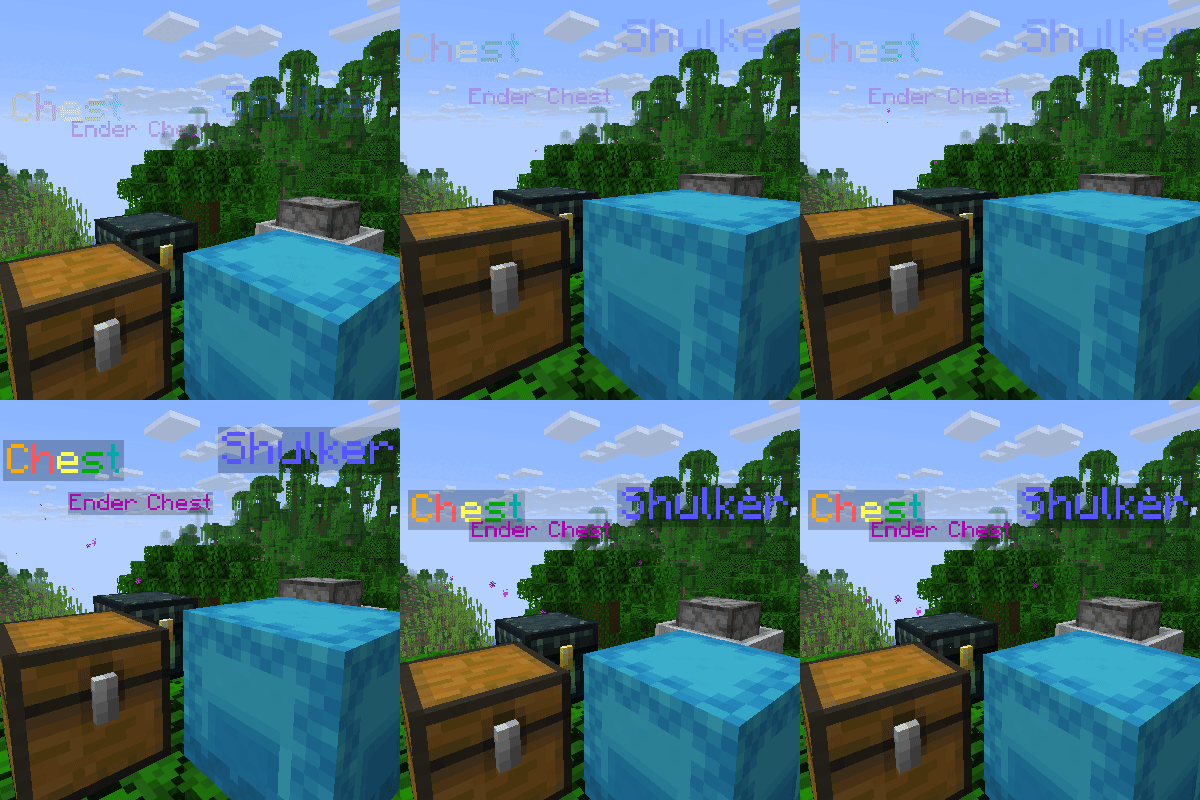
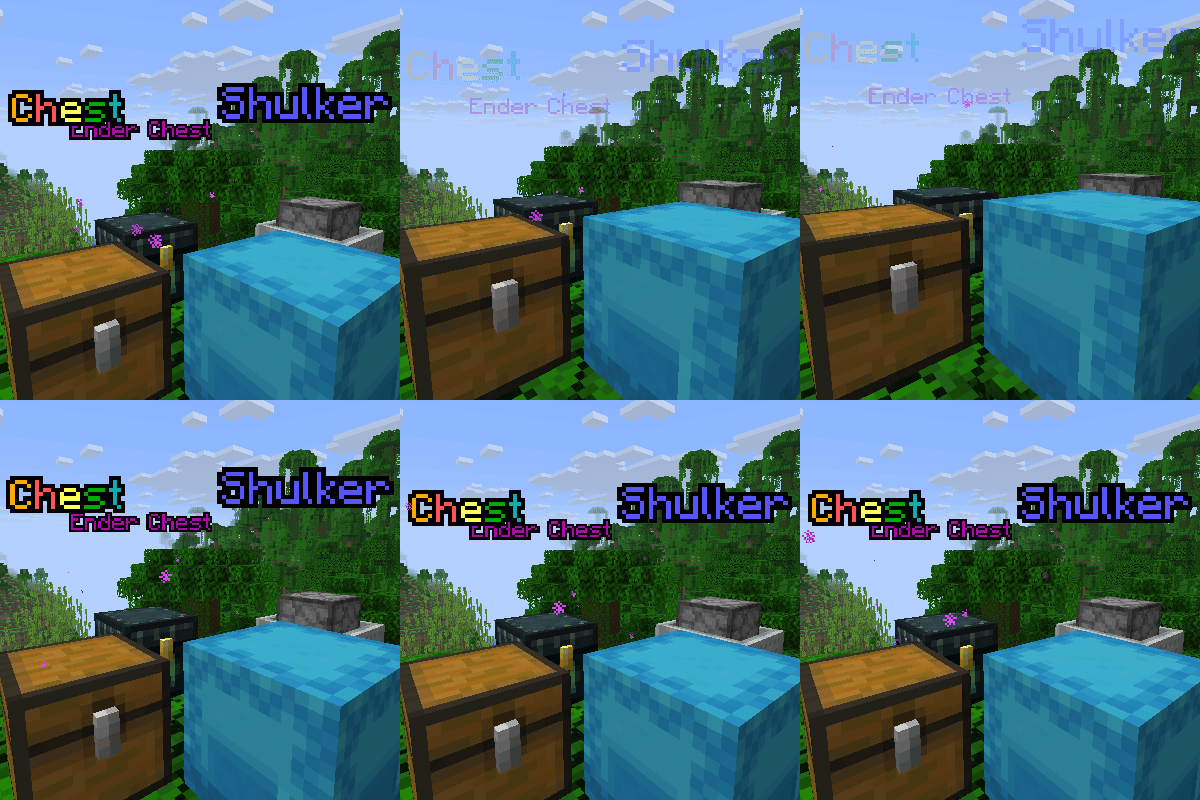
Screenshots
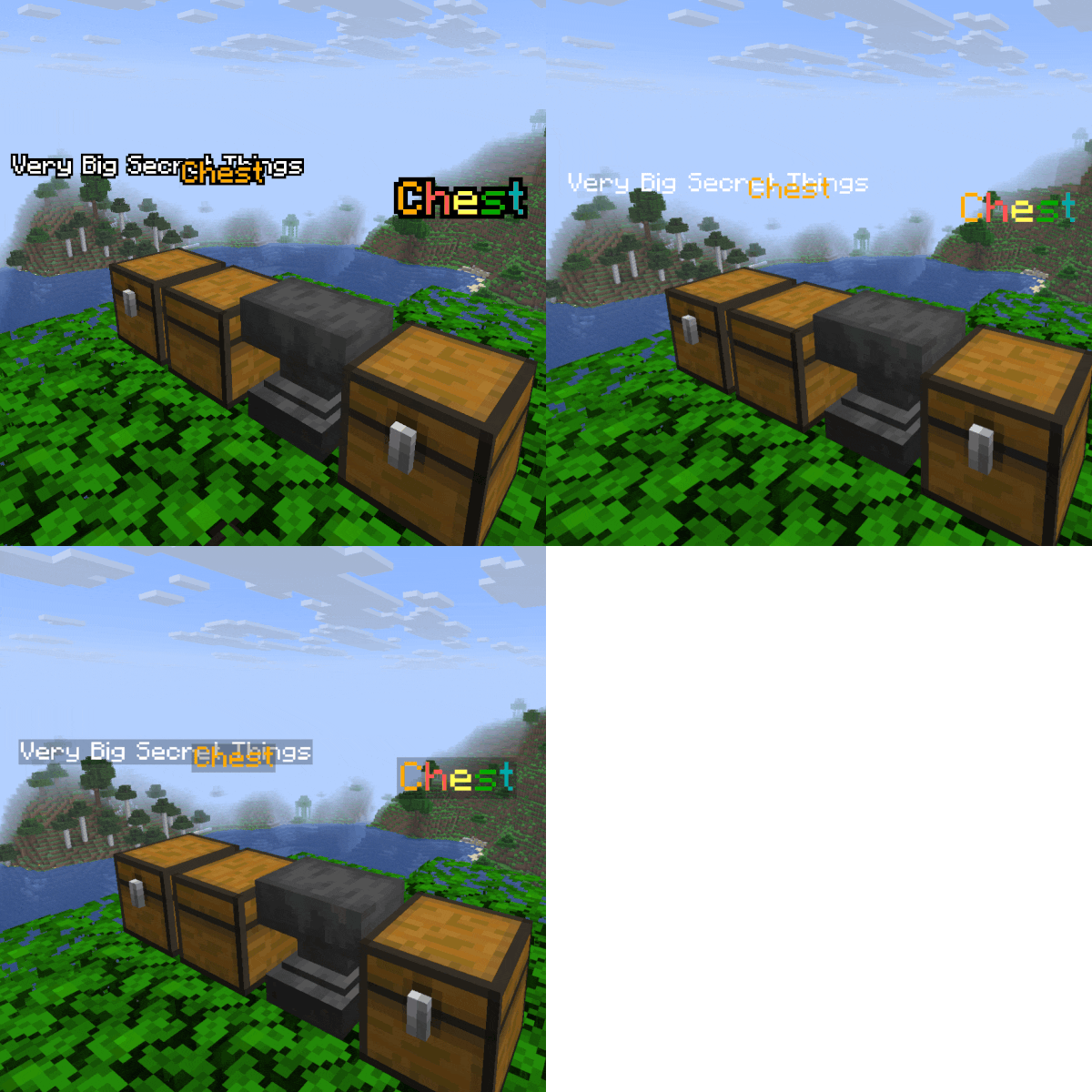
About this Mod
Aquarius Libs needs to be installed for this mod to work!
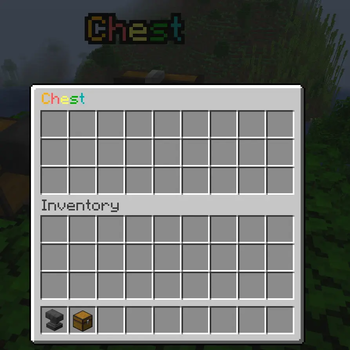
In vanilla Minecraft, renaming a chest at an anvil only displays its custom name inside the container's menu.
This mod brings those names to life by rendering them as visible name tags directly above your chests.
What it does:
- Visual Name Tags: Displays custom chest names in the world.
- Color Code Support: Use § formatting codes for unique, vibrant names (in the anvil when naming).
- Sneak Transparency: Text becomes transparent when you sneak to keep your view clear.
- Config Options: Tweak the config file to customize the background and outline colors(example: -16777216) (only one can be used), or change the display mode to see through(to see the names through blocks).
Supported Versions
- Loaders: Forge, Fabric, and NeoForge.
- Versions: 26.1.x
- Note: No plans to support older versions below 26.1 for now
Found a Bug?
If you encounter any bugs or experience a crash, please send the crash log directly to me via curseforge private message so I can look into it.
Available Versions
How to Install Show Chest Name on Your Server
Order Server
Order a Minecraft Java server with at least 3 GB RAM (4 GB recommended).
Set fabric Loader
In the panel under "Egg", select the fabric loader and matching Minecraft version (26.1.2).
Install Mod
Open the mod browser in the dashboard and search for "Show Chest Name". Click "Install" – done! Alternatively, upload the .jar via SFTP to the /mods folder.
Compatibility
Mod Loaders
Minecraft Versions
26.1.2, 26.1.1, 26.1
Server-side
✓ RequiredRecommended RAM
4 GB(min. 3 GB)Frequently Asked Questions
Show Chest Name server crashes on startup – what to do?
Most common cause: wrong fabric version or insufficient RAM. Check the server log (latest.log) for "OutOfMemoryError" or "Mixin" errors. With Mado Hosting: ensure at least 3 GB RAM is allocated and the loader matches the mod version (26.1.2). You can switch loaders with one click in the panel.
Is Show Chest Name compatible with fabric and forge and neoforge?
Show Chest Name officially supports fabric, forge, neoforge for Minecraft 26.1.2, 26.1.1, 26.1. Note: Forge and Fabric mods are NOT cross-compatible – pick one loader and stick with it. The Mado dashboard automatically detects incompatible loader combinations.
Server lagging with Show Chest Name – how to optimize performance?
Recommended RAM: 4 GB (per 8 players). Use /spark profiler to check if Show Chest Name consumes the most tick time. Common fixes: reduce server view-distance to 8-10, install "performant" or "starlight" as supplementary mods on Forge. With Mado Hosting, your server runs on NVMe SSDs with dedicated CPU cores for minimal latency.
Rent Modded Server
Install Show Chest Name with just one click on your server.