
SignedVelocity
Allows you to cancel or modify messages or commands from Velocity without synchronization problems
Screenshots
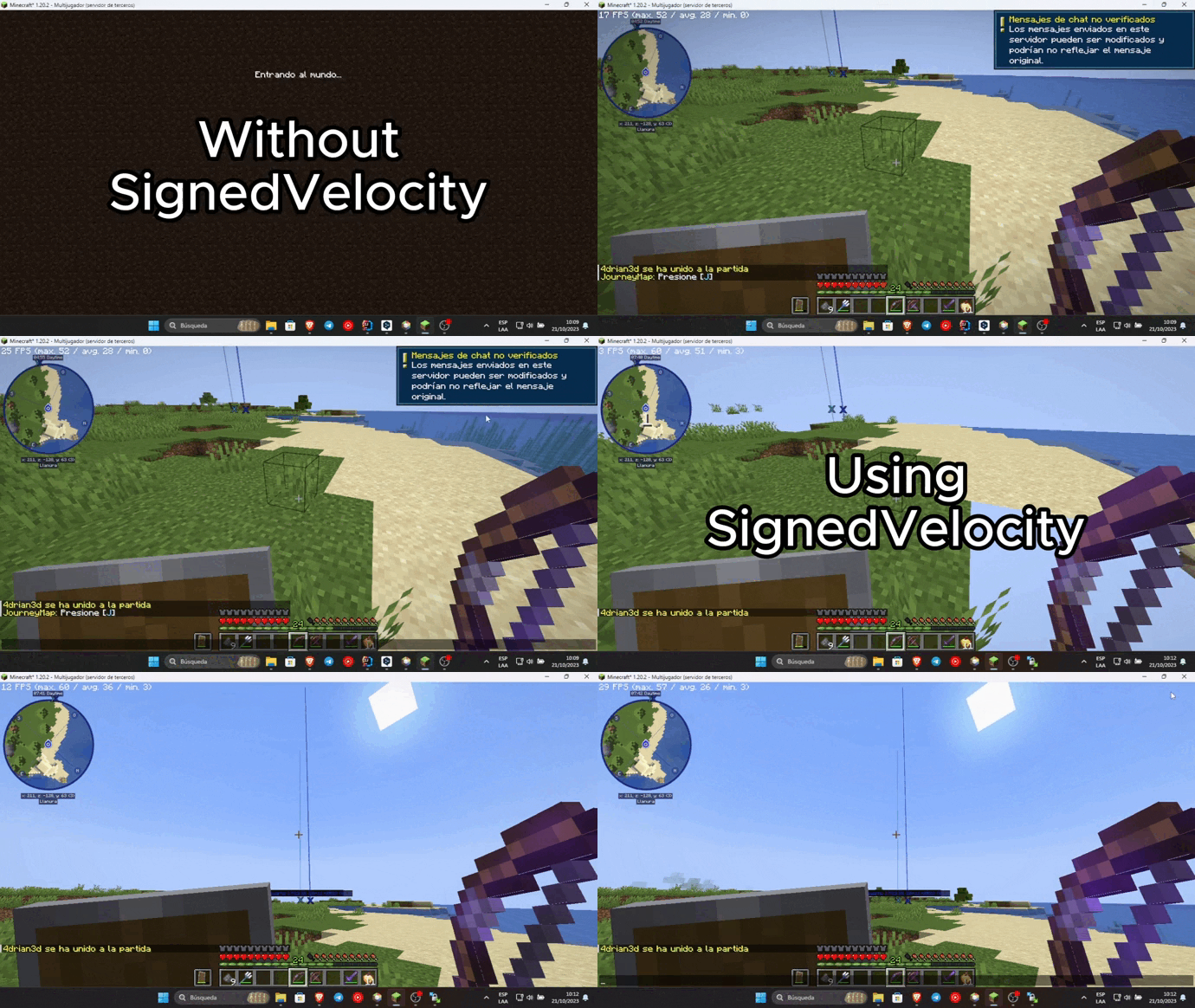
About this Mod
SignedVelocity





Allows you to cancel or modify messages or commands from Velocity without synchronization problems
Requirements
- Java 21+
- Velocity 3.4.0+
Backend:
- Paper 1.20+
- Sponge 10/12+
- Minestom
- Fabric 1.21+
Features
Transmit the modification and cancellation status of Velocity messages and commands to your backend server using plugin messages. This avoids chat chain synchronization problems and avoids Velocity's security check by correctly synchronizing messages.
Chat reporting support using Velocity (can be disabled using external plugins like FreedomChat, not recommended)
Ability to remove the unsecured chat warning when logging into each server. Requires VPacketEvents or PacketEvents
SignedVelocity-Proxy versions prior to 1.3.0 contain an exploit that can be used
to replace the input of any player, and can give administrator permissions to malicious agents,
it is recommended to upgrade to the latest version.
SignedVelocity backend versions are not affected
Installation
In order for SignedVelocity to work, you must install it on both Velocity and all your servers
Velocity
- Download SignedVelocity-Proxy
- Drag and drop on your Velocity plugins folder
- Start your proxy
Paper
- Download SignedVelocity-Paper
- Drag and drop on your Paper plugins folder
- Start your server
Sponge
- Download the version of SignedVelocity-Sponge that is compatible with your server.
SignedVelocity-Sponge-8 supports API 8.1 and 9, SignedVelocity-Sponge-10 supports API 10 and 11 - Drag and drop on your Sponge plugins folder
- Start your server
Fabric
- Download the version of SignedVelocity Fabric that corresponds to your server version
- Drag and drop on your Fabric mods folder
- Start your server
Minestom
In the case of Minestom, SignedVelocity from version 1.3.0 onwards is used in the form of a library
so that it can be included in your own implementation.
Maven Repository
Gradle
repositories {
    mavenCentral()
}

dependencies {
    implementation("io.github.4drian3d:signedvelocity-minestom:1.4.0")
}
Example
import io.github._4drian3d.signedvelocity.minestom.SignedVelocity;

// then...

SignedVelocity.initialize();
For older versions of Minestom, you can use SignedVelocity-Minestom 1.2.4 which comes as an extension
Installation Videos
Spanish by 4drian3d
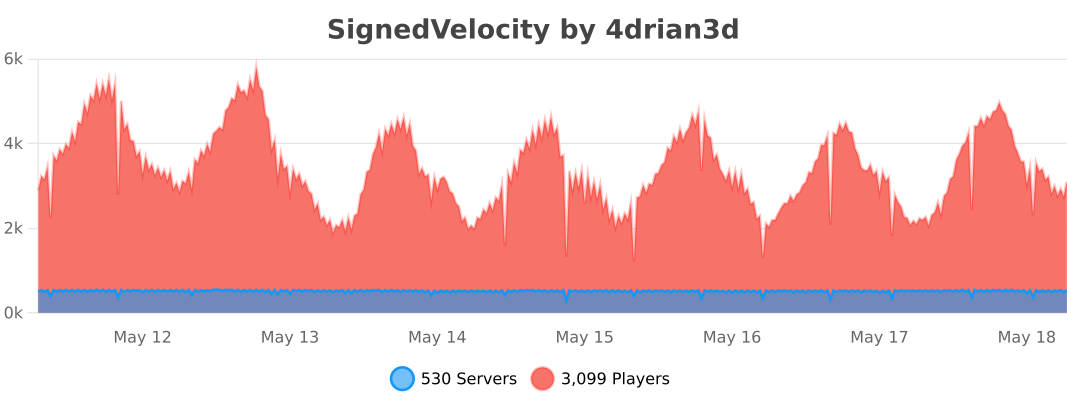
Metrics
Available Versions
How to Install SignedVelocity on Your Server
Order Server
Order a Minecraft Java server with at least 3 GB RAM (4 GB recommended).
Set fabric Loader
In the panel under "Egg", select the fabric loader and matching Minecraft version (26.1).
Install Mod
Open the mod browser in the dashboard and search for "SignedVelocity". Click "Install" – done! Alternatively, upload the .jar via SFTP to the /mods folder.
Compatibility
Mod Loaders
Minecraft Versions
26.1, 1.21.11, 1.21.10 (+77 more)
Server-side
✗ UnsupportedRecommended RAM
4 GB(min. 3 GB)Frequently Asked Questions
SignedVelocity server crashes on startup – what to do?
Most common cause: wrong fabric version or insufficient RAM. Check the server log (latest.log) for "OutOfMemoryError" or "Mixin" errors. With Mado Hosting: ensure at least 3 GB RAM is allocated and the loader matches the mod version (26.1). You can switch loaders with one click in the panel.
Is SignedVelocity compatible with fabric and folia and paper and purpur and quilt and sponge and velocity?
SignedVelocity officially supports fabric, folia, paper, purpur, quilt, sponge, velocity for Minecraft 26.1, 1.21.11, 1.21.10. The Mado dashboard automatically detects incompatible loader combinations.
Server lagging with SignedVelocity – how to optimize performance?
Recommended RAM: 4 GB (per 8 players). Use /spark profiler to check if SignedVelocity consumes the most tick time. Common fixes: reduce server view-distance to 8-10, install "performant" or "starlight" as supplementary mods on Forge. With Mado Hosting, your server runs on NVMe SSDs with dedicated CPU cores for minimal latency.
Similar Mods





Rent Modded Server
Install SignedVelocity with just one click on your server.