Simple Atlas
A no-nonsense Vanilla+ Atlas for all your mapping needs! Heavily inspired by Map Atlases by Pepperoni-Jabroni
Screenshots
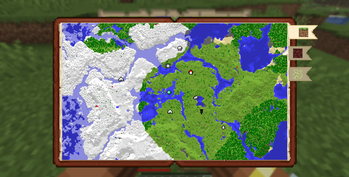
About this Mod
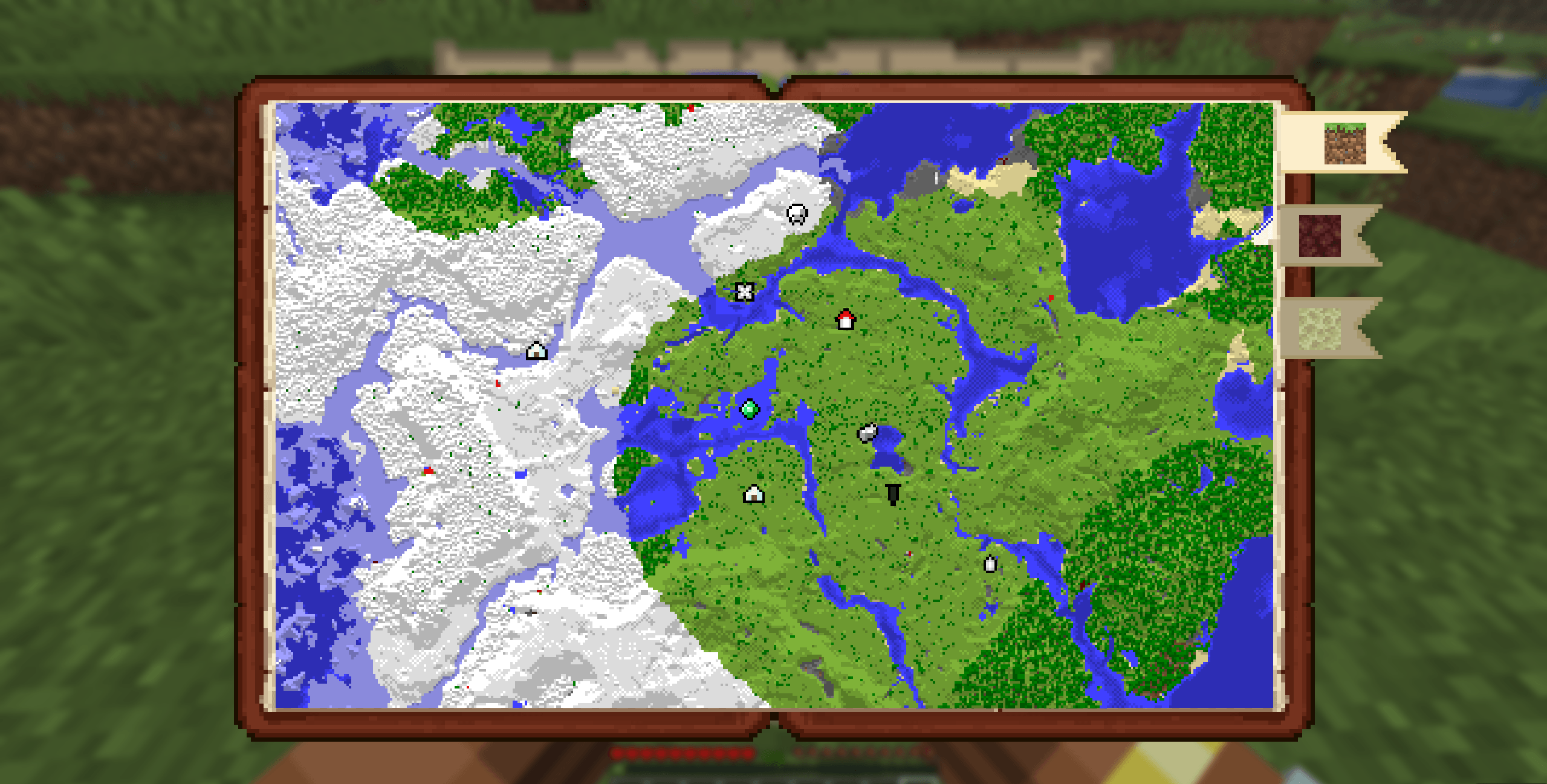
Simple Atlas
Carry your mapped world in one item.
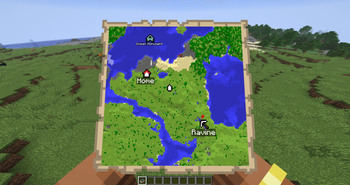
Simple Atlas adds an Atlas item that stores multiple filled maps and opens into a single interactive view, so you can pan around your explored area without juggling lots of maps.
Features
Atlas item
- Craft an Atlas and add filled maps through the cartography table
- Atlas only accepts maps with the same scale as the first map inserted
- Use a book at the cartography table to duplicate an atlas
- Use paper at the cartography table to scale every atlas map up by one level
- Merge two atlases of equal size at the cartography table to combine their maps and waypoints
- Lower-scale maps can be integrated into an existing atlas through the cartography table
Interactive world map
- Scroll to zoom
- Left-drag to pan
- Press
Rto reset zoom/pan to your current player position - Player marker is shown directly on the atlas
- Dimension bookmark tabs separate Overworld, Nether, End, and other-dimension atlas tiles
Waypoints
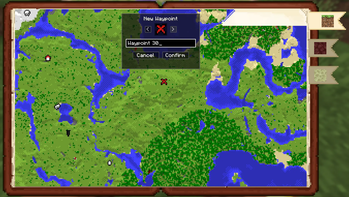
- Right-click on the atlas to create waypoints
- Use an atlas on a banner to add a waypoint from the banner's color and name
- Right-click existing waypoint markers for context actions
- User can edit or delete waypoints
- Waypoint and map-point context menus can copy coordinates
- Waypoint names are capped to keep labels readable
- Waypoints are saved in the atlas item itself
- Right-clicking a mapped tile can remove that map from the atlas and return the filled map item
Navigation compass
- Choose Locate on a waypoint to pin the waypoint to the locator bar
- Choose Stop Locating to remove pin
- Multiple waypoints can be pinned
Multiplayer-aware map syncing
- While a player is holding an atlas, map data is synced live from the server
- Atlas viewers are tracked server-side
How to use
- Craft an Atlas.
- Use the cartography table to add maps, duplicate atlases with books, scale atlases with paper, or merge equal-scale atlases.
- Hold the atlas in your main hand and use it to open the atlas screen.
- Scroll, drag, and switch dimension tabs to inspect your mapped area.
- Right-click map points or waypoints to manage waypoints, copy coordinates, remove maps, and optional navigation.
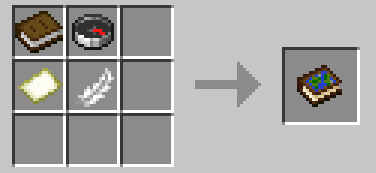
Recipe
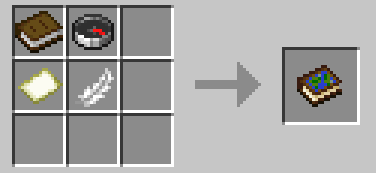
- shapeless
Compatibility
- Minecraft:
26.1.x - Loader: Fabric (
fabric-loader >= 0.18.6) - Java:
25+ - Fabric API: required
Notes
- The atlas layout expects maps of the same scale and will scale up smaller maps, but larger ones will be rejected
- Waypoint and navigation state is tied to each atlas item.
- Teleport actions in the atlas UI use player commands and may require permission depending on the server.
- Designed for both singleplayer and multiplayer survival workflows.
Issues/Feedback
- Report bugs or suggest improvements on the GitHub Issues page
Available Versions
How to Install Simple Atlas on Your Server
Order Server
Order a Minecraft Java server with at least 3 GB RAM (4 GB recommended).
Set fabric Loader
In the panel under "Egg", select the fabric loader and matching Minecraft version (26.1.2).
Install Mod
Open the mod browser in the dashboard and search for "Simple Atlas". Click "Install" – done! Alternatively, upload the .jar via SFTP to the /mods folder.
Compatibility
Mod Loaders
Minecraft Versions
26.1.2, 26.1.1, 26.1
Server-side
✓ RequiredRecommended RAM
4 GB(min. 3 GB)Frequently Asked Questions
Simple Atlas server crashes on startup – what to do?
Most common cause: wrong fabric version or insufficient RAM. Check the server log (latest.log) for "OutOfMemoryError" or "Mixin" errors. With Mado Hosting: ensure at least 3 GB RAM is allocated and the loader matches the mod version (26.1.2). You can switch loaders with one click in the panel.
Is Simple Atlas compatible with fabric and quilt?
Simple Atlas officially supports fabric, quilt for Minecraft 26.1.2, 26.1.1, 26.1. The Mado dashboard automatically detects incompatible loader combinations.
Server lagging with Simple Atlas – how to optimize performance?
Recommended RAM: 4 GB (per 8 players). Use /spark profiler to check if Simple Atlas consumes the most tick time. Common fixes: reduce server view-distance to 8-10, install "performant" or "starlight" as supplementary mods on Forge. With Mado Hosting, your server runs on NVMe SSDs with dedicated CPU cores for minimal latency.
Similar Mods




Rent Modded Server
Install Simple Atlas with just one click on your server.