
Simple Close Button
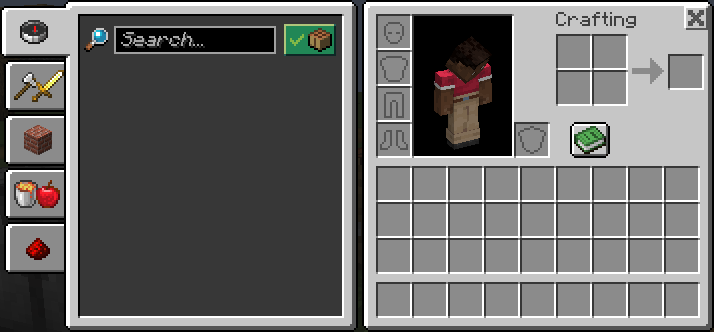
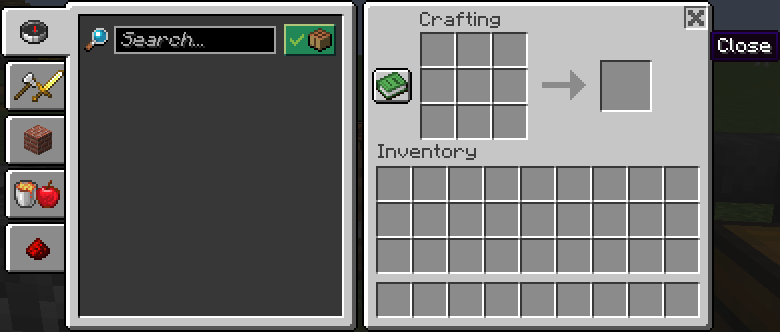
Adds a close button to most inventory screens.
Screenshots

About this Mod
Simple Close Button
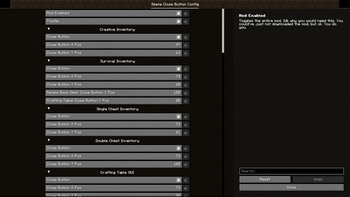
Adds a close button to inventory screens. As of version 3.0, you can add and remove which screens have the button, as well as change it's position and it should work with all vanilla-based implementations of a recipe book, all through the Mod Menu config, made with YACL.
Keep in mind that you will need to know the class path of whichever screen, vanilla or modded, that you want to add a button to in the config.
If you are just a casual user, you shouldn't have to worry about any of that, though. All the vanilla screens that this mod should apply to are included by default.
If you wish to make (and distibute) a resource pack that changes the textures of the button, feel free to do so. The textures are stored under /assets/close-btn/textures/gui/sprites/widget/. The indevidual textures are named "close_button.png" and "close_button_highlighted.png".
You may use this mod in modpacks as you like. Version 3.0 was specifically meant to add better support for this.
Available Versions
How to Install Simple Close Button on Your Server
Order Server
Order a Minecraft Java server with at least 3 GB RAM (4 GB recommended).
Set fabric Loader
In the panel under "Egg", select the fabric loader and matching Minecraft version (1.21.4).
Install Mod
Open the mod browser in the dashboard and search for "Simple Close Button". Click "Install" – done! Alternatively, upload the .jar via SFTP to the /mods folder.
Compatibility
Mod Loaders
Minecraft Versions
1.21.4, 1.21.3, 1.21.2 (+9 more)
Server-side
✗ UnsupportedRecommended RAM
4 GB(min. 3 GB)Frequently Asked Questions
Simple Close Button server crashes on startup – what to do?
Most common cause: wrong fabric version or insufficient RAM. Check the server log (latest.log) for "OutOfMemoryError" or "Mixin" errors. With Mado Hosting: ensure at least 3 GB RAM is allocated and the loader matches the mod version (1.21.4). You can switch loaders with one click in the panel.
Is Simple Close Button compatible with fabric?
Simple Close Button officially supports fabric for Minecraft 1.21.4, 1.21.3, 1.21.2. The Mado dashboard automatically detects incompatible loader combinations.
Server lagging with Simple Close Button – how to optimize performance?
Recommended RAM: 4 GB (per 8 players). Use /spark profiler to check if Simple Close Button consumes the most tick time. Common fixes: reduce server view-distance to 8-10, install "performant" or "starlight" as supplementary mods on Forge. With Mado Hosting, your server runs on NVMe SSDs with dedicated CPU cores for minimal latency.
Similar Mods






Rent Modded Server
Install Simple Close Button with just one click on your server.