
Simple Conveyor Belts
A basic conveyor belt mod. Adds spline-based item belts, that transport items from point A to B. Allows for item logistics in any shape and form.
Screenshots
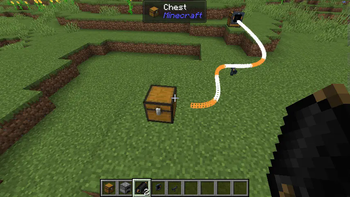
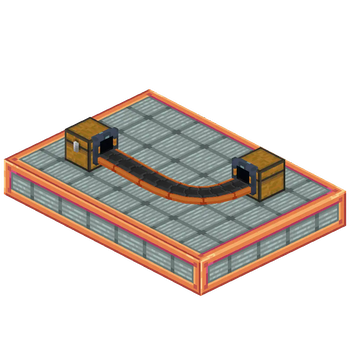
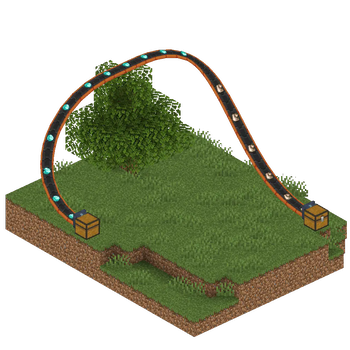
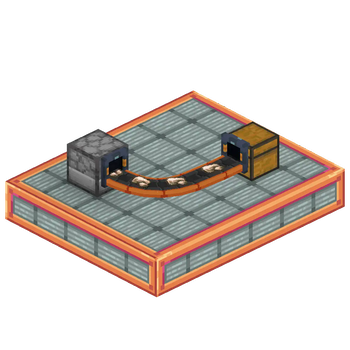
About this Mod
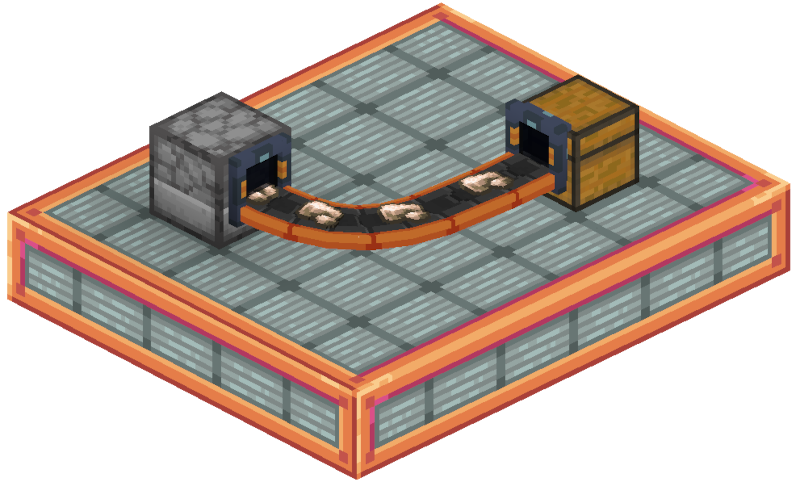
This mod adds clean, flexible conveyor belts for Minecraft 1.21.1, compatible with both Fabric and NeoForge. It’s designed to work seamlessly with any item storage mod. The mod is still in beta, please report any issues you find.
🚚 Features:
- Adds a new Conveyor Belt item, plus optional Support and Chute blocks.
- Fully dynamic spline-based belts: Only the start and end need to be placed on blocks. Everything in-between can curve, bend, and twist freely.
- Item transfer speed: ~1 stack per second.
- Smart overflow handling: If the destination is full, items visibly pile up on the belt.
- Shader-compatible: Works with iris and oculus shaders.
- Easy filtering: Click a conveyor chute with an item to set it as filter. Also works with the Smart Filters from the FTB Filters mod.
🛠️ How to Use
- (Optional) Place Chute blocks where the belt will start and end. These can also be auto-placed when using the belt item.
- (Optional) Add Support blocks anywhere along the path to shape the belt's curve.
- Right-click the belt item on a starting inventory (e.g., a chest).
- Walk to the destination inventory and right-click it to finish the belt.
The belt path will auto-connect between the two points!
🔗 Dependencies
- Architectury API
- (Fabric Only) Fabric API
🔍 Planned Features
- Belt entity collisions / hitboxes
- Entity movement
- A backport to 1.20.1 or other versions is NOT planned.
Credits
- Conveyor textures are based on modified assets from malcolriley’s unused-textures repo.
Available Versions
How to Install Simple Conveyor Belts on Your Server
Order Server
Order a Minecraft Java server with at least 3 GB RAM (4 GB recommended).
Set fabric Loader
In the panel under "Egg", select the fabric loader and matching Minecraft version (1.21.1).
Install Mod
Open the mod browser in the dashboard and search for "Simple Conveyor Belts". Click "Install" – done! Alternatively, upload the .jar via SFTP to the /mods folder.
Compatibility
Mod Loaders
Minecraft Versions
1.21.1
Server-side
✓ RequiredRecommended RAM
4 GB(min. 3 GB)Frequently Asked Questions
Simple Conveyor Belts server crashes on startup – what to do?
Most common cause: wrong fabric version or insufficient RAM. Check the server log (latest.log) for "OutOfMemoryError" or "Mixin" errors. With Mado Hosting: ensure at least 3 GB RAM is allocated and the loader matches the mod version (1.21.1). You can switch loaders with one click in the panel.
Is Simple Conveyor Belts compatible with fabric and neoforge?
Simple Conveyor Belts officially supports fabric, neoforge for Minecraft 1.21.1. The Mado dashboard automatically detects incompatible loader combinations.
Server lagging with Simple Conveyor Belts – how to optimize performance?
Recommended RAM: 4 GB (per 8 players). Use /spark profiler to check if Simple Conveyor Belts consumes the most tick time. Common fixes: reduce server view-distance to 8-10, install "performant" or "starlight" as supplementary mods on Forge. With Mado Hosting, your server runs on NVMe SSDs with dedicated CPU cores for minimal latency.
Similar Mods


Rent Modded Server
Install Simple Conveyor Belts with just one click on your server.