
Simple Quarries
SQ is a mod which adds non-destructive quarries to your world!
Screenshots

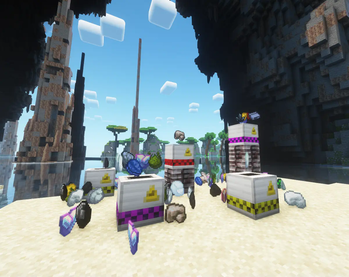
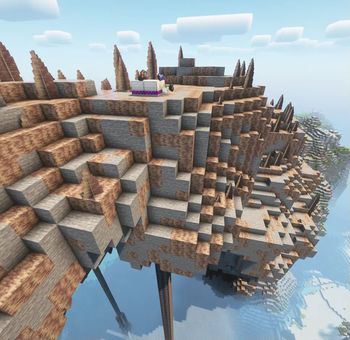
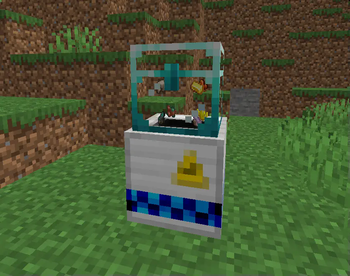
About this Mod
Welcome to Simple Quarries: Elevate Your Resource Gathering Experience.
Are you looking to optimize your mining endeavors in a manner that respects the intrinsic balance of the game?
Simple Quarries provides a sophisticated yet intuitive approach to automated ore extraction.
Automatic Item Storage:
Will automatically place items into block storages above the quarry or else it will spit them out, as per usual.
(works with iron chests mod)
Progressive Tier System:
Begin your journey with a Simple Quarry and progressively unlock more advanced tiers, each offering increased efficiency and speed.
Area-Based Efficiency:
Our quarries are designed to operate optimally by analyzing the ore content within a given area. This ensures resource-focused mining, minimizing the extraction of undesired materials.
Level-Dependent Functionality:
As you advance in your gameplay, your quarry evolves in its operational capabilities. Higher-level quarries offer faster ore extraction rates, enhancing your overall productivity. You may also choose between a few upgrades to use in your adventure.
Sustainability:
Simple Quarries emphasizes sustainability as a challenge. Each quarry's lifespan and efficiency are directly correlated with the tier and upgrade amount, following logarithmic and organic ratios.
Vanilla+ Compatibility:
The mod is designed to integrate into vanilla and modded Minecraft, enriching your gameplay experience without disrupting the established mechanics.
Mod Compatibility:
The quarry can mine any block with "ore" as its suffix, you may also edit this file at this location,
\simplequarries-X.X.X-neoforge-1.21.4.jar\data\simplequarries\tags\block\ores.json
to add whatever block you wish for it to mine.
Experience the next level of automated mining with Simple Quarries.
Available Versions
How to Install Simple Quarries on Your Server
Order Server
Order a Minecraft Java server with at least 3 GB RAM (4 GB recommended).
Set neoforge Loader
In the panel under "Egg", select the neoforge loader and matching Minecraft version (1.21.6).
Install Mod
Open the mod browser in the dashboard and search for "Simple Quarries". Click "Install" – done! Alternatively, upload the .jar via SFTP to the /mods folder.
Compatibility
Mod Loaders
Minecraft Versions
1.21.6, 1.21.5, 1.21.4 (+1 more)
Server-side
✓ RequiredRecommended RAM
4 GB(min. 3 GB)Frequently Asked Questions
Simple Quarries server crashes on startup – what to do?
Most common cause: wrong neoforge version or insufficient RAM. Check the server log (latest.log) for "OutOfMemoryError" or "Mixin" errors. With Mado Hosting: ensure at least 3 GB RAM is allocated and the loader matches the mod version (1.21.6). You can switch loaders with one click in the panel.
Is Simple Quarries compatible with neoforge?
Simple Quarries officially supports neoforge for Minecraft 1.21.6, 1.21.5, 1.21.4. The Mado dashboard automatically detects incompatible loader combinations.
Server lagging with Simple Quarries – how to optimize performance?
Recommended RAM: 4 GB (per 8 players). Use /spark profiler to check if Simple Quarries consumes the most tick time. Common fixes: reduce server view-distance to 8-10, install "performant" or "starlight" as supplementary mods on Forge. With Mado Hosting, your server runs on NVMe SSDs with dedicated CPU cores for minimal latency.
Similar Mods


Rent Modded Server
Install Simple Quarries with just one click on your server.