
Simple Screens
Allows you to customize game loading screen backgrounds.
Screenshots
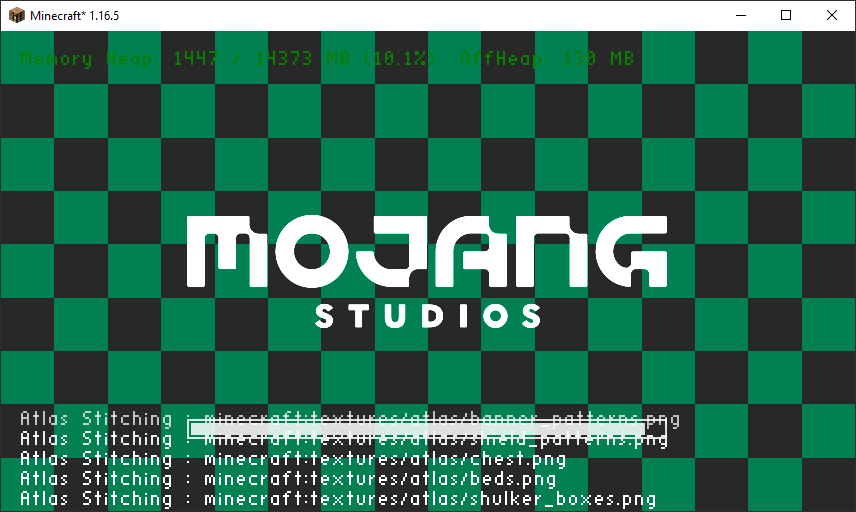
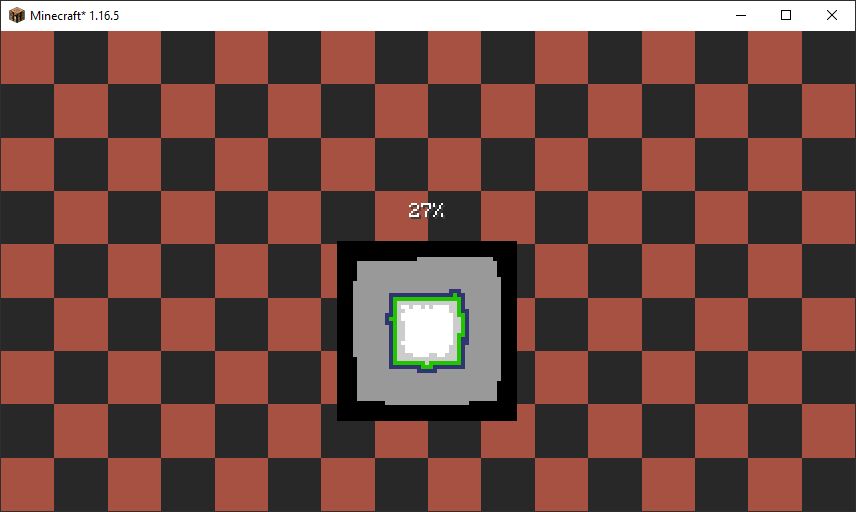
About this Mod
This mod allows you to easily customize the background image of loading screens in the game. For example you can set a new background image for the game loading screen or world loading screens. Your custom images are loaded from resource packs and can be any resolution as long as it's a PNG. We recommend 1920x1080 or a 16:9 aspect for the best results.
How it works?
When you run the game with the mod installed a simplescreens.json configuration file will be generated in the config folder. You can edit this file to add new load screen backgrounds or keep the default. You can also define more than one background which will cause the mod to randomly pick one. The textures are loaded using Minecraft's resource pack system, so the entry simplescreens:/textures/gui/title/load_screen_background.png will load a texture from assets/simplescreens/textures/gui/title/load_screen_background.png from a resource pack. Modpacks may need an additional mod to automatically enable resource packs, we recommend Open Loader for this.
Examples
Below is an example configuration file that will have different random logos for the different types of loading screens. In this example we are loading the background images from the assets/my_pack/textures/gui/loading_screens folder in a resource pack.
{
  "game_load_screen_textures": [
    "mypack:textures/gui/loading_screens/game_one.png",
    "mypack:textures/gui/loading_screens/game_two.png",
    "mypack:textures/gui/loading_screens/game_three.png"
  ],
  "world_load_screen_textures": [
    "mypack:textures/gui/loading_screens/world_one.png",
    "mypack:textures/gui/loading_screens/world_two.png",
    "mypack:textures/gui/loading_screens/world_three.png"
  ]
}
FaQ
Q: I get purple and black squares instead of my texture? This means that the game can not find the image that you specified. This can be caused by a typo in your configuration file, or by the resource pack with your image has not been correctly loaded. This mod will not load resource packs for you! You must load them yourself or use a mod like Open Loader to load them for you automatically!
Q: How do random textures work? When more than one texture is specified the mod will pick one at random. Each entry has the same probability of being selected, however you can add duplicate entries if you want to make a specific texture more or less common. Random textures are completely optional, and the mod will work perfectly fine with just one.
Q: When I start the game I still see the red loading screen for a bit? Unfortunately this screen is displayed before mods are loaded, meaning we can not run any of our code yet. This limitation is shared by other mods that also modify the loading screen so we don't believe it is realistic to fix this issue. If anyone knows of a solution please let us know.
Credits
This mod was developed by Jaredlll08 and Darkhax for Kehaan but other projects can use it as well. The logo for this project was created by Delapouite and is licensed under CC BY 3.0.

This project is sponsored by Nodecraft. Use code DARKHAX for 30% off your first month of service!
Available Versions
How to Install Simple Screens on Your Server
Order Server
Order a Minecraft Java server with at least 3 GB RAM (4 GB recommended).
Set forge Loader
In the panel under "Egg", select the forge loader and matching Minecraft version (1.16.5).
Install Mod
Open the mod browser in the dashboard and search for "Simple Screens". Click "Install" – done! Alternatively, upload the .jar via SFTP to the /mods folder.
Compatibility
Mod Loaders
Minecraft Versions
1.16.5
Server-side
✗ UnsupportedRecommended RAM
4 GB(min. 3 GB)Frequently Asked Questions
Simple Screens server crashes on startup – what to do?
Most common cause: wrong forge version or insufficient RAM. Check the server log (latest.log) for "OutOfMemoryError" or "Mixin" errors. With Mado Hosting: ensure at least 3 GB RAM is allocated and the loader matches the mod version (1.16.5). You can switch loaders with one click in the panel.
Is Simple Screens compatible with forge?
Simple Screens officially supports forge for Minecraft 1.16.5. The Mado dashboard automatically detects incompatible loader combinations.
Server lagging with Simple Screens – how to optimize performance?
Recommended RAM: 4 GB (per 8 players). Use /spark profiler to check if Simple Screens consumes the most tick time. Common fixes: reduce server view-distance to 8-10, install "performant" or "starlight" as supplementary mods on Forge. With Mado Hosting, your server runs on NVMe SSDs with dedicated CPU cores for minimal latency.
Similar Mods



Rent Modded Server
Install Simple Screens with just one click on your server.