Simple Elytra Hud
An elytra HUD mod
Screenshots
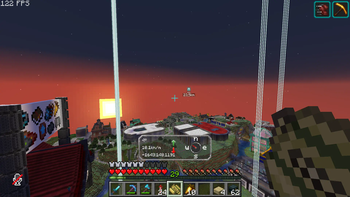
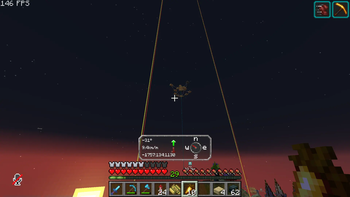
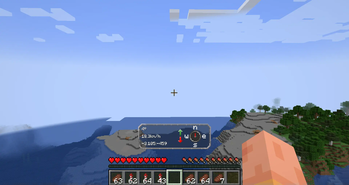
About this Mod
New mod with alot more transports hud:s at https://modrinth.com/mod/simple-transport-hud
Elytra hud
Information
Elytra Hud add in a new way to fly with your elytra.
It adds important information on the screen while flying.
Use this mod for your long flights to get the most out of the trip
HUD:s features
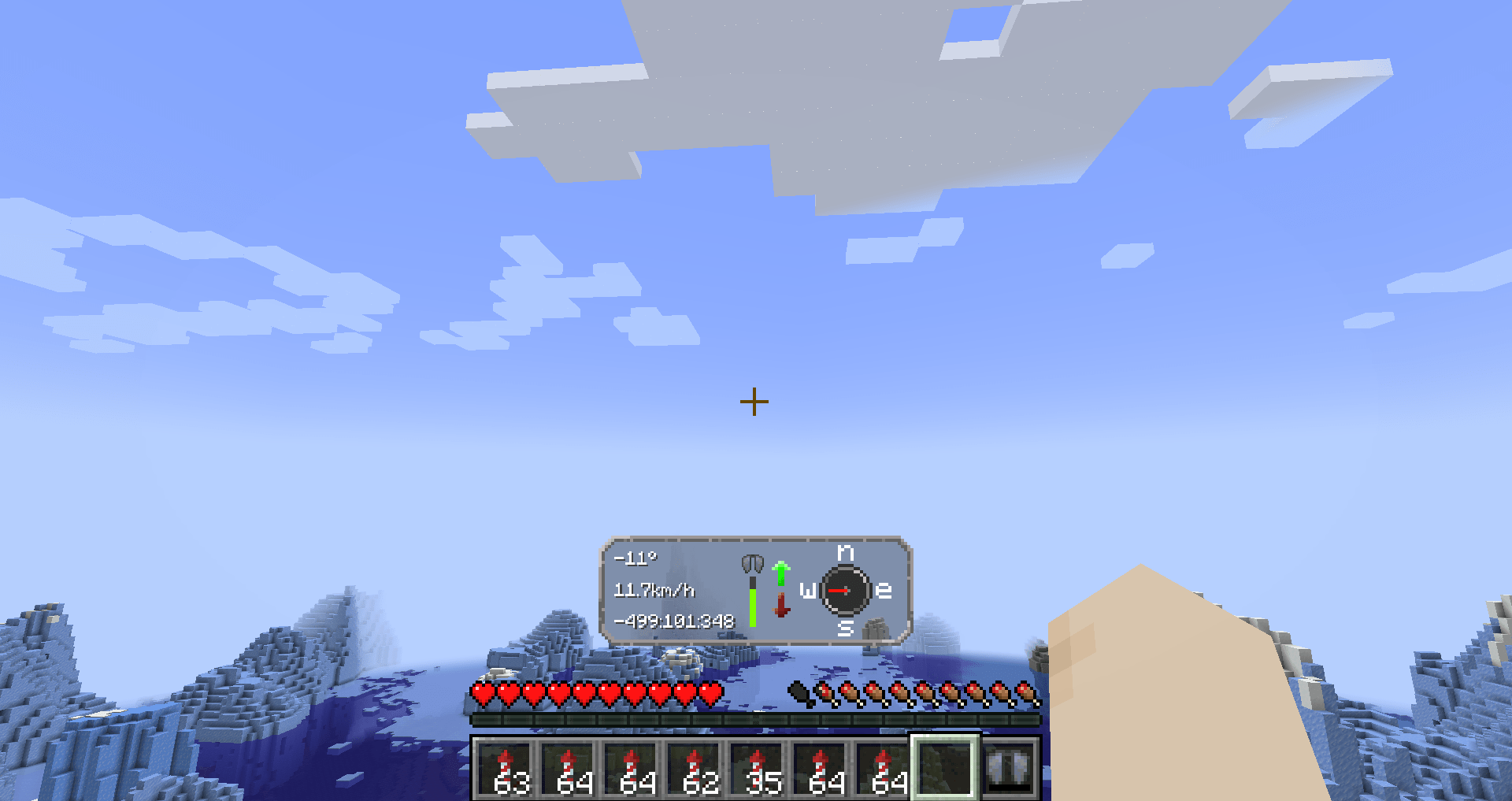
Left side
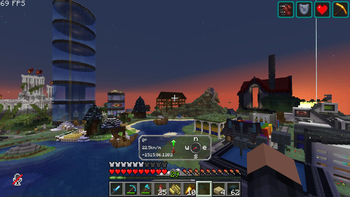
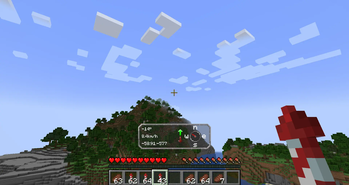
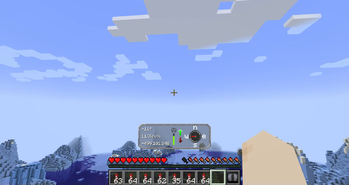
We have three text fields, in order they are
- Your pitch angle.
- Speed in km/h
- Coordinates (Will scale to how many numbers that are up)
Middle
In the middle, you have the status of your Elytra.
To the right of that you have up and down arrows.
If you are flying up, it will light upp; that's the same for going down.
Right side
On the right side you have a compass. This is not a normal compass, because it will always point towards the direction you are going
Config
The mod requires YetAnotherConfigLib and modmenu.
To be able to edit the config, you need thees mods.
Config Options
They are in order in the config menu.
- Hud's visibility — If you want to turn of the HUD's visibility
- Hud's delay — The time it takes for the hud to appear.
- Elytra status — You can turn of the damage level for elytra in the HUD
- Elyta coordinates — If you want, you can disable coordinates in the HUD
- Speed measurement — There is km/h (default), m/s or mph available
Looking for a server?
Thanks for your support — it helps me develop this and other mods I make!
#ad
How to download?
With launcher (recommended)
- Download Modrinth launcher (more user-friendly) or Prism launcher (A lot more options but harder to use for someone new)
- Create a profile for the minecraft version you want and make sure its fabric. Check so the mod has compatibility with that version first.
- You can download the mod in the launcher
- (Modrinth launcher) In your profile in the right corner, press "Add content" and search up "Simple Elytra Hud" and press "install."
- (Prism launcher) Go in to the profile by pressing "edit" and then you want and press "Mods" and then "Download mods". Under the Modrinth tab write "Simple Elytra Hud". Mark for download and then press confirm.
- You need modmenu and YetAnotherConfigLib. Download it in the same way!
- Now you can start your profile and enjoy!
Without launcher
- You can download the mod here on Modrinth or Github
- You also need to download Fabric API
- You also need Mod Menu and YetAnotherConfigLib (Versions bellow and 1.6 use and its optional cloth config)
- You also need fabric and this will automatically create a profile for you
- Put the mods in %appdata%/.minecraft/mods
- Now you can play Minecraft
Open source
Nearly all my mods are opensource and under MIT.
Feel free to use however you want.
If you want to help the development, check out the GitHub!
If you found a bug, please report it here!
Inspiration and credit
- The mod is inspired by Boat HUD
- Lukasabbe has coded
- Lemonixi made the graphics.
- Smurre came up with the idea
Thank you all for downloading the mod!
Available Versions
How to Install Simple Elytra Hud on Your Server
Order Server
Order a Minecraft Java server with at least 3 GB RAM (4 GB recommended).
Set fabric Loader
In the panel under "Egg", select the fabric loader and matching Minecraft version (1.21.11).
Install Mod
Open the mod browser in the dashboard and search for "Simple Elytra Hud". Click "Install" – done! Alternatively, upload the .jar via SFTP to the /mods folder.
Compatibility
Mod Loaders
Minecraft Versions
1.21.11, 1.21.10, 1.21.9 (+19 more)
Server-side
✗ UnsupportedRecommended RAM
4 GB(min. 3 GB)Frequently Asked Questions
Simple Elytra Hud server crashes on startup – what to do?
Most common cause: wrong fabric version or insufficient RAM. Check the server log (latest.log) for "OutOfMemoryError" or "Mixin" errors. With Mado Hosting: ensure at least 3 GB RAM is allocated and the loader matches the mod version (1.21.11). You can switch loaders with one click in the panel.
Is Simple Elytra Hud compatible with fabric?
Simple Elytra Hud officially supports fabric for Minecraft 1.21.11, 1.21.10, 1.21.9. The Mado dashboard automatically detects incompatible loader combinations.
Server lagging with Simple Elytra Hud – how to optimize performance?
Recommended RAM: 4 GB (per 8 players). Use /spark profiler to check if Simple Elytra Hud consumes the most tick time. Common fixes: reduce server view-distance to 8-10, install "performant" or "starlight" as supplementary mods on Forge. With Mado Hosting, your server runs on NVMe SSDs with dedicated CPU cores for minimal latency.
Similar Mods




Rent Modded Server
Install Simple Elytra Hud with just one click on your server.