
SimplePrivateChest
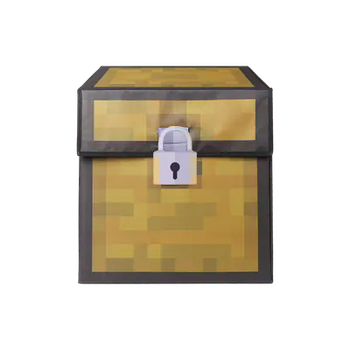
A simple mod that can create private chest
Screenshots
About this Mod
The Modpack DangerousWorld.
可以创建私人容器(箱子、熔炉等)。
1.给命名牌改为自己的名字或其他玩家名字;
2.手持自己名字的命名牌右键容器,即可创建私人容器(初次创建的玩家为主权限);
3.主权限玩家可以手持其他玩家名字的命名牌右键自己的容器来添加拥有者,或者潜行右键来移除玩家的权限;
4.主权限玩家手持煤炭,潜行右键私人容器即可解除私人容器。
Private containers (boxes, furnaces, etc.) can be created.
Change the name tag to one's own name or another player's name;
Hold the name tag with your own name and right-click on the container to create a private container (the first created player has the main permission);
Main permission player can hold the name tag of other players' names and right-click private container to add owners, or sneak right click to remove players' permissions;
Main permission player holding coal can sneak and right click on the private container to unlock it.
Available Versions
How to Install SimplePrivateChest on Your Server
Order Server
Order a Minecraft Java server with at least 3 GB RAM (4 GB recommended).
Set fabric Loader
In the panel under "Egg", select the fabric loader and matching Minecraft version (26.1.1).
Install Mod
Open the mod browser in the dashboard and search for "SimplePrivateChest". Click "Install" – done! Alternatively, upload the .jar via SFTP to the /mods folder.
Compatibility
Mod Loaders
Minecraft Versions
26.1.1, 26.1, 1.21.11 (+12 more)
Server-side
✓ RequiredRecommended RAM
4 GB(min. 3 GB)Frequently Asked Questions
SimplePrivateChest server crashes on startup – what to do?
Most common cause: wrong fabric version or insufficient RAM. Check the server log (latest.log) for "OutOfMemoryError" or "Mixin" errors. With Mado Hosting: ensure at least 3 GB RAM is allocated and the loader matches the mod version (26.1.1). You can switch loaders with one click in the panel.
Is SimplePrivateChest compatible with fabric and forge?
SimplePrivateChest officially supports fabric, forge for Minecraft 26.1.1, 26.1, 1.21.11. Note: Forge and Fabric mods are NOT cross-compatible – pick one loader and stick with it. The Mado dashboard automatically detects incompatible loader combinations.
Server lagging with SimplePrivateChest – how to optimize performance?
Recommended RAM: 4 GB (per 8 players). Use /spark profiler to check if SimplePrivateChest consumes the most tick time. Common fixes: reduce server view-distance to 8-10, install "performant" or "starlight" as supplementary mods on Forge. With Mado Hosting, your server runs on NVMe SSDs with dedicated CPU cores for minimal latency.
Similar Mods


Rent Modded Server
Install SimplePrivateChest with just one click on your server.