
Simplified Auth (BTA)
Authorization for Better Than Adventure
Screenshots
About this Mod
Simplified auth
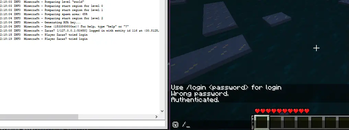
This is server sided babric modification for Better Than Adventure that allows for authorization using ingame commands, such as /register or /login.
In current form only possible to use JSON file based "database". Sessions are supported.
Setup
- Mod to work would require working server instance of Babric BTA server (available here) with halplibe (which was by default included in BTA instance) installed.
- Don't forget about read/write privileges on server directory and any other directory specified by config (by default should be available for server but still, this can sometime happen)
Client-side issue
If you running server on babric v7.1-pre1a and babric v7.1-pre2a, players should also have the babric version.
Config
Currently config allows for setting only
- DatabaseManager -specifies which database engine would be used for storing player data (currently only JSON file).
- Address - when specified json dbmanager, Address would point to directory where "database" file would reside.
- Schema - when specified json dbmanager, it would point at name of json file that would store usernames and encrypted passwords.
- SessionLife - session lifetime in hours (default is 48). Available as an integer. If you specify -1, the session time will be unlimited (not recommended).
Modification in json manager mode should by default create required paths and files.
Available Versions
How to Install Simplified Auth (BTA) on Your Server
Order Server
Order a Minecraft Java server with at least 3 GB RAM (4 GB recommended).
Set fabric Loader
In the panel under "Egg", select the fabric loader and matching Minecraft version (b1.7.3).
Install Mod
Open the mod browser in the dashboard and search for "Simplified Auth (BTA)". Click "Install" – done! Alternatively, upload the .jar via SFTP to the /mods folder.
Compatibility
Mod Loaders
Minecraft Versions
b1.7.3
Server-side
✓ RequiredRecommended RAM
4 GB(min. 3 GB)Frequently Asked Questions
Simplified Auth (BTA) server crashes on startup – what to do?
Most common cause: wrong fabric version or insufficient RAM. Check the server log (latest.log) for "OutOfMemoryError" or "Mixin" errors. With Mado Hosting: ensure at least 3 GB RAM is allocated and the loader matches the mod version (b1.7.3). You can switch loaders with one click in the panel.
Is Simplified Auth (BTA) compatible with fabric?
Simplified Auth (BTA) officially supports fabric for Minecraft b1.7.3. The Mado dashboard automatically detects incompatible loader combinations.
Server lagging with Simplified Auth (BTA) – how to optimize performance?
Recommended RAM: 4 GB (per 8 players). Use /spark profiler to check if Simplified Auth (BTA) consumes the most tick time. Common fixes: reduce server view-distance to 8-10, install "performant" or "starlight" as supplementary mods on Forge. With Mado Hosting, your server runs on NVMe SSDs with dedicated CPU cores for minimal latency.
Similar Mods






Rent Modded Server
Install Simplified Auth (BTA) with just one click on your server.