
Simplify Tool Config Lib
Simplify your modded tools configuration with a single value on each tool properties.
Screenshots
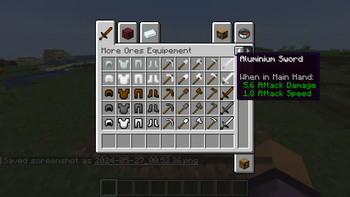
About this Mod
This mod library changes some Tools values to simplify Tools configuration. If your mod has tools or sword & other. With this mod, You need juste to put one value on each tool properties and restore some Minecraft tool values to "0". It's fix somme values ( int/ float) prevented giving precise values, mainly on "attack damage" value. You just put one value directly on your tool items of your choice without additionals values away in the code.
Example: on attack damage in default "1" and attack speed in default "4".
If you want to implements this mod in your mod, I have methods.
Directly implement -Go to Github and download java files and add on your project files and remap "imports".
Local Implementation -Download this mods and add in "build.gradle" file on section dependencies:
dependancies {
           modImplementation(fileTree("Local File Path"))
}
Example code to add:
Custom ToolMaterials:
//Minecraft version 1.20.1 method
public enum CustomToolMaterials implements FixToolMaterial {
CUSTOM( miningLevel, itemDurability, miningSpeed, enchantability, Ingredient)
...
Custom ToolItems (pretty much the code):
... CUSTOM_TOOL = register( "custom_tool" ,
new SimplifySwordItem( materials, float Damage, float Speed, new FabricItemSettings()));
//Minecraft version 1.20.6 method
public static CustomToolMaterials impleement Tier {
CUSTOM( BlocksTags... , durability, enchantementValue, Repair Ingredient);
...
Item CUSTOM_TOOL = register( "custom_tool", new Fix...Item( material, new Item.properties().attribute(Fix...Item.createAttributes(damage, speed))));
Available Versions
How to Install Simplify Tool Config Lib on Your Server
Order Server
Order a Minecraft Java server with at least 3 GB RAM (4 GB recommended).
Set fabric Loader
In the panel under "Egg", select the fabric loader and matching Minecraft version (26.2).
Install Mod
Open the mod browser in the dashboard and search for "Simplify Tool Config Lib". Click "Install" – done! Alternatively, upload the .jar via SFTP to the /mods folder.
Compatibility
Mod Loaders
Minecraft Versions
26.2, 26.1.2, 26.1.1 (+20 more)
Server-side
~ OptionalRecommended RAM
4 GB(min. 3 GB)Frequently Asked Questions
Simplify Tool Config Lib server crashes on startup – what to do?
Most common cause: wrong fabric version or insufficient RAM. Check the server log (latest.log) for "OutOfMemoryError" or "Mixin" errors. With Mado Hosting: ensure at least 3 GB RAM is allocated and the loader matches the mod version (26.2). You can switch loaders with one click in the panel.
Is Simplify Tool Config Lib compatible with fabric?
Simplify Tool Config Lib officially supports fabric for Minecraft 26.2, 26.1.2, 26.1.1. The Mado dashboard automatically detects incompatible loader combinations.
Server lagging with Simplify Tool Config Lib – how to optimize performance?
Recommended RAM: 4 GB (per 8 players). Use /spark profiler to check if Simplify Tool Config Lib consumes the most tick time. Common fixes: reduce server view-distance to 8-10, install "performant" or "starlight" as supplementary mods on Forge. With Mado Hosting, your server runs on NVMe SSDs with dedicated CPU cores for minimal latency.
Similar Mods




![[TaCZ] Timeless and Classics Zero](https://cdn.modrinth.com/data/SzzJttH8/fd27766d2bb8390d284696b1dbd358f87e081439_96.webp)

Rent Modded Server
Install Simplify Tool Config Lib with just one click on your server.