Simply Caterpillar
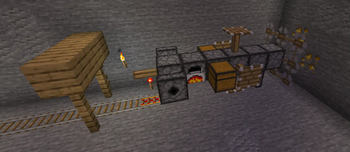
Simply Caterpillar adds a drill that makes 3x3 mineshaft for you.
Screenshots
About this Mod


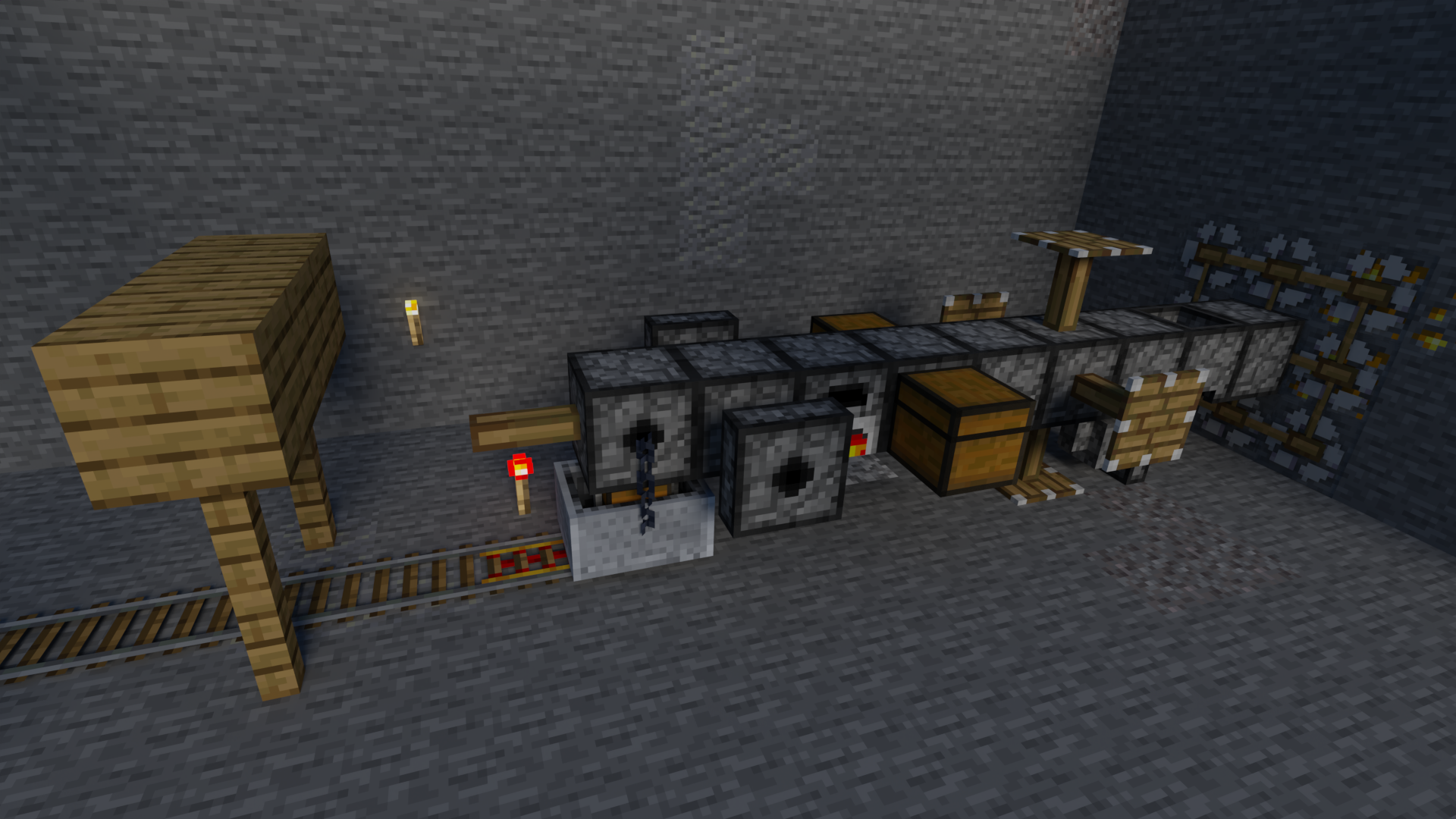
Simply Caterpillar adds a drill that makes 3x3 mineshaft for you.
Features
You can add or not add any part to customize your drill.
⚠️ Longer the caterpillar is, more fuel it will consume.
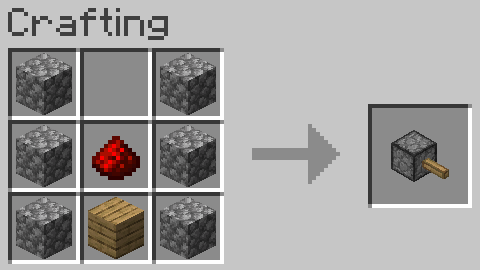
Basic Drill Segment
This is the drill base, it's used for all parts.
Recipe
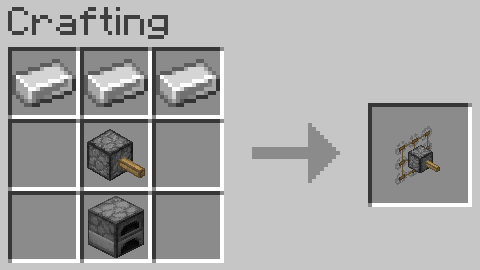
Drill Head
This is the main part of the drill, it's used to drill and has the inventory for the drill.
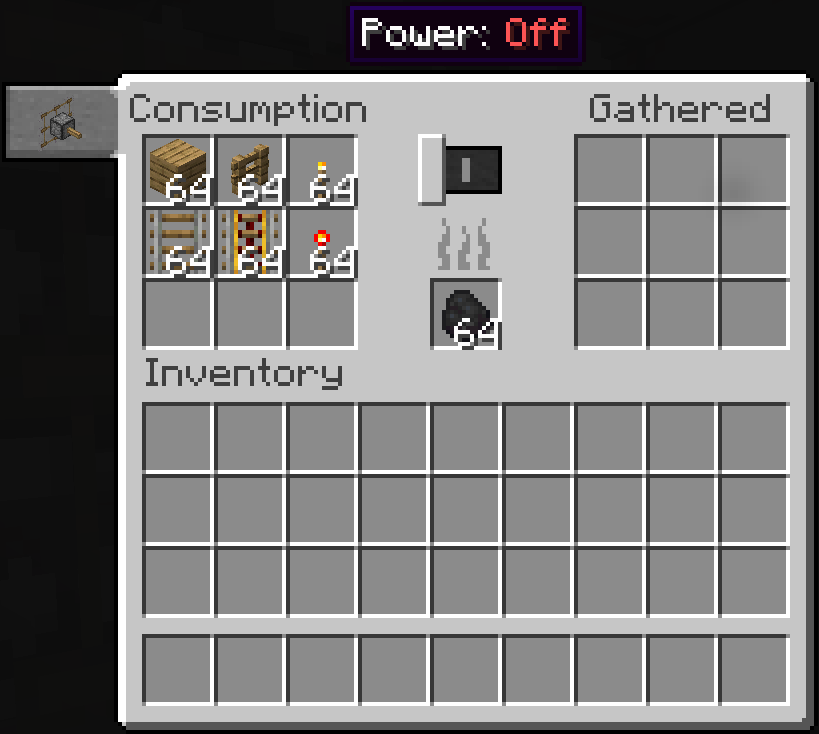
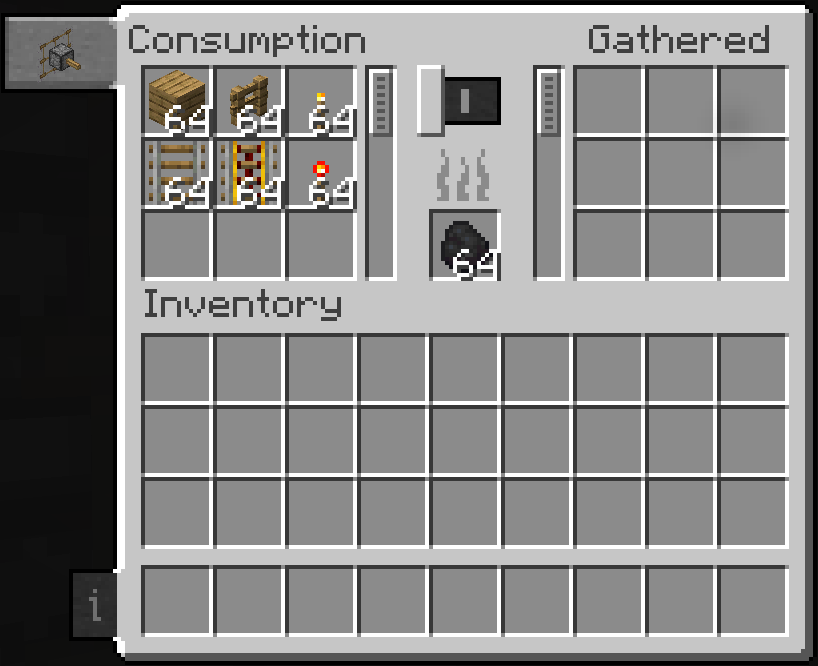
Screen
It has 18 slots of storage built in, and a fuel slot. Power can be toggled in the gui, and fuel consumption will pause when the caterpillar is turned off.
Recipe
Drill Seat
This is the part that allows you to ride the drill.
Recipe
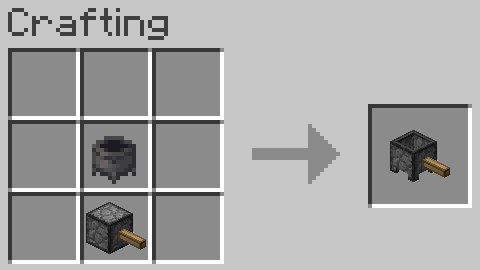
Item Collector
Collects fallen items as it moves, and puts them in the caterpillar's inventory. Pretty useful if you don't want to manually pick up all blocks the drill breaks.
Recipe
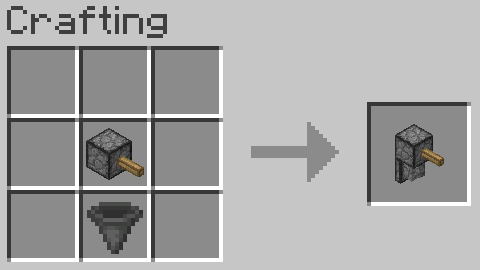
Decoration Placer
Builds the inside of the mineshaft.
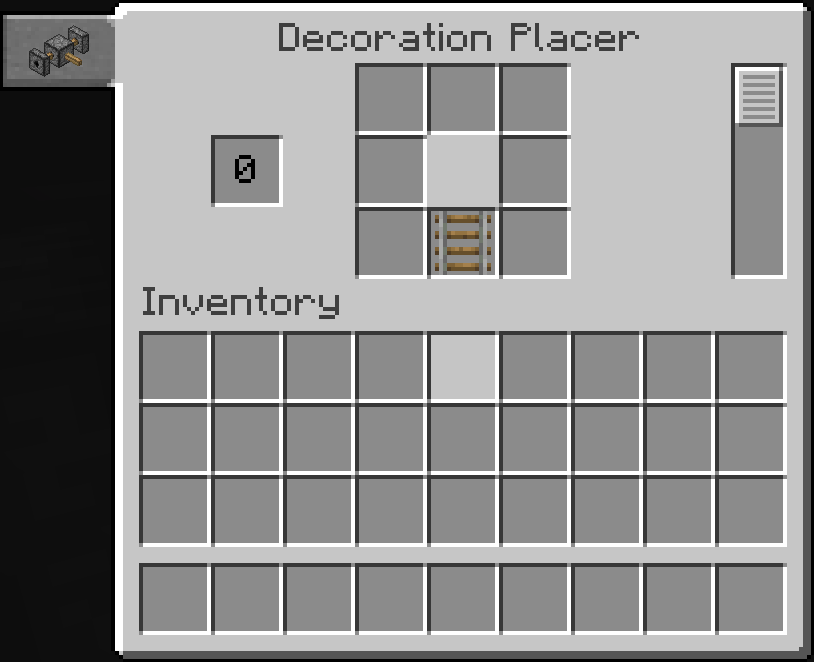
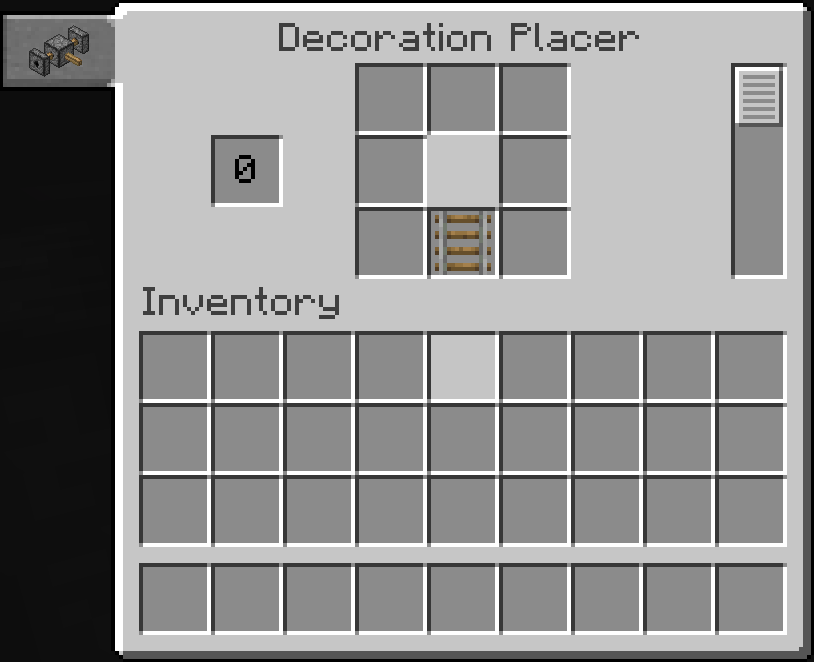
Screen
This is where you edit the decorations to be placed. By default, it places them similarly to the vanilla mineshafts.
Recipe
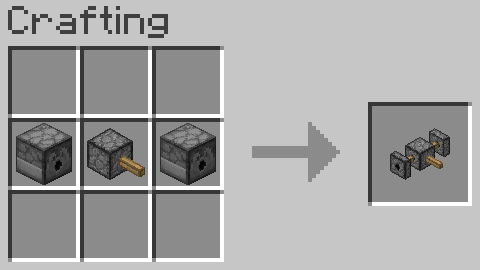
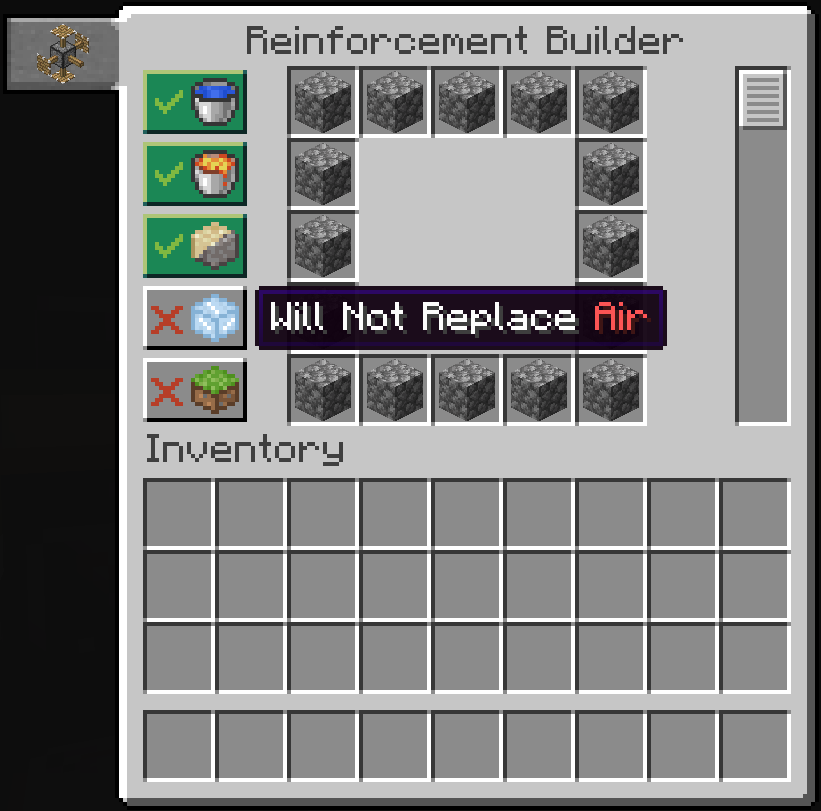
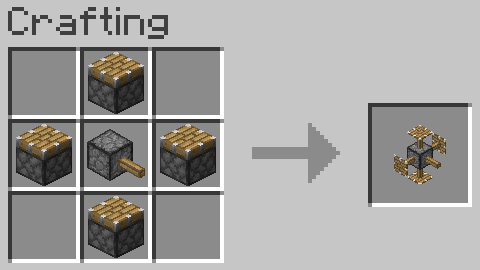
Reinforcement Builder
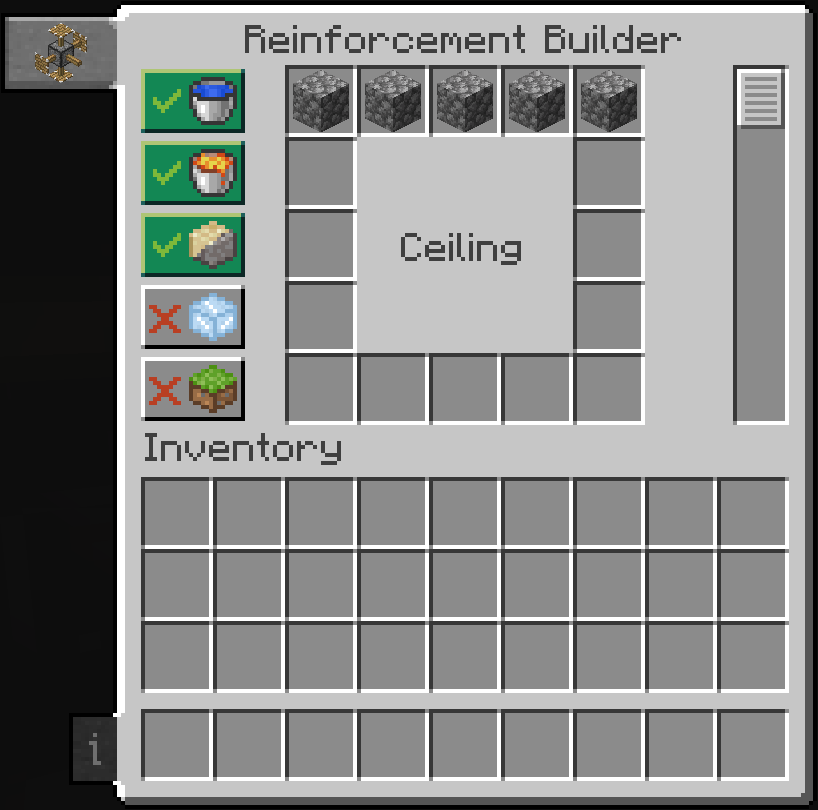
Replaces gravel/sand, lava, water, and air in the square surrounding the mineshaft with the block of your choice.
Screen
Edit the blocks used to reinforce the walls here and what gets replaced, so you can keep water, lava, sand, gravel, etc. out of your mineshaft, or build yourself a floor to walk on, and walls and a ceiling if you wish.
Recipe
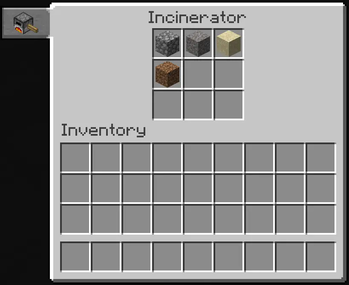
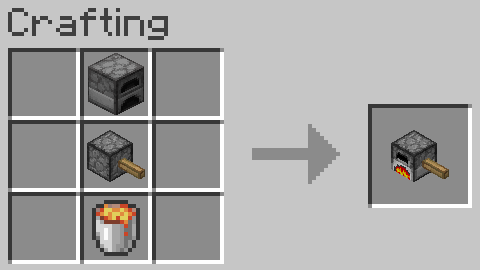
Incinerator
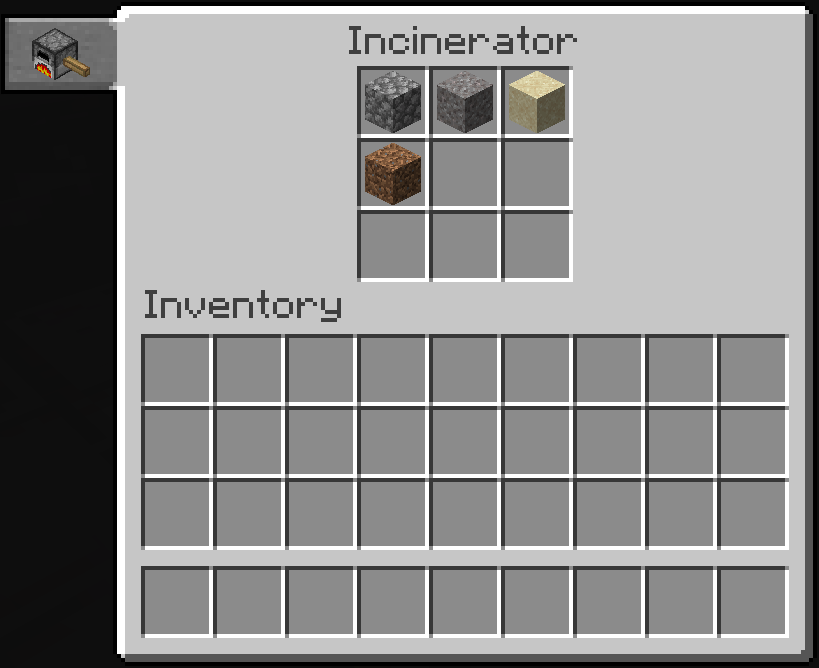
This allows you to destroy anything the caterpillar mines that you don't want, and save inventory space for what matters.
Screen
Set anything you don't want to keep to be incinerated here.
Recipe
Drill Storage
Adds 18 more slots to the drill head's inventory.
Recipe
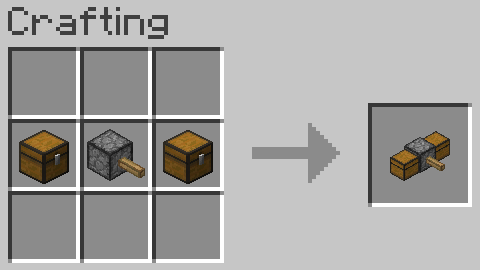
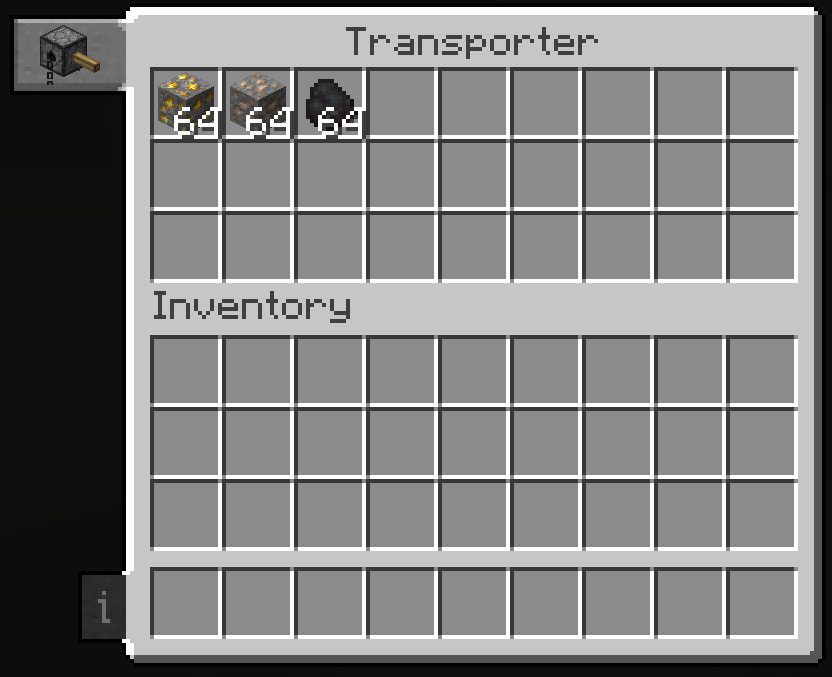
Transporter
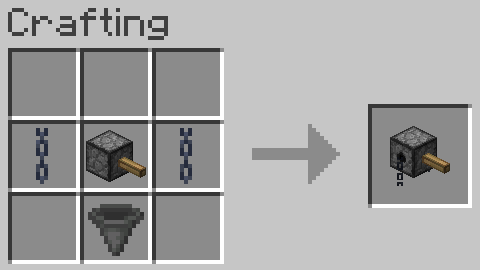
Takes the gathered inventory items and puts them inside the minecart with chest, and releases it when it is full.
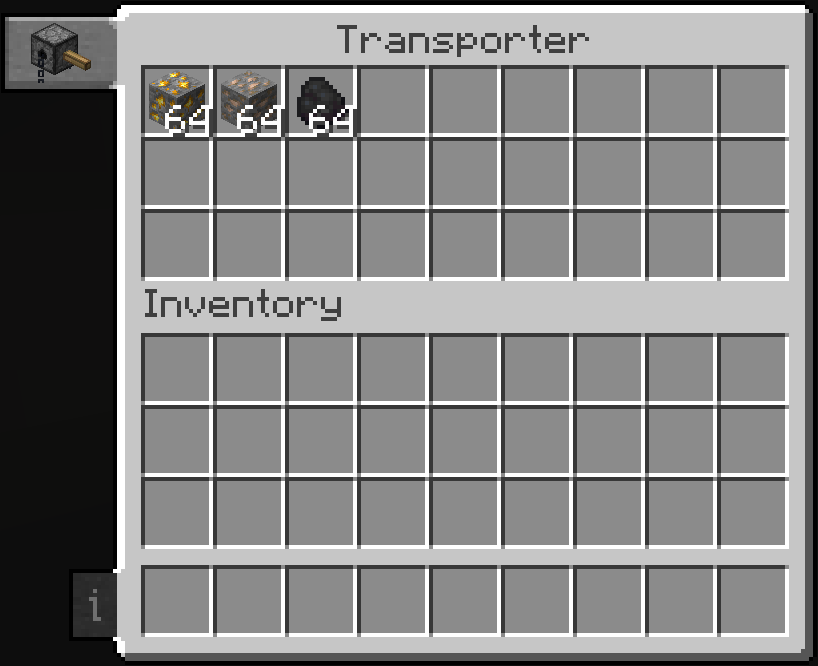
Screen
Put any item inside the minecart with chest.
Recipe
Pattern Book
Transfer patterns between decoration blocks.
Screen
Preview pattern and give it a name.
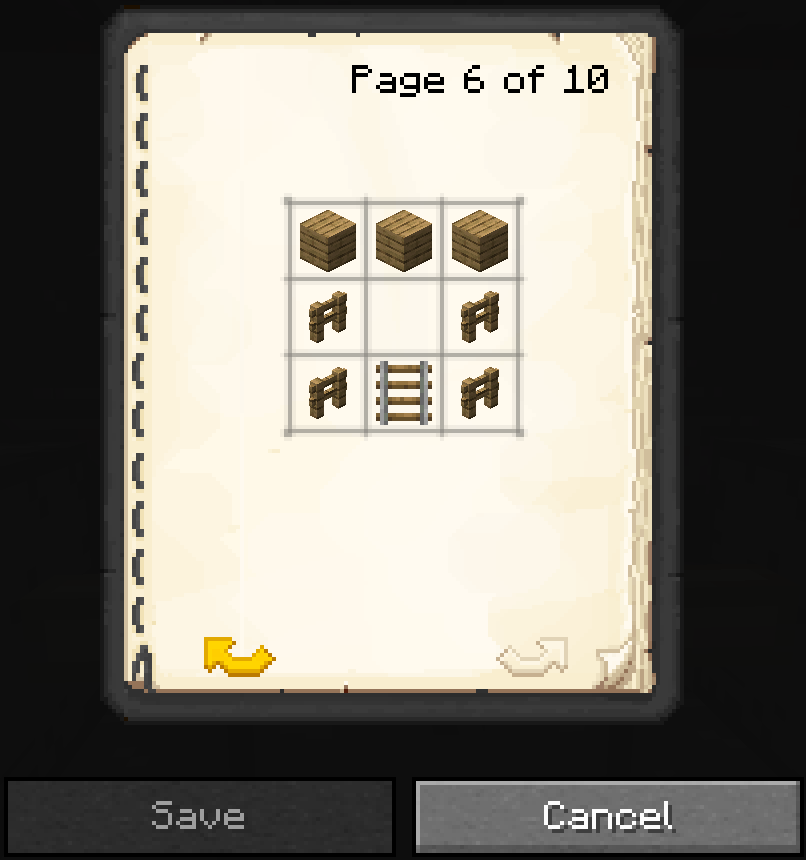
Recipe
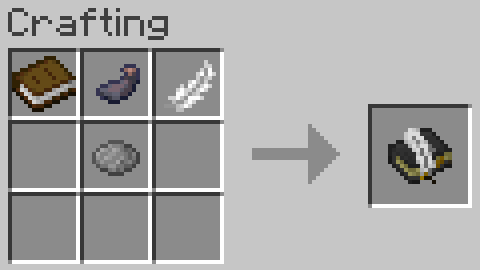
Credits
- Daniel-Mendes currently maintains the mod.
- The_Fireplace (Twitter | CurseForge) previously maintained the mod.
- Caterpillar mod by freethemice for the original idea.
- Patchouli mod by Vazkii for the book texture.
- Reijvi (Twitter | CurseForge) for the incinerator texture commissioned by Daniel-Mendes.
Available Versions
How to Install Simply Caterpillar on Your Server
Order Server
Order a Minecraft Java server with at least 3 GB RAM (4 GB recommended).
Set fabric Loader
In the panel under "Egg", select the fabric loader and matching Minecraft version (1.20.1).
Install Mod
Open the mod browser in the dashboard and search for "Simply Caterpillar". Click "Install" – done! Alternatively, upload the .jar via SFTP to the /mods folder.
Compatibility
Mod Loaders
Minecraft Versions
1.20.1, 1.19.4, 1.19.3 (+2 more)
Server-side
✓ RequiredRecommended RAM
4 GB(min. 3 GB)Frequently Asked Questions
Simply Caterpillar server crashes on startup – what to do?
Most common cause: wrong fabric version or insufficient RAM. Check the server log (latest.log) for "OutOfMemoryError" or "Mixin" errors. With Mado Hosting: ensure at least 3 GB RAM is allocated and the loader matches the mod version (1.20.1). You can switch loaders with one click in the panel.
Is Simply Caterpillar compatible with fabric and forge?
Simply Caterpillar officially supports fabric, forge for Minecraft 1.20.1, 1.19.4, 1.19.3. Note: Forge and Fabric mods are NOT cross-compatible – pick one loader and stick with it. The Mado dashboard automatically detects incompatible loader combinations.
Server lagging with Simply Caterpillar – how to optimize performance?
Recommended RAM: 4 GB (per 8 players). Use /spark profiler to check if Simply Caterpillar consumes the most tick time. Common fixes: reduce server view-distance to 8-10, install "performant" or "starlight" as supplementary mods on Forge. With Mado Hosting, your server runs on NVMe SSDs with dedicated CPU cores for minimal latency.
Similar Mods





Rent Modded Server
Install Simply Caterpillar with just one click on your server.