
sjzxdgy
Delta Force: Red Wolf – High-Mobility Combat Mod
Screenshots
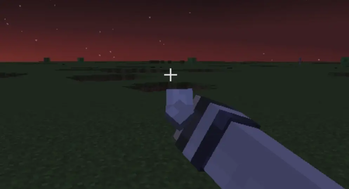
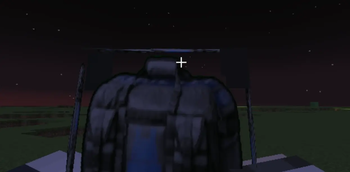
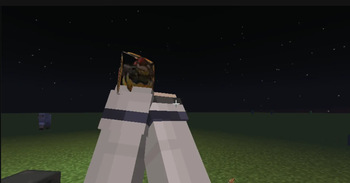
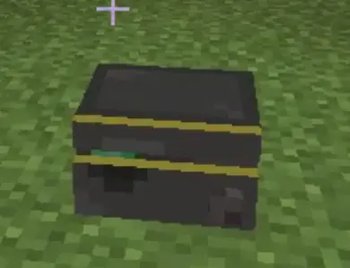
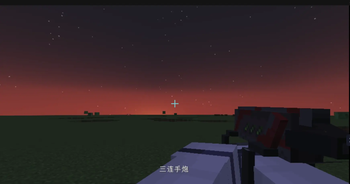
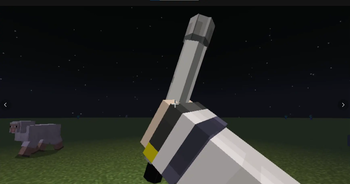
About this Mod
Delta Force: Red Wolf – High-Mobility Operator Mod for Minecraft
Step into the boots of Red Wolf, the legendary突击 operator from Delta Force, now fully realized in Minecraft! This mod brings a complete, polished combat kit designed for speed, aggression, and tactical dominance.
Core Abilities
Powered Exoskeleton – Right-click with the exoskeleton item to activate 30 seconds of Speed II and Jump Boost II. Leap over enemies, scale walls, and outrun anyone. Cooldown: 90 seconds.
Triple-Shot Grenade Launcher – Fire three bouncing projectiles in quick succession. Each grenade can ricochet off walls up to 3 times. When it hits an enemy, it marks them for 2 seconds, then triggers a delayed area explosion. The explosion damages only entities
Balanced & Server-Friendly
All abilities feature custom sounds, particles, and visual feedback. Cooldowns are tuned for fair PvP and adventure maps. The mod works on both client and server, though both sides must install it for full functionality. No external dependencies required.
Why Download?
If you love fast-paced combat, operator-style kits, or want to bring a touch of Delta Force into your Minecraft world, Red Wolf delivers. Whether you're building a PvP arena, an action adventure map, or just want to feel like a one-man army – this mod is for you.
Requires: Minecraft 1.20.1, Forge.
Works on: Client & Server (both required).
Available Versions
How to Install sjzxdgy on Your Server
Order Server
Order a Minecraft Java server with at least 3 GB RAM (4 GB recommended).
Set forge Loader
In the panel under "Egg", select the forge loader and matching Minecraft version (1.20.1).
Install Mod
Open the mod browser in the dashboard and search for "sjzxdgy". Click "Install" – done! Alternatively, upload the .jar via SFTP to the /mods folder.
Compatibility
Mod Loaders
Minecraft Versions
1.20.1
Server-side
✓ RequiredRecommended RAM
4 GB(min. 3 GB)Frequently Asked Questions
sjzxdgy server crashes on startup – what to do?
Most common cause: wrong forge version or insufficient RAM. Check the server log (latest.log) for "OutOfMemoryError" or "Mixin" errors. With Mado Hosting: ensure at least 3 GB RAM is allocated and the loader matches the mod version (1.20.1). You can switch loaders with one click in the panel.
Is sjzxdgy compatible with forge?
sjzxdgy officially supports forge for Minecraft 1.20.1. The Mado dashboard automatically detects incompatible loader combinations.
Server lagging with sjzxdgy – how to optimize performance?
Recommended RAM: 4 GB (per 8 players). Use /spark profiler to check if sjzxdgy consumes the most tick time. Common fixes: reduce server view-distance to 8-10, install "performant" or "starlight" as supplementary mods on Forge. With Mado Hosting, your server runs on NVMe SSDs with dedicated CPU cores for minimal latency.
Similar Mods




Rent Modded Server
Install sjzxdgy with just one click on your server.