
Skelly & Bones
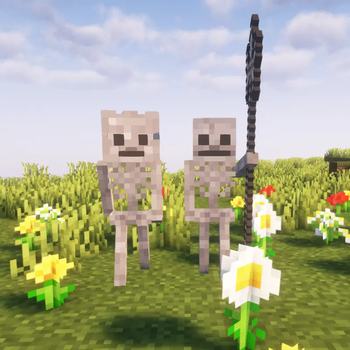
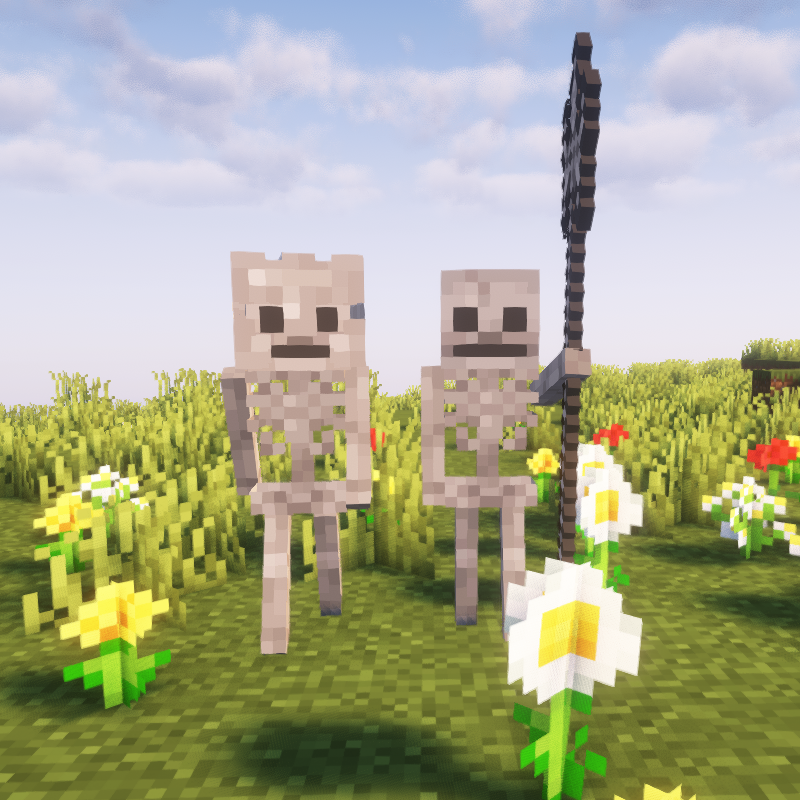
A small mod that adds two unique neutral skeletons to the game that can be traded with.
Screenshots
About this Mod
About this mod
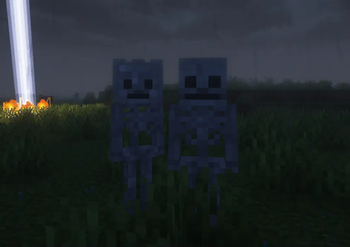
This mod adds two new neutral mobs to the game that have a chance to spawn when it is raining at night.
How the mobs work
Skelly has a chance of spawning when it is raining at night and will passively spawn Bones around him if Bones does not exist.
When traded with, they will give the player XP. The trades are random, and the enchantments on the trades are always randomized.
If Bones or Skelly is attacked, they will fight whatever is attacking them back, whether it be the player or an iron golem.
New Items
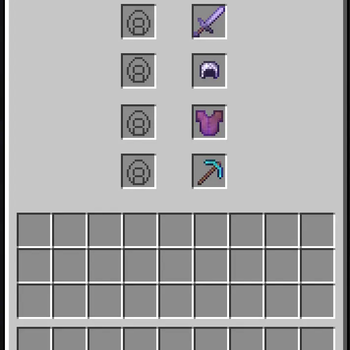
The Iron Pike is a new iron sword-like item that can be enchanted like a sword but is slower than a sword, though it does more damage than an iron sword.
The Iron Knight Helmet is the same as the Iron Helmet but with better states like armor toughness and knockback resistance.
Neither of these items can be crafted and have to be gotten by either trading with or killing Skelly and Bones.
The items can be repaired using iron blocks.
Config Settings and how to use the the Config
To use the config, you have to go into your Minecraft game directory, then go into the "config" folder and it should be there. You can edit the config with Notepad, Notepad++, or any code editor you may have installed.
Config Settings:
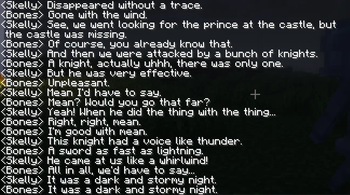
1: dialogue_when_close If set to true, then Skelly and Bones will talk in chat when close by; if set to false, they will not talk in chat.
2: spawning_sound If set to true, then a small tune will play when Skelly and Bones spawn in If set to false, then the small tune will not play when they spawn in.
3: spawning_message If set to true, then a message will show up in chat indicating that they have spawned somewhere. If set to false, then there will be no message that shows up in the chat when they spawn.
4: spawn_bones_around_skelly_only_when_raining_and_night If set to false, then bones will always spawn around Skelly. If set to true, then bones will only spawn around Skelly when it is nighttime and raining.
(This mod is made for Forge.)
(Report any bugs or issues you find here: Issue tracker)
Available Versions
How to Install Skelly & Bones on Your Server
Order Server
Order a Minecraft Java server with at least 3 GB RAM (4 GB recommended).
Set forge Loader
In the panel under "Egg", select the forge loader and matching Minecraft version (1.20.1).
Install Mod
Open the mod browser in the dashboard and search for "Skelly & Bones". Click "Install" – done! Alternatively, upload the .jar via SFTP to the /mods folder.
Compatibility
Mod Loaders
Minecraft Versions
1.20.1, 1.19.4, 1.19.2 (+1 more)
Server-side
✓ RequiredRecommended RAM
4 GB(min. 3 GB)Frequently Asked Questions
Skelly & Bones server crashes on startup – what to do?
Most common cause: wrong forge version or insufficient RAM. Check the server log (latest.log) for "OutOfMemoryError" or "Mixin" errors. With Mado Hosting: ensure at least 3 GB RAM is allocated and the loader matches the mod version (1.20.1). You can switch loaders with one click in the panel.
Is Skelly & Bones compatible with forge?
Skelly & Bones officially supports forge for Minecraft 1.20.1, 1.19.4, 1.19.2. The Mado dashboard automatically detects incompatible loader combinations.
Server lagging with Skelly & Bones – how to optimize performance?
Recommended RAM: 4 GB (per 8 players). Use /spark profiler to check if Skelly & Bones consumes the most tick time. Common fixes: reduce server view-distance to 8-10, install "performant" or "starlight" as supplementary mods on Forge. With Mado Hosting, your server runs on NVMe SSDs with dedicated CPU cores for minimal latency.
Similar Mods




Rent Modded Server
Install Skelly & Bones with just one click on your server.