
SLcompass
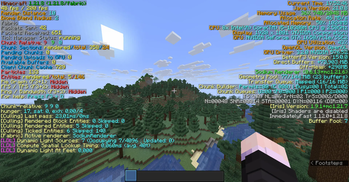
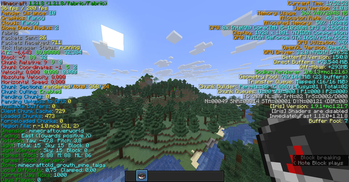
Hides F3 without compass or map.
Screenshots

About this Mod
Requires cloth config!
SLCompass English
SLCompass automatically enables the full debug screen (F3) when you hold a compass or map. The mod works on servers where it is installed and supports easy configuration through ModMenu.
Features
Automatically displays the normall F3 screen when holding a compass or map.
Server synchronization: if the mod is installed on a server, it is active for all players.
The client automatically remembers servers with the mod, and SLCompass is always enabled on them.
After the game, returns F3 to its original form.
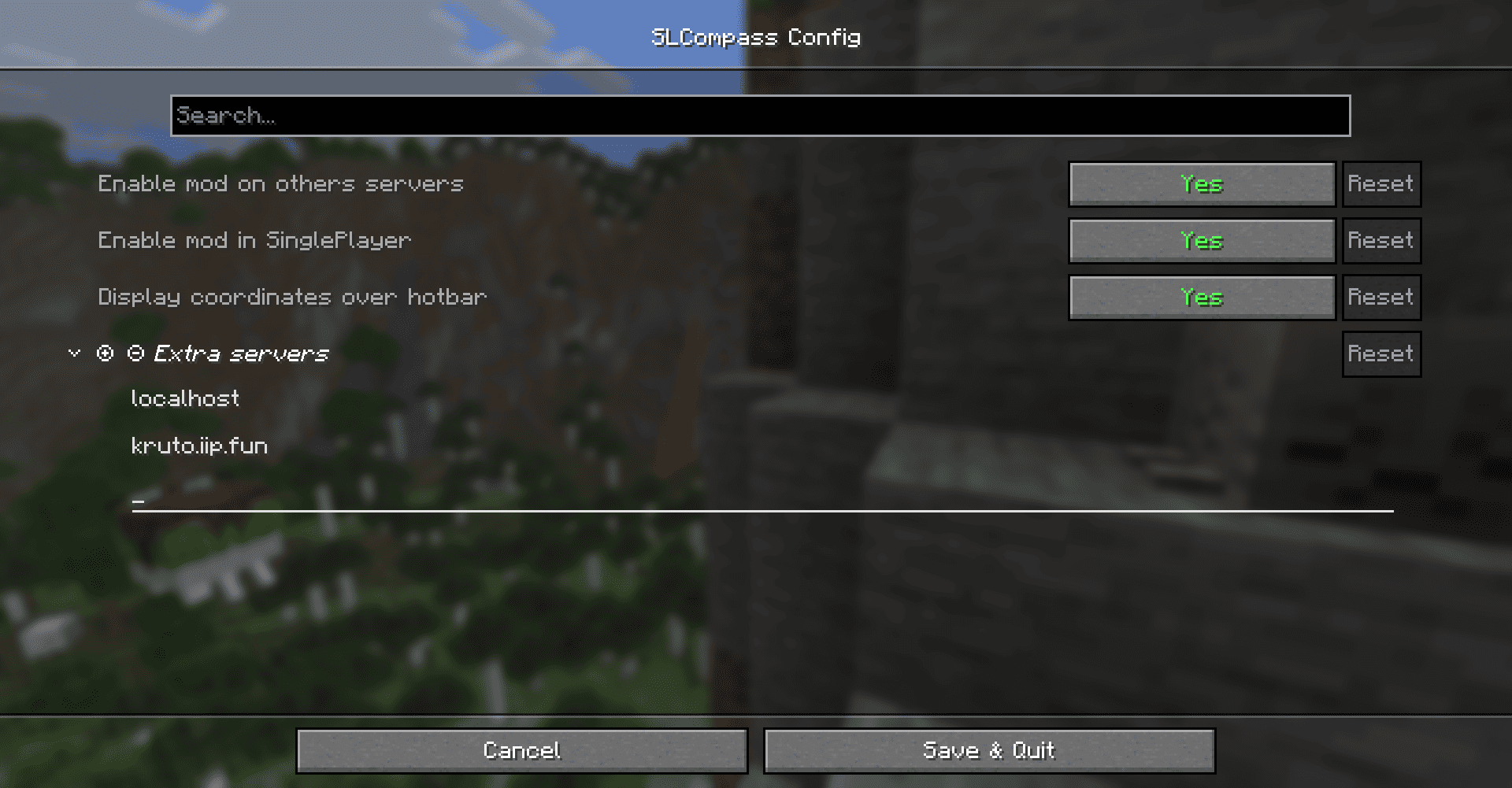
Configurable directly in-game via ModMenu. You can add the IPs of the servers where the mod will work, and also enable the display of coordinates above the hotbar.
 !
!
SLCompass Russian
SLCompass автоматически включает полный экран отладки (F3), когда вы держите компас или карту. Мод работает и на серверах, где установлен, и поддерживает удобную настройку через ModMenu.
Особенности
Автоматическое отображение нормального F3 при удержании компаса или карты.
Серверная синхронизация: если мод есть на сервере, он активен для всех игроков.
Клиент автоматически запоминает серверы с модом, и SLCompass всегда включён на них.
После игры возвращает F3 в исходную форму.
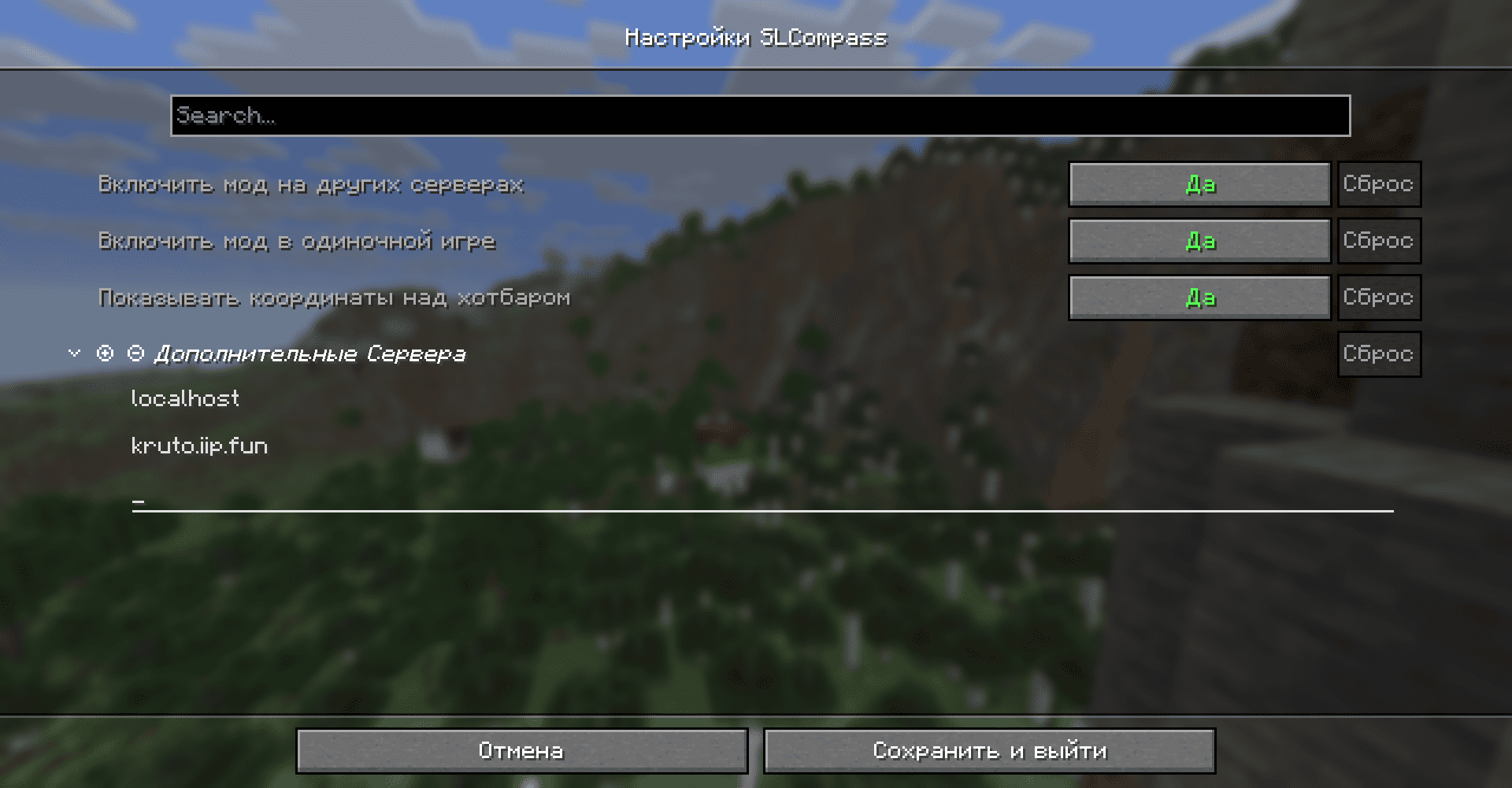
Настройка через ModMenu прямо в игре. Вы можете добавить адрес серверов где мод будет работать, а так-же включить отображение координат над хотбаром.
Author: LendSpele for
StoryLegends
Originall: Modrinth
Source: GitHub
Available Versions
How to Install SLcompass on Your Server
Order Server
Order a Minecraft Java server with at least 3 GB RAM (4 GB recommended).
Set fabric Loader
In the panel under "Egg", select the fabric loader and matching Minecraft version (1.21.10).
Install Mod
Open the mod browser in the dashboard and search for "SLcompass". Click "Install" – done! Alternatively, upload the .jar via SFTP to the /mods folder.
Compatibility
Mod Loaders
Minecraft Versions
1.21.10, 1.21.9, 1.21.8 (+1 more)
Server-side
~ OptionalRecommended RAM
4 GB(min. 3 GB)Frequently Asked Questions
SLcompass server crashes on startup – what to do?
Most common cause: wrong fabric version or insufficient RAM. Check the server log (latest.log) for "OutOfMemoryError" or "Mixin" errors. With Mado Hosting: ensure at least 3 GB RAM is allocated and the loader matches the mod version (1.21.10). You can switch loaders with one click in the panel.
Is SLcompass compatible with fabric?
SLcompass officially supports fabric for Minecraft 1.21.10, 1.21.9, 1.21.8. The Mado dashboard automatically detects incompatible loader combinations.
Server lagging with SLcompass – how to optimize performance?
Recommended RAM: 4 GB (per 8 players). Use /spark profiler to check if SLcompass consumes the most tick time. Common fixes: reduce server view-distance to 8-10, install "performant" or "starlight" as supplementary mods on Forge. With Mado Hosting, your server runs on NVMe SSDs with dedicated CPU cores for minimal latency.
Similar Mods




Rent Modded Server
Install SLcompass with just one click on your server.