
Slotted Armor HUD
A vanilla-like armor HUD for Minecraft!
Screenshots
About this Mod
Slotted Armor HUD
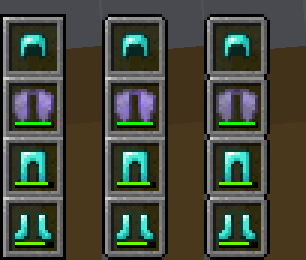
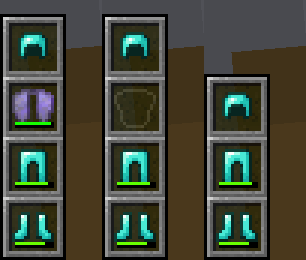
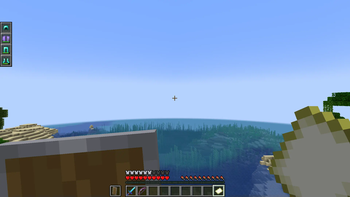
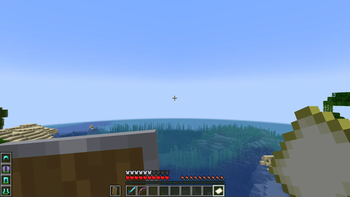
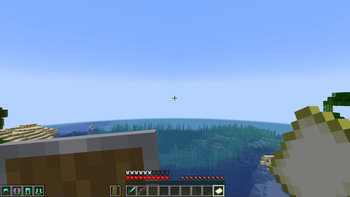
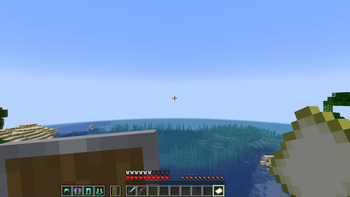
This mod adds an armor HUD that retains Minecraft's default appearance, without the extra text and numbers, and adapts to resource packs that change the hotbar's appearance. The armor HUD can be easily configured when paired with the Cloth Config and Mod Menu mods.
If the mod hasn't been updated for the latest Minecraft version but you've found that it still works without issue, let me know with this GitHub template. (No guarantees though, since I have shifted my focus to other work.)

An aesthetic that blends right in to Minecraft's HUD
Features
- A customizable interface
- Orient it vertically or horizontally.
- Place it to the left or right, and to the top or bottom.
- Choose when and how the armor HUD shows itself.
- Move it anywhere by offsetting it!
- Adaptive elements
- The armor HUD will shift away from the hotbar to allow room for the offhand slot.
- The chat box, boss bars, status effect icons, and subtitles will make room for the armor HUD when needed.
- Extra customization
- If resource packs do not work, try experimenting with these settings. :D
Forked from BerdinskiyBear's Armor HUD mod, updated and with new features.
Configuration
This mod can be configured with the Cloth Config and Mod Menu mods.
With these mods installed, a "Mods" button will appear on the title and pause screens, and clicking on it should show a list of installed mods. This mod should appear on that list, and hovering over it should show a button that leads to the config screen.
It can also be configured via the armor_hud.json config file with a text editor. This can be found in Minecraft's directory folder, then in the config folder.
Available Versions
How to Install Slotted Armor HUD on Your Server
Order Server
Order a Minecraft Java server with at least 3 GB RAM (4 GB recommended).
Set fabric Loader
In the panel under "Egg", select the fabric loader and matching Minecraft version (1.21.1).
Install Mod
Open the mod browser in the dashboard and search for "Slotted Armor HUD". Click "Install" – done! Alternatively, upload the .jar via SFTP to the /mods folder.
Compatibility
Mod Loaders
Minecraft Versions
1.21.1, 1.21, 1.20.6 (+14 more)
Server-side
✗ UnsupportedRecommended RAM
4 GB(min. 3 GB)Frequently Asked Questions
Slotted Armor HUD server crashes on startup – what to do?
Most common cause: wrong fabric version or insufficient RAM. Check the server log (latest.log) for "OutOfMemoryError" or "Mixin" errors. With Mado Hosting: ensure at least 3 GB RAM is allocated and the loader matches the mod version (1.21.1). You can switch loaders with one click in the panel.
Is Slotted Armor HUD compatible with fabric?
Slotted Armor HUD officially supports fabric for Minecraft 1.21.1, 1.21, 1.20.6. The Mado dashboard automatically detects incompatible loader combinations.
Server lagging with Slotted Armor HUD – how to optimize performance?
Recommended RAM: 4 GB (per 8 players). Use /spark profiler to check if Slotted Armor HUD consumes the most tick time. Common fixes: reduce server view-distance to 8-10, install "performant" or "starlight" as supplementary mods on Forge. With Mado Hosting, your server runs on NVMe SSDs with dedicated CPU cores for minimal latency.
Similar Mods




![[TaCZ] Timeless and Classics Zero](https://cdn.modrinth.com/data/SzzJttH8/fd27766d2bb8390d284696b1dbd358f87e081439_96.webp)

Rent Modded Server
Install Slotted Armor HUD with just one click on your server.