
Slow Your Roll
A mod about slowing down game progression
Screenshots
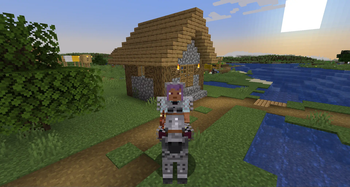
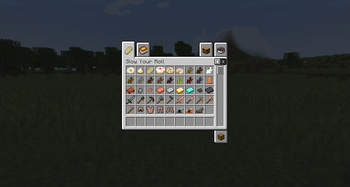
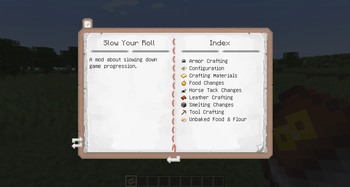
About this Mod

Description
Slow Your Roll adds a number of features aimed at slowing down the progression of the game. These include more difficult crafting recipes for some items (including books, the eye of ender, and all tools and armor), and various other changes.
Features:
- Flint and copper tools: replacing wooden and stone tools, with copper mineable by flint tools and iron mineable by copper tools
- Bark item, obtained from stripping wood, that can be re-applied to stripped logs
- A copper armor set
- Unbaked versions of Minecraft's baked goods
- Netherite horse armor
- Stack size limitations for food
- In-game documentation is available via Treatise if installed
- In-game configuration is available via Mod Menu if installed
- Bronze mod compatibility is available via Slow Your Bronze
- If you'd like some cool alternate flint tool textures, try Slow Your Flint
Support
If you have a bug report, feature request, or any other type of issue, please post on our GitHub issues page. This is an issues page for all of our mods, so be sure to include the mod's name and version in your post. We appreciate all feedback!
If you'd like to support development, you can leave a tip at our BuyMeACoffee. Only if it's within your means- otherwise, using, sharing, and enjoying the mod is support enough. Thank you!
Credits
Flint tool textures from Random's Early Progression by randommcsomethin, used under the MIT license.
Copper armor textures from Pure Copper Tools by purejosh, used under the MIT license.
Available Versions
How to Install Slow Your Roll on Your Server
Order Server
Order a Minecraft Java server with at least 3 GB RAM (4 GB recommended).
Set fabric Loader
In the panel under "Egg", select the fabric loader and matching Minecraft version (1.21.4).
Install Mod
Open the mod browser in the dashboard and search for "Slow Your Roll". Click "Install" – done! Alternatively, upload the .jar via SFTP to the /mods folder.
Compatibility
Mod Loaders
Minecraft Versions
1.21.4, 1.21.3, 1.21.2 (+2 more)
Server-side
✓ RequiredRecommended RAM
4 GB(min. 3 GB)Frequently Asked Questions
Slow Your Roll server crashes on startup – what to do?
Most common cause: wrong fabric version or insufficient RAM. Check the server log (latest.log) for "OutOfMemoryError" or "Mixin" errors. With Mado Hosting: ensure at least 3 GB RAM is allocated and the loader matches the mod version (1.21.4). You can switch loaders with one click in the panel.
Is Slow Your Roll compatible with fabric?
Slow Your Roll officially supports fabric for Minecraft 1.21.4, 1.21.3, 1.21.2. The Mado dashboard automatically detects incompatible loader combinations.
Server lagging with Slow Your Roll – how to optimize performance?
Recommended RAM: 4 GB (per 8 players). Use /spark profiler to check if Slow Your Roll consumes the most tick time. Common fixes: reduce server view-distance to 8-10, install "performant" or "starlight" as supplementary mods on Forge. With Mado Hosting, your server runs on NVMe SSDs with dedicated CPU cores for minimal latency.
Similar Mods





Rent Modded Server
Install Slow Your Roll with just one click on your server.