
SlowUT
Completely customize your arm swing speeds for mining, block placing, eating, and more with a clean tabbed configuration menu.
Screenshots
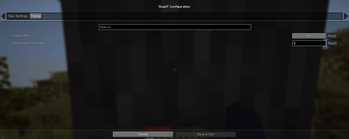
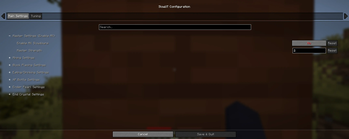
About this Mod
SlowUT: Ultimate Arm Animation Control
SlowUT is a lightweight client-side mod that gives you total control over your player's arm swing speed. Whether you want a more cinematic feel to your gameplay or need to fine-tune animations for specific actions, SlowUT provides a professional-grade solution.
✨ Key Features:
🎯 Action-Specific Tuning: Independently adjust the swing strength for Mining, Block Placing, Eating/Drinking, XP Bottles, Ender Pearls, and End Crystals.
🛠️ Tabbed Configuration: A clean, user-friendly menu (powered by Cloth Config) featuring "Main" and "Tuning" tabs for easy navigation.
🔒 Anti-Spam Logic: Unlike basic mods, SlowUT features custom logic that keeps your animations smooth and slow, even if you are jitter-clicking or spamming items.
⚡ Master Switch: Use the "Everything Slow" toggle to instantly apply your global settings to every action in the game.
🌍 Universal Compatibility: Works on any server! Since it only affects your local animations, it is 100% client-side safe.
Requires Fabric API and Cloth Config API.
Available Versions
How to Install SlowUT on Your Server
Order Server
Order a Minecraft Java server with at least 3 GB RAM (4 GB recommended).
Set fabric Loader
In the panel under "Egg", select the fabric loader and matching Minecraft version (1.21.11).
Install Mod
Open the mod browser in the dashboard and search for "SlowUT". Click "Install" – done! Alternatively, upload the .jar via SFTP to the /mods folder.
Compatibility
Mod Loaders
Minecraft Versions
1.21.11, 1.21.10, 1.21.9 (+9 more)
Server-side
✗ UnsupportedRecommended RAM
4 GB(min. 3 GB)Frequently Asked Questions
SlowUT server crashes on startup – what to do?
Most common cause: wrong fabric version or insufficient RAM. Check the server log (latest.log) for "OutOfMemoryError" or "Mixin" errors. With Mado Hosting: ensure at least 3 GB RAM is allocated and the loader matches the mod version (1.21.11). You can switch loaders with one click in the panel.
Is SlowUT compatible with fabric?
SlowUT officially supports fabric for Minecraft 1.21.11, 1.21.10, 1.21.9. The Mado dashboard automatically detects incompatible loader combinations.
Server lagging with SlowUT – how to optimize performance?
Recommended RAM: 4 GB (per 8 players). Use /spark profiler to check if SlowUT consumes the most tick time. Common fixes: reduce server view-distance to 8-10, install "performant" or "starlight" as supplementary mods on Forge. With Mado Hosting, your server runs on NVMe SSDs with dedicated CPU cores for minimal latency.
Similar Mods




![[TaCZ] Timeless and Classics Zero](https://cdn.modrinth.com/data/SzzJttH8/fd27766d2bb8390d284696b1dbd358f87e081439_96.webp)

Rent Modded Server
Install SlowUT with just one click on your server.