
Smart Inventory
Sort, deposit, withdraw, and compact items between containers and your inventory
Screenshots
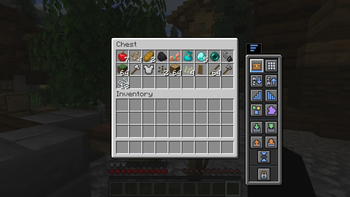
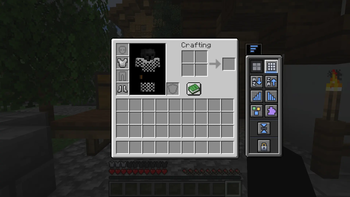
About this Mod
English

Tidy any container in one click — and your whole inventory, too.
Smart Inventory adds a compact, vanilla-styled panel to every container so you can sort, stack, and clean up your items instantly, without dragging anything or leaving the screen.
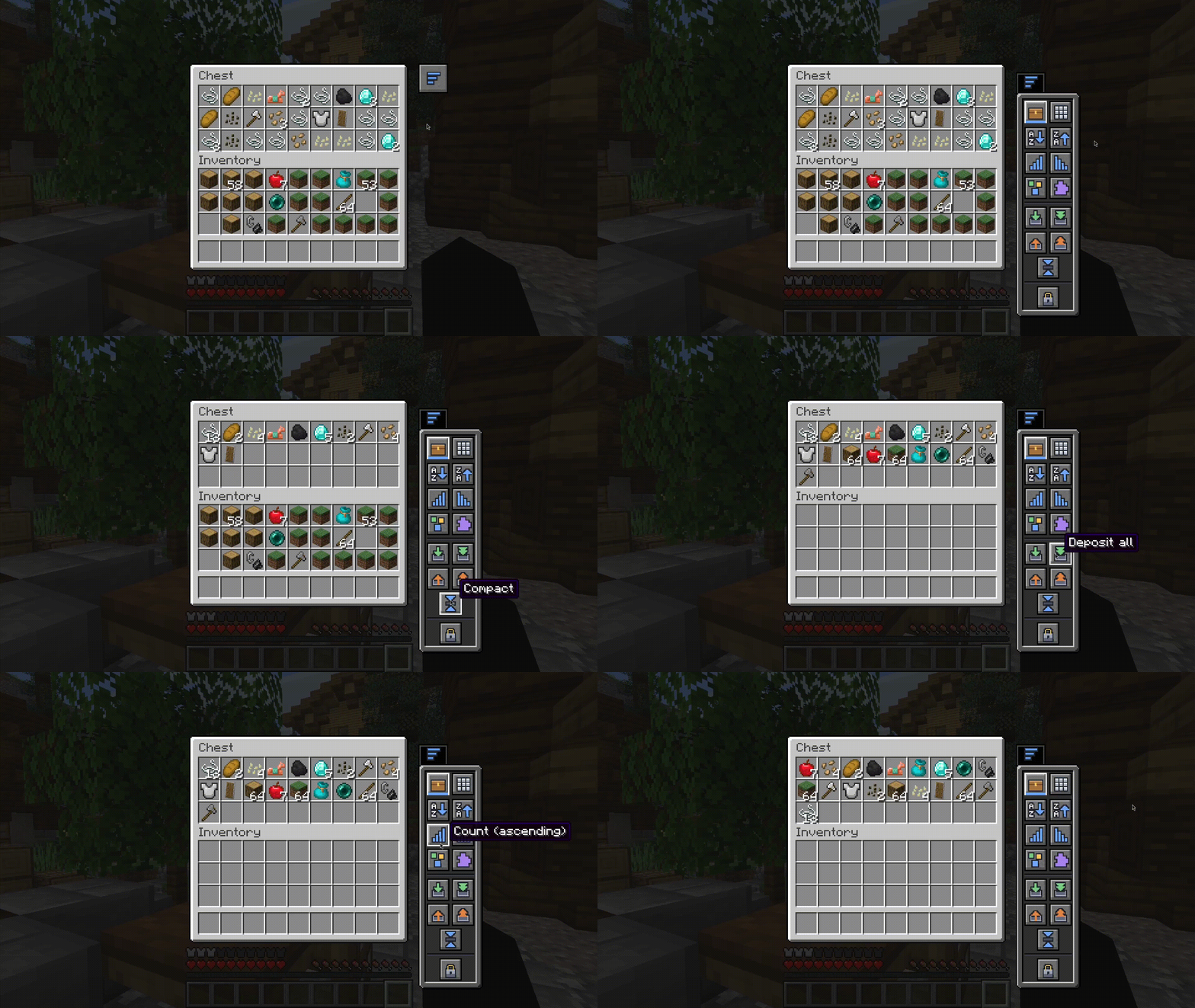
How to use it
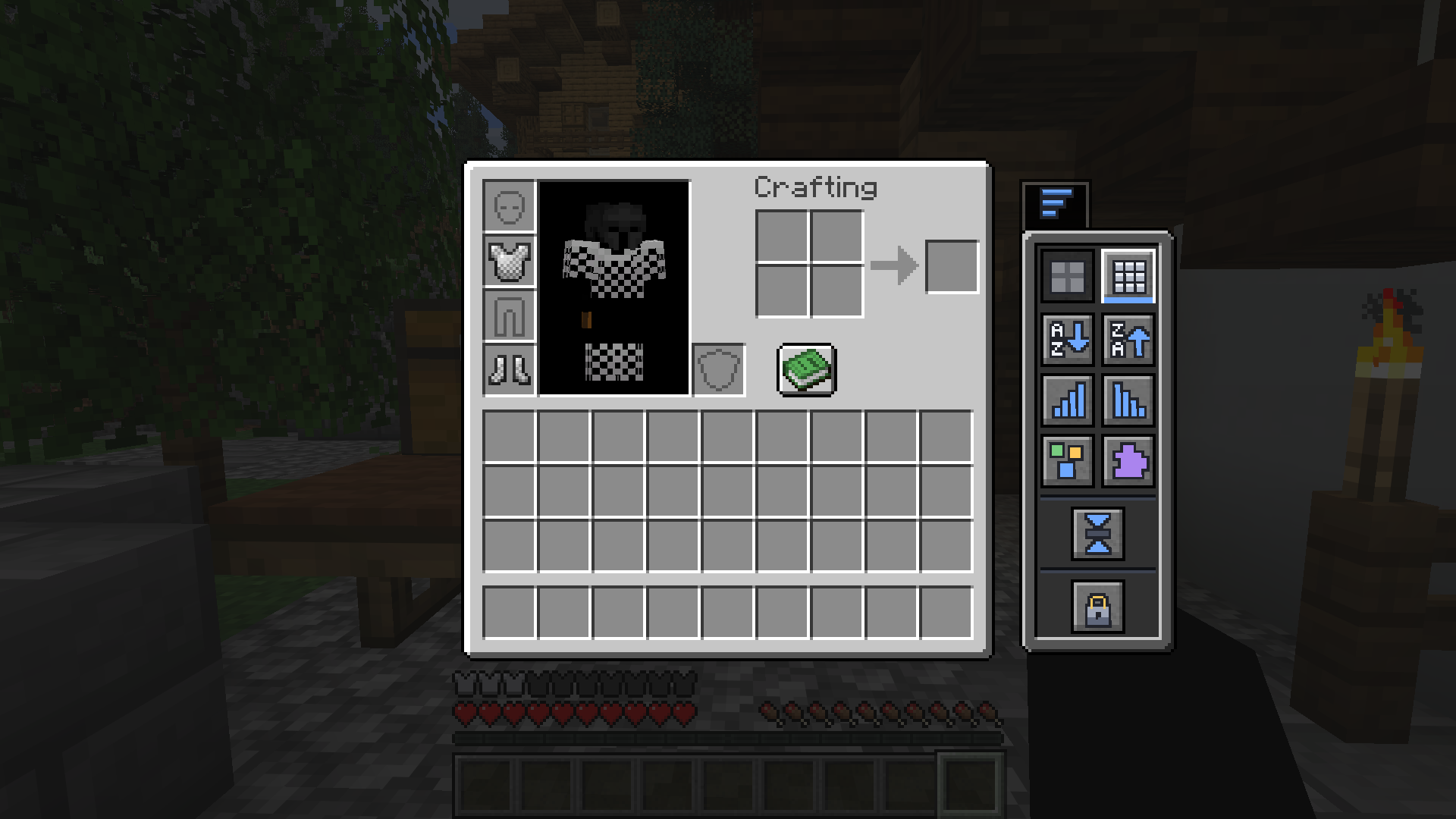
Open a chest, barrel, shulker box, or just your own inventory, then click the small side tab. The panel slides in next to the screen — choose what you want to do, and you're done.
Sort it your way
One click reorders the container or your inventory:
| Sort by | |
|---|---|
 |
Name — A → Z |
 |
Name — Z → A |
 |
Quantity — most first |
 |
Quantity — fewest first |
 |
Category — tools, blocks, food… |
 |
Mod — group items by the mod they come from |
Move items instantly
| Action | |
|---|---|
 |
Deposit matching — top up stacks the container already has |
 |
Deposit all — move everything in |
 |
Withdraw matching — pull more of what you're already carrying |
 |
Withdraw all — take everything out |
 |
Compact — merge partial stacks into full ones |
Keep your hotbar the way you like
| Hotbar mode | |
|---|---|
 |
Hotbar protected — left untouched while you organize |
 |
Hotbar included — sorted and moved along with everything else |
Localization
Smart Inventory currently includes translations for:
- English
- Portuguese
The interface automatically follows your Minecraft language settings.
Works everywhere
Chests, barrels, ender chests, shulker boxes, hoppers, dispensers, and droppers — the panel adapts automatically and displays the appropriate icon for each container type.
Português
Organize qualquer contêiner com um clique — e todo o seu inventário também.
Smart Inventory adiciona um painel compacto com aparência vanilla a qualquer contêiner, permitindo organizar, empilhar e limpar seus itens instantaneamente, sem arrastar nada e sem sair da tela.
Como usar
Abra um baú, barril, shulker box ou apenas o seu inventário e clique na pequena aba lateral. O painel desliza ao lado da interface — escolha a ação desejada e pronto.
Organize do seu jeito
Com um clique, você reorganiza o contêiner ou o seu inventário:
| Ordenar por | |
|---|---|
|
Nome — A → Z |
|
Nome — Z → A |
|
Quantidade — maior primeiro |
|
Quantidade — menor primeiro |
|
Categoria — ferramentas, blocos, comidas… |
|
Mod — agrupa itens pelo mod de origem |
Mova itens instantaneamente
| Ação | |
|---|---|
|
Depositar semelhantes — completa pilhas que o contêiner já possui |
|
Depositar tudo — move tudo para dentro |
|
Retirar semelhantes — pega mais itens iguais aos que você já carrega |
|
Retirar tudo — pega tudo |
|
Compactar — junta pilhas incompletas em pilhas cheias |
Mantenha sua hotbar do jeito que você gosta
| Modo da hotbar | |
|---|---|
|
Hotbar protegida — permanece intacta durante a organização |
|
Hotbar incluída — é organizada junto com o restante dos itens |
Idiomas
Smart Inventory atualmente possui suporte para:
- English
- Português
A interface acompanha automaticamente o idioma configurado no Minecraft.
Funciona em todos os lugares
Baús, barris, ender chests, shulker boxes, funis, ejetores e liberadores — o painel se adapta automaticamente e exibe o ícone correto para cada tipo de contêiner.
Available Versions
How to Install Smart Inventory on Your Server
Order Server
Order a Minecraft Java server with at least 3 GB RAM (4 GB recommended).
Set fabric Loader
In the panel under "Egg", select the fabric loader and matching Minecraft version (26.1.2).
Install Mod
Open the mod browser in the dashboard and search for "Smart Inventory". Click "Install" – done! Alternatively, upload the .jar via SFTP to the /mods folder.
Compatibility
Mod Loaders
Minecraft Versions
26.1.2
Server-side
✓ RequiredRecommended RAM
4 GB(min. 3 GB)Frequently Asked Questions
Smart Inventory server crashes on startup – what to do?
Most common cause: wrong fabric version or insufficient RAM. Check the server log (latest.log) for "OutOfMemoryError" or "Mixin" errors. With Mado Hosting: ensure at least 3 GB RAM is allocated and the loader matches the mod version (26.1.2). You can switch loaders with one click in the panel.
Is Smart Inventory compatible with fabric?
Smart Inventory officially supports fabric for Minecraft 26.1.2. The Mado dashboard automatically detects incompatible loader combinations.
Server lagging with Smart Inventory – how to optimize performance?
Recommended RAM: 4 GB (per 8 players). Use /spark profiler to check if Smart Inventory consumes the most tick time. Common fixes: reduce server view-distance to 8-10, install "performant" or "starlight" as supplementary mods on Forge. With Mado Hosting, your server runs on NVMe SSDs with dedicated CPU cores for minimal latency.
Similar Mods


Rent Modded Server
Install Smart Inventory with just one click on your server.