
Smart Survival HUD
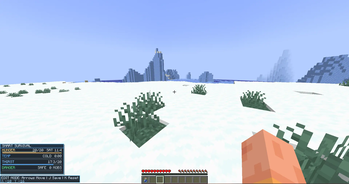
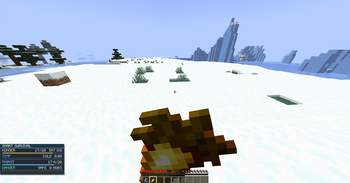
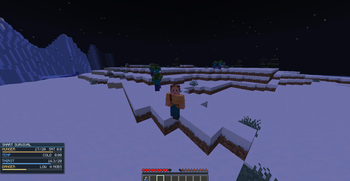
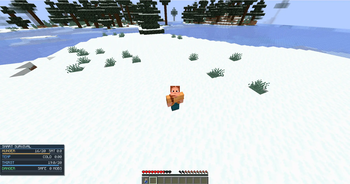
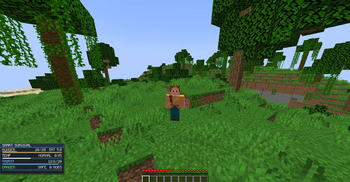
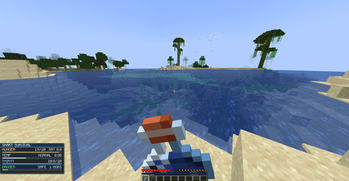
An all-in-one survival HUD that shows hunger, thirst, temperature, and danger — everything you need to survive, in one clean UI.
Screenshots
About this Mod
Smart Survival HUD
Smart Survival HUD is a lightweight, all-in-one survival overlay for Fabric that keeps the information you actually need on screen without cluttering your view.
Instead of bouncing between vanilla bars and guessing what is happening around you, this HUD gives you a clean readout for your core survival stats in one place:
- Hunger with saturation
- Biome temperature with live hot/cold state
- Thirst with smooth depletion and water bottle restore support
- Nearby hostile mob danger detection
Built for players who want better awareness during survival, hardcore, and exploration without turning the game into a full overhaul.
Features
- Clean sci-fi styled HUD panel
- Real-time hunger and saturation tracking
- Temperature monitor based on biome conditions
- Thirst system with gradual depletion
- Water bottles restore thirst
- Danger scanner for nearby hostile mobs
- Optional alert sound and screen flash when danger appears
- Toggle HUD visibility anytime
- Built-in HUD position editing
- Lightweight and fully client-side
Controls
H- Toggle HUDJ- Enter/exit HUD edit modeArrow Keys- Move HUD while in edit modeK- Reset HUD position
Configurable
Smart Survival HUD includes a config file so you can tune the experience to your liking, including:
- Enabling or disabling individual HUD modules
- Danger scan radius and mob thresholds
- Thirst max value, drain speed, and restore amount
- HUD default visibility and position
- Danger alerts and dehydration damage
Why this mod?
Smart Survival HUD is made for players who want survival feedback that feels immediate, readable, and useful. It adds meaningful awareness without spamming your screen or bloating the game with unnecessary systems.
Requirements
- Minecraft
1.20.1 - Fabric Loader
- Fabric API
Available Versions
How to Install Smart Survival HUD on Your Server
Order Server
Order a Minecraft Java server with at least 3 GB RAM (4 GB recommended).
Set fabric Loader
In the panel under "Egg", select the fabric loader and matching Minecraft version (1.20.1).
Install Mod
Open the mod browser in the dashboard and search for "Smart Survival HUD". Click "Install" – done! Alternatively, upload the .jar via SFTP to the /mods folder.
Compatibility
Mod Loaders
Minecraft Versions
1.20.1
Server-side
✗ UnsupportedRecommended RAM
4 GB(min. 3 GB)Frequently Asked Questions
Smart Survival HUD server crashes on startup – what to do?
Most common cause: wrong fabric version or insufficient RAM. Check the server log (latest.log) for "OutOfMemoryError" or "Mixin" errors. With Mado Hosting: ensure at least 3 GB RAM is allocated and the loader matches the mod version (1.20.1). You can switch loaders with one click in the panel.
Is Smart Survival HUD compatible with fabric?
Smart Survival HUD officially supports fabric for Minecraft 1.20.1. The Mado dashboard automatically detects incompatible loader combinations.
Server lagging with Smart Survival HUD – how to optimize performance?
Recommended RAM: 4 GB (per 8 players). Use /spark profiler to check if Smart Survival HUD consumes the most tick time. Common fixes: reduce server view-distance to 8-10, install "performant" or "starlight" as supplementary mods on Forge. With Mado Hosting, your server runs on NVMe SSDs with dedicated CPU cores for minimal latency.
Similar Mods




Rent Modded Server
Install Smart Survival HUD with just one click on your server.