
SmartSeeds
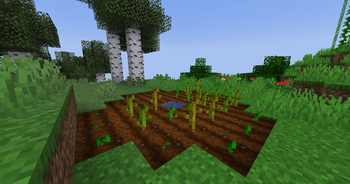
Plants are now growing at different speeds depending on the biome.
Screenshots



About this Mod
SmartSeeds
Mod Presentation
This mod is changing the growing speed of some plants depending on the temperature of the biome the plant is growing in. Each plant has an ideal temperature, a min and a max temperature. At the ideal temperature, the plant grows VIMF time faster than in vanilla. (VIMF stands for Vanilla Ideal Multiplication Factor)
Developpement
This mod is still in alpha version and is still buggy. Don't hesitate to report any bugs you find on the bug report page (google forms). It really helps me to devellop this mod.
I will probably not add more features, but I will try to update the mod as fast as I can when there are new Minecraft update.
Technical informations
They are new attributes that a plant block can have. Those include :
Expand the new plants attribute
SPEED_FACTOR(the VIMF)MIN_TEMPERATURE, IDEAL_TEMPERATURE, MAX_TEMPERATUREGROW_IN_SNOWNEED_RAINSURVIVE_SNOW, SURVIVE_RAIN
Those are pretty self-explainatory. As it stand now, SURVIVE_SNOW & SURVIVE_RAIN just stops the plant from growing when the condition is met.
Temperature preferences
Every biome has a TEMPERATURE attribute wich (in vanilla) is comprised beetween -1 and 2. This attribute is used for the biome repartition. At the Ideal temperature, the growing speed of the plant is equal to VANILLA_SPEED * VIMF. At the minimum and maximum temperature, the speed is simply zero.
The general formula to caclulate the growing speed is VANILLA_SPEED * VMF Where the VMF (Vanilla Multiplication Factor) is calculated like this :
VIMF * (1 - max((BIOME_TEMPERATURE - IDEAL) / (MIN - IDEAL), (BIOME_TEMPERATURE - IDEAL) / (MAX - IDEAL)))
Spoiler : show temperature preferences
PLANT NAME _ _ _ : _ Temp. Pref. _ | VIMFWheat_ _ _ _ _ _ : 0.2 < 0.7 < 1.6 | 5.00Carrot _ _ _ _ _ : -.7 < -.1 < 1.3 | 5.00Potato _ _ _ _ _ : -.6 < 0.8 < 1.2 | 5.00Beetroot _ _ _ _ : -.8 < 0.2 < 0.8 | 4.00Sweet Berry Bush : -1_ < -.2 < 0.7 | 1.50Sugar Cane _ _ _ : 0.3 < 1.4 < 2.7 | 2.00Cactus _ _ _ _ _ : 0.6 < 2.0 < 2.0 | 3.00Bamboo _ _ _ _ _ : 0.6 < 1.4 < 2.2 | 4.50Sea Pickle _ _ _ : -.6 < 0.8 < 1.2 | 2.00Pumpkin_ _ _ _ _ : 0.8 < 0.1 < 1.2 | 1.20Melon_ _ _ _ _ _ : 0.6 < 1.4 < 2.2 | 1.20


Available Versions
How to Install SmartSeeds on Your Server
Order Server
Order a Minecraft Java server with at least 3 GB RAM (4 GB recommended).
Set fabric Loader
In the panel under "Egg", select the fabric loader and matching Minecraft version (1.20.2).
Install Mod
Open the mod browser in the dashboard and search for "SmartSeeds". Click "Install" – done! Alternatively, upload the .jar via SFTP to the /mods folder.
Compatibility
Mod Loaders
Minecraft Versions
1.20.2
Server-side
✓ RequiredRecommended RAM
4 GB(min. 3 GB)Frequently Asked Questions
SmartSeeds server crashes on startup – what to do?
Most common cause: wrong fabric version or insufficient RAM. Check the server log (latest.log) for "OutOfMemoryError" or "Mixin" errors. With Mado Hosting: ensure at least 3 GB RAM is allocated and the loader matches the mod version (1.20.2). You can switch loaders with one click in the panel.
Is SmartSeeds compatible with fabric?
SmartSeeds officially supports fabric for Minecraft 1.20.2. The Mado dashboard automatically detects incompatible loader combinations.
Server lagging with SmartSeeds – how to optimize performance?
Recommended RAM: 4 GB (per 8 players). Use /spark profiler to check if SmartSeeds consumes the most tick time. Common fixes: reduce server view-distance to 8-10, install "performant" or "starlight" as supplementary mods on Forge. With Mado Hosting, your server runs on NVMe SSDs with dedicated CPU cores for minimal latency.
Similar Mods



Rent Modded Server
Install SmartSeeds with just one click on your server.