
Smootheez Config Lib
Config library mod for all of my mods
About this Mod
📦 Smootheez Config Lib (SCL)
A utility mod designed to simplify configuration handling for Minecraft modding.
Primarily developed for my own mods, but freely available for public use.
❓ What is SCL?
Smootheez Config Lib (SCL) provides an easier and cleaner way to manage configurations for Minecraft mods.
It removes boilerplate and offers a simple interface for:
- ✅ Config file management
- 🛠️ Automatic config screen generation
- ⚙️ Automatic config file generation
🖼️ In-Game Previews
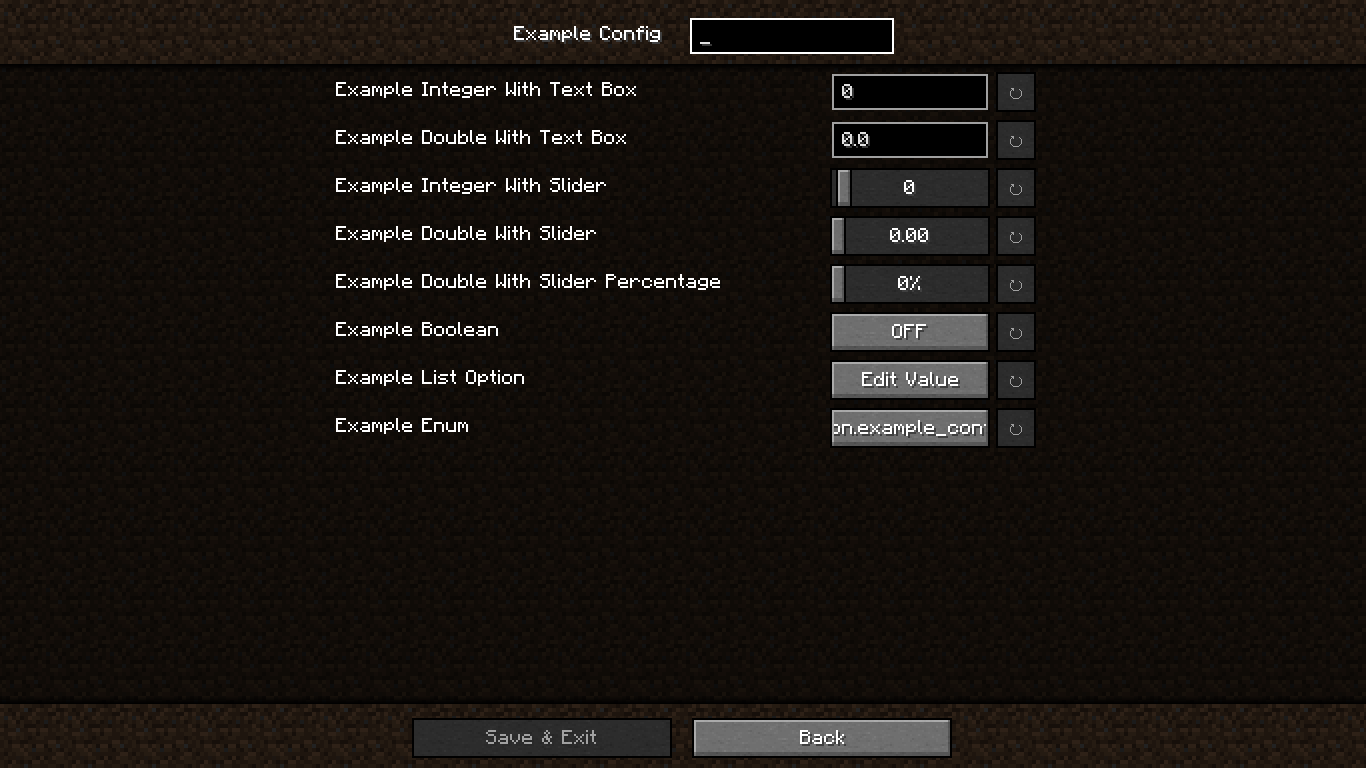
🔧 Standard Config Screen
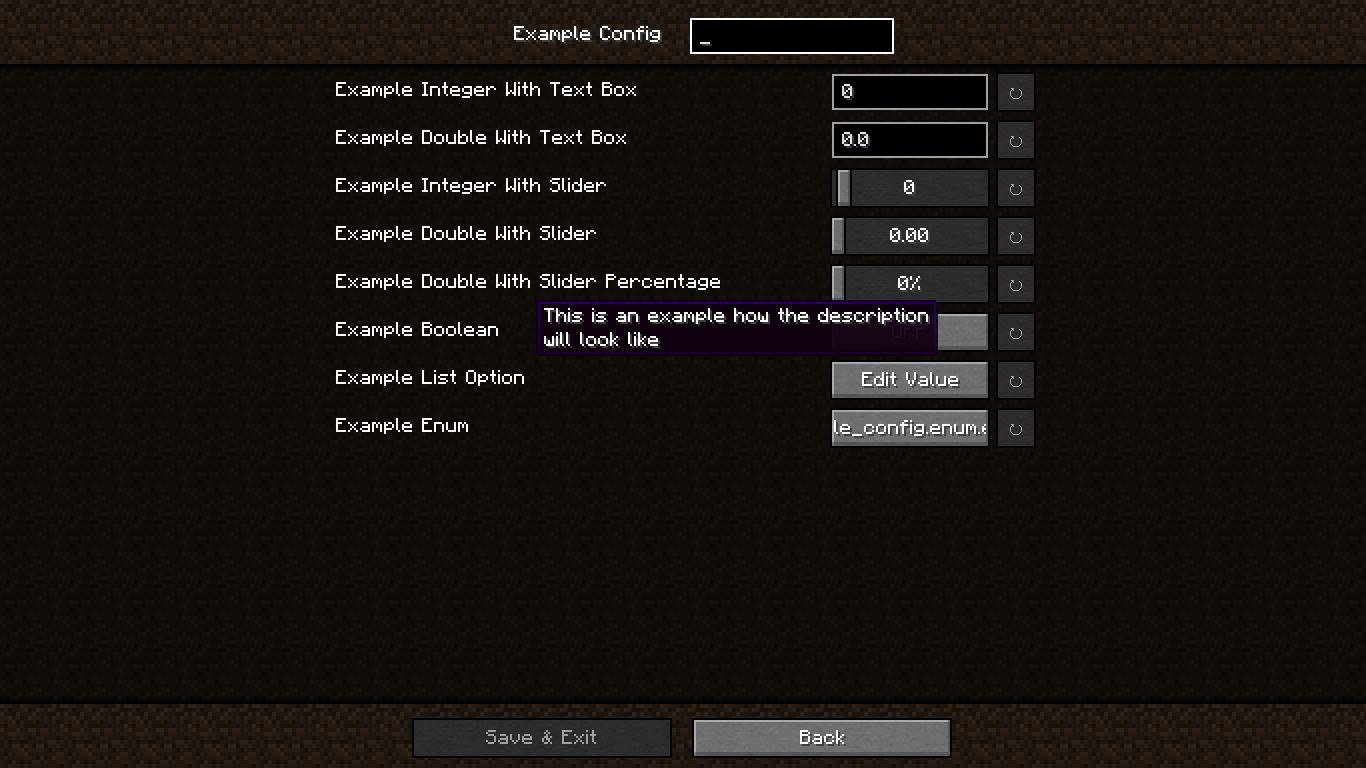
📝 Config Screen with Descriptions
🗂️ Edit Value in OptionList
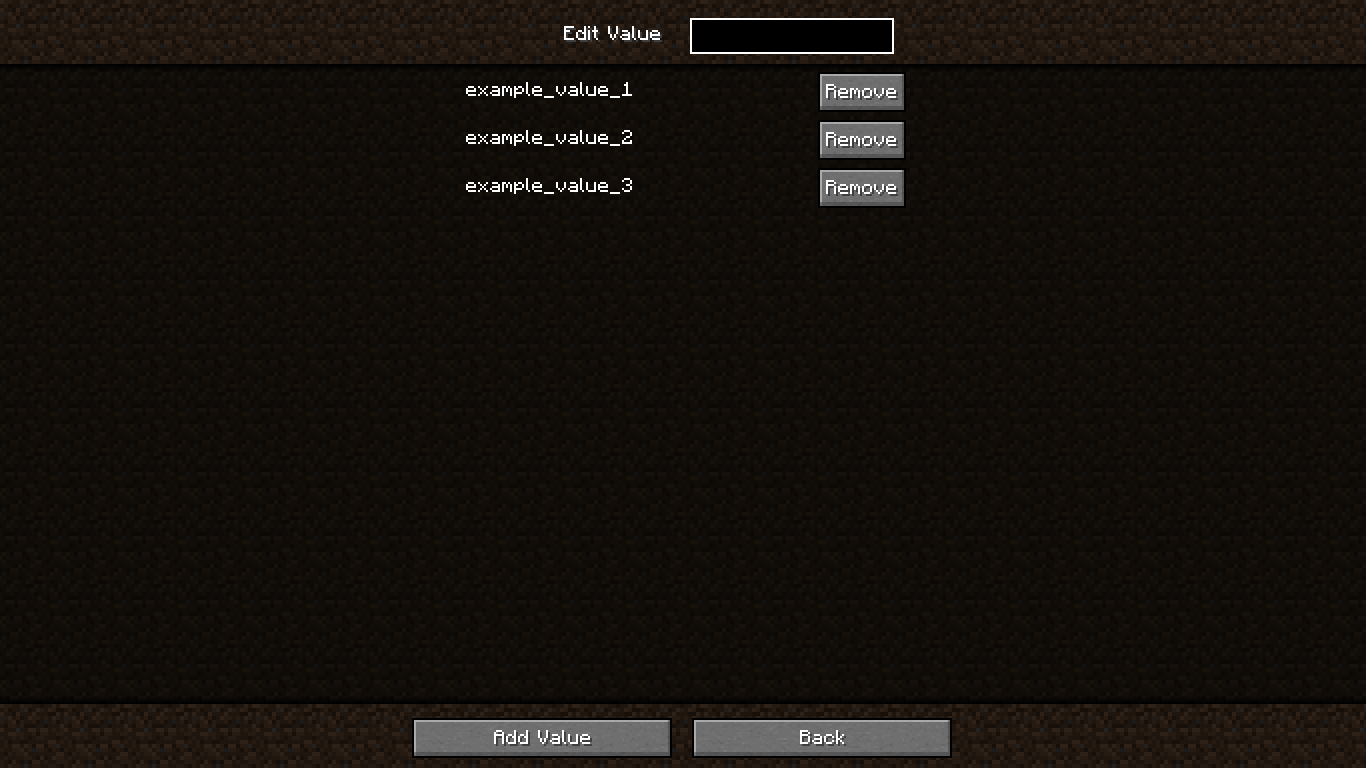
➕ Add Value to OptionList

❗ Confirmation Screen

🚀 Getting Started
🏗️ Step 1 – Add Repository
In your build.gradle:
repositories {
    maven {
        url "https://jitpack.io"
    }
}
📦 Step 2 – Add Dependency
Using version from gradle.properties:
dependencies {
    modImplementation "com.github.smootheez:scl:${project.scl_version}"
}
Or use the version directly:
dependencies {
    modImplementation "com.github.smootheez:scl:[version]"
}
💡 Example Usage
🧱 Step 1 – Create a Config Class
@Config(name = "example_config", gui = true)
public class ExampleConfig {
    public static final ConfigOption<Integer> INT_TEXT = ConfigOption.create("intText", 0, -5, 100);
    public static final ConfigOption<Double> DOUBLE_TEXT = ConfigOption.create("doubleText", 0.0, 0.0, 2.0);
    public static final ConfigOption<Integer> INT_SLIDER = ConfigOption.create("intSlider", 0, -5, 100).asSlider();
    public static final ConfigOption<Double> DOUBLE_SLIDER = ConfigOption.create("doubleSlider", 0.0, 0.0, 2.0).asSlider();
    public static final ConfigOption<Double> DOUBLE_SLIDER_PERCENTAGE = ConfigOption.create("doubleSliderPercentage", 0.0, 0.0, 2.0).asSliderPercentage();
    public static final ConfigOption<Boolean> BOOLEAN = ConfigOption.create("boolean", false);
    public static final ConfigOption<OptionList> LIST = ConfigOption.create("list", "example_value_1", "example_value_2", "example_value_3");
    public static final ConfigOption<ExampleEnum> ENUM = ConfigOption.create("enum", ExampleEnum.EXAMPLE_VALUE_1);
}
🧩 Step 2 – Register the Config
In your fabric.mod.json:
"entrypoints": {
    // ...existing entrypoints
    "scl": [
        "dev.smootheez.scl.example.ExampleConfig"
    ]
}
✅ That's it!
SCL will automatically generate:
- The config file
- The config screen (requires
ModMenu)
📌 Note:
The config screen will only be generated if:
gui = trueis set- The config
namematches your mod ID
📥 Download

🐞 Issue Tracker
Found a bug or have a feature suggestion?
Submit an issue here: GitHub Issues
⚠️ Important Notes
- ✅ Compatible with Minecraft 1.20.1+
- 📜 Licensed under the MIT License
☕ Support Me
If you find this project helpful and want to support my work, consider donating:


Available Versions
How to Install Smootheez Config Lib on Your Server
Order Server
Order a Minecraft Java server with at least 3 GB RAM (4 GB recommended).
Set fabric Loader
In the panel under "Egg", select the fabric loader and matching Minecraft version (1.21.8).
Install Mod
Open the mod browser in the dashboard and search for "Smootheez Config Lib". Click "Install" – done! Alternatively, upload the .jar via SFTP to the /mods folder.
Compatibility
Mod Loaders
Minecraft Versions
1.21.8, 1.21.7, 1.21.6 (+12 more)
Server-side
✗ UnsupportedRecommended RAM
4 GB(min. 3 GB)Frequently Asked Questions
Smootheez Config Lib server crashes on startup – what to do?
Most common cause: wrong fabric version or insufficient RAM. Check the server log (latest.log) for "OutOfMemoryError" or "Mixin" errors. With Mado Hosting: ensure at least 3 GB RAM is allocated and the loader matches the mod version (1.21.8). You can switch loaders with one click in the panel.
Is Smootheez Config Lib compatible with fabric?
Smootheez Config Lib officially supports fabric for Minecraft 1.21.8, 1.21.7, 1.21.6. The Mado dashboard automatically detects incompatible loader combinations.
Server lagging with Smootheez Config Lib – how to optimize performance?
Recommended RAM: 4 GB (per 8 players). Use /spark profiler to check if Smootheez Config Lib consumes the most tick time. Common fixes: reduce server view-distance to 8-10, install "performant" or "starlight" as supplementary mods on Forge. With Mado Hosting, your server runs on NVMe SSDs with dedicated CPU cores for minimal latency.
Rent Modded Server
Install Smootheez Config Lib with just one click on your server.