
Social Bridge
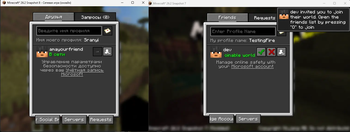
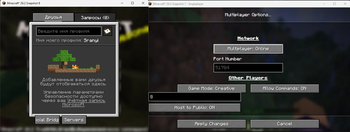
Advanced social features: friends system, public servers, WebRTC P2P connections with privacy protection.
Screenshots

About this Mod
SocialBridge - Advanced Social Features for Minecraft
SocialBridge adds advanced social features to Minecraft for free. For the mod to work, 2 players must have the mod installed It's work after mojang's ban P2P connections
Features
Friends System
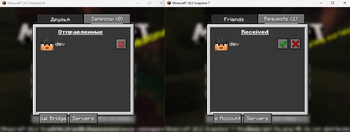
- Add friends by username
- Accept/reject friend requests
Public Servers
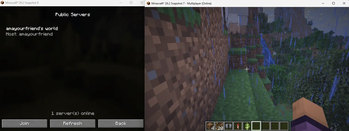
- Create public servers with one click
- Join servers without knowing IP address
- Automatic UPnP port forwarding
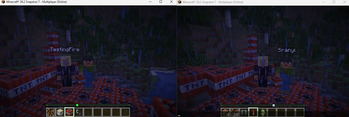
- WebRTC P2P connections
- Host approval system
Remote Connections & Data Collection
This mod connects to the following external services:
Firebase
- Firebase Realtime Database (firebaseio.com) — stores friend lists, friend requests, presence status, and public server listings
- Firebase Authentication (identitytoolkit.googleapis.com) — Google Sign-In for account creation
WebRTC / STUN / TURN
- stun.l.google.com:19302 — STUN server for P2P connection negotiation
- stun.cloudflare.com:3478 — STUN server
- openrelay.metered.ca:443 — TURN relay server
Data stored:
- SocialBridge username
- Minecraft username and UUID
- Online/offline presence status
- Friend list
No passwords or payment data are collected. All data can be deleted by contacting the developer
Available Versions
How to Install Social Bridge on Your Server
Order Server
Order a Minecraft Java server with at least 3 GB RAM (4 GB recommended).
Set fabric Loader
In the panel under "Egg", select the fabric loader and matching Minecraft version (26.2-snapshot-8).
Install Mod
Open the mod browser in the dashboard and search for "Social Bridge". Click "Install" – done! Alternatively, upload the .jar via SFTP to the /mods folder.
Compatibility
Mod Loaders
Minecraft Versions
26.2-snapshot-8, 26.2-snapshot-7
Server-side
✗ UnsupportedRecommended RAM
4 GB(min. 3 GB)Frequently Asked Questions
Social Bridge server crashes on startup – what to do?
Most common cause: wrong fabric version or insufficient RAM. Check the server log (latest.log) for "OutOfMemoryError" or "Mixin" errors. With Mado Hosting: ensure at least 3 GB RAM is allocated and the loader matches the mod version (26.2-snapshot-8). You can switch loaders with one click in the panel.
Is Social Bridge compatible with fabric?
Social Bridge officially supports fabric for Minecraft 26.2-snapshot-8, 26.2-snapshot-7. The Mado dashboard automatically detects incompatible loader combinations.
Server lagging with Social Bridge – how to optimize performance?
Recommended RAM: 4 GB (per 8 players). Use /spark profiler to check if Social Bridge consumes the most tick time. Common fixes: reduce server view-distance to 8-10, install "performant" or "starlight" as supplementary mods on Forge. With Mado Hosting, your server runs on NVMe SSDs with dedicated CPU cores for minimal latency.
Similar Mods






Rent Modded Server
Install Social Bridge with just one click on your server.