
Sort Chest
Organize chests instantly with smart sorting, refill, fill, and dump buttons.
Screenshots
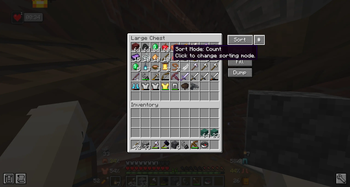
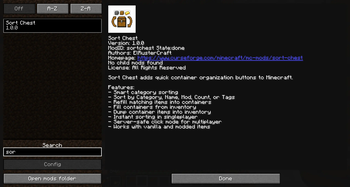
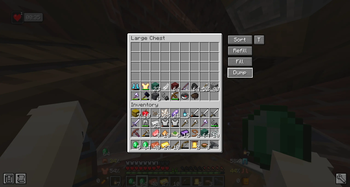
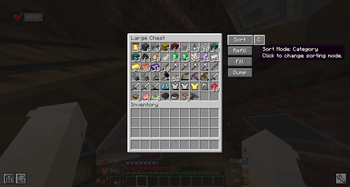
About this Mod
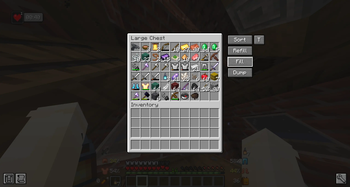
Sort Chest is a lightweight inventory management mod that adds quick organization buttons directly to chest-style container screens.
With one click, you can sort a container, refill matching items, fill the container from your inventory, or dump items back into your inventory.
The mod is designed to be simple, fast, and useful without changing the vanilla feel of Minecraft.
Features
- Sort containers with one click
- Smart category-based sorting
- Sort by Category, Name, Mod, Count, or Tags
- Refill matching items from your inventory into the container
- Fill containers from your inventory
- Dump container items back into your inventory
- Small sort mode button next to Sort
- Hover tooltip explaining each sort mode
- Instant sorting in singleplayer
- Server-safe click mode for multiplayer
- Works with vanilla and modded items
- Includes in-game mod menu logo and metadata
Sort Modes
C Category
A Name
M Mod
(#) Count
T Tags
Category sorting groups items in a logical way, keeping blocks, natural items, materials, tools, weapons, armor, food, potions, redstone, and miscellaneous items organized together.
Modded items are supported when possible through item tags, registry names, and item information.
Multiplayer
Sort Chest is a client-side mod. It must be installed on the player’s client to show the sorting buttons.
It does not need to be installed on multiplayer servers. On servers, the mod uses normal inventory click simulation instead of directly editing inventory data.
**Dependency
Sort Chest requires Architectury API.**
Available Versions
How to Install Sort Chest on Your Server
Order Server
Order a Minecraft Java server with at least 3 GB RAM (4 GB recommended).
Set forge Loader
In the panel under "Egg", select the forge loader and matching Minecraft version (1.20.1).
Install Mod
Open the mod browser in the dashboard and search for "Sort Chest". Click "Install" – done! Alternatively, upload the .jar via SFTP to the /mods folder.
Compatibility
Mod Loaders
Minecraft Versions
1.20.1
Server-side
✗ UnsupportedRecommended RAM
4 GB(min. 3 GB)Frequently Asked Questions
Sort Chest server crashes on startup – what to do?
Most common cause: wrong forge version or insufficient RAM. Check the server log (latest.log) for "OutOfMemoryError" or "Mixin" errors. With Mado Hosting: ensure at least 3 GB RAM is allocated and the loader matches the mod version (1.20.1). You can switch loaders with one click in the panel.
Is Sort Chest compatible with forge?
Sort Chest officially supports forge for Minecraft 1.20.1. The Mado dashboard automatically detects incompatible loader combinations.
Server lagging with Sort Chest – how to optimize performance?
Recommended RAM: 4 GB (per 8 players). Use /spark profiler to check if Sort Chest consumes the most tick time. Common fixes: reduce server view-distance to 8-10, install "performant" or "starlight" as supplementary mods on Forge. With Mado Hosting, your server runs on NVMe SSDs with dedicated CPU cores for minimal latency.
Similar Mods


Rent Modded Server
Install Sort Chest with just one click on your server.