
SortCraft
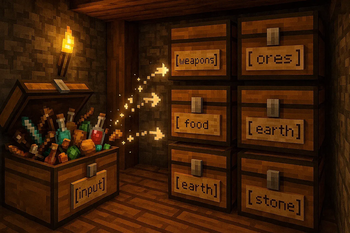
SortCraft is a multi-chest item sorter without the redstone. Label chests with signs like [ores], right-click your input chest, and items instantly sort!
Screenshots


About this Mod





SortCraft
SortCraft is a multi-chest item sorter without the redstone. Label chests with signs like [ores] or [tools], right-click your input chest, and items instantly sort themselves. Categories live in simple YAML files you control.
Visually build and organize your categories using our companion webapp CategoryCraft! You can even load mod jar files to see your modded items!
View our quickstart video or jump to the 5-Minute Quick Start section below for concise instructions.
📦 How It Works
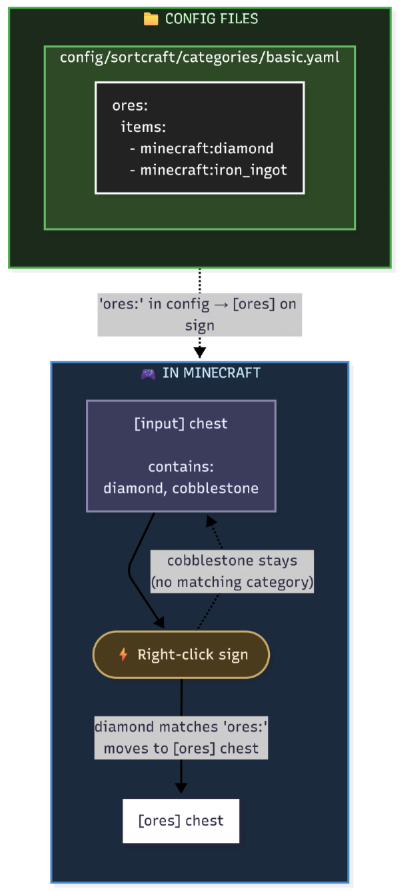
You define categories in YAML config files. Sign text must match your category names. That's it!
What It Looks Like In-Game
| Input Chest | Destination Chest |
|---|---|
 |
 |
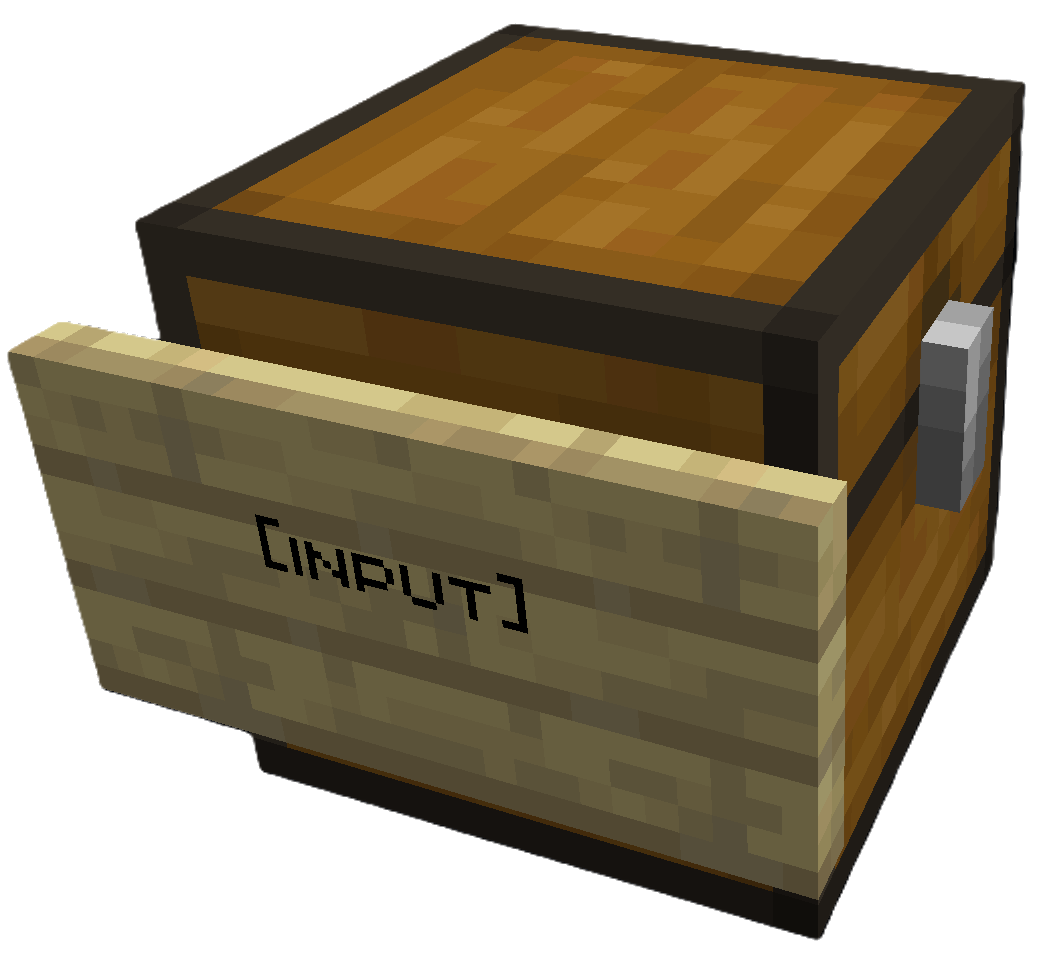
Place [input] sign on your source chest |
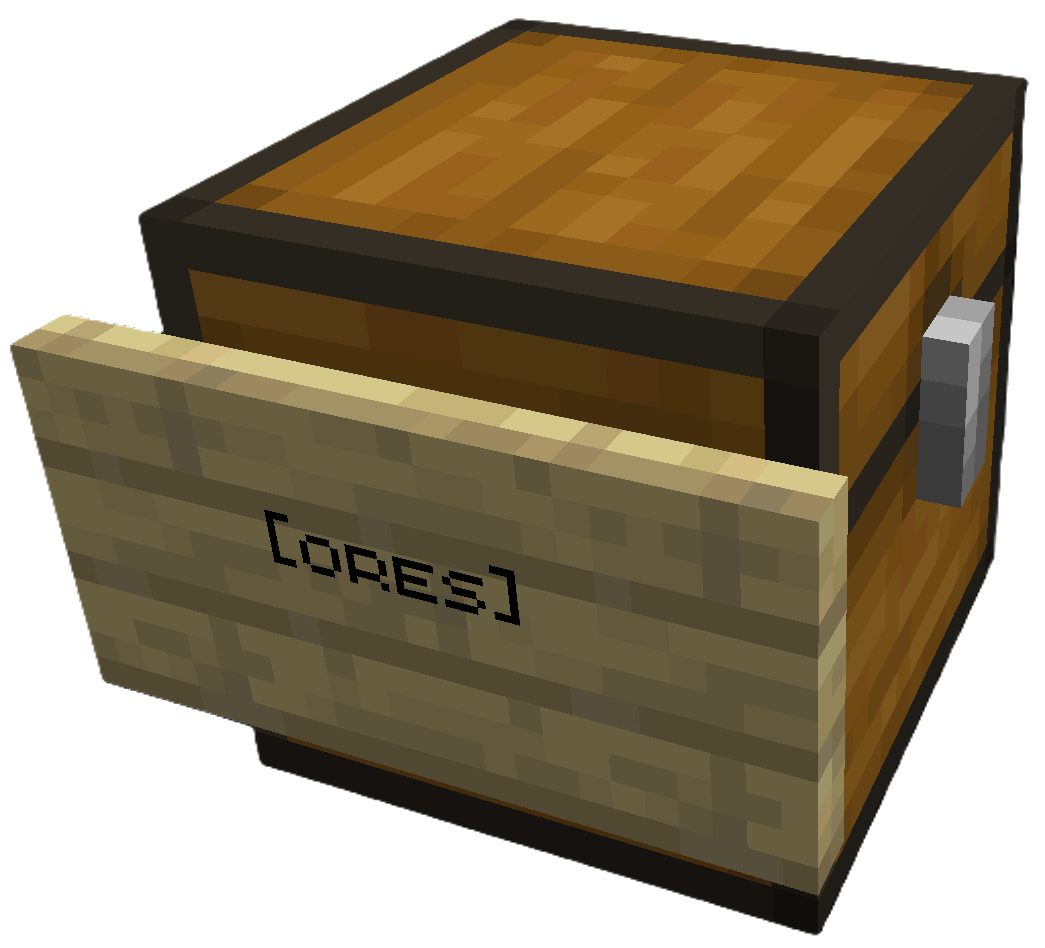
Place [ores] sign (or any category) on destination |
Right click the [input] sign to sort. All destination chests must be within a configurable search radius of the input chest (default 64 blocks).
Modded Storage: SortCraft works with modded storage blocks like Storage Drawers and Sophisticated Storage. Any block that exposes a Fabric Transfer API
Storage<ItemVariant>or NeoForgeIItemHandlercan be used as a source or destination.
Share Configs: Write a CategoryCraft share ID on the input sign to use a shared category configuration instead of the global one. See Share Configs for how to get a share ID and set it up.
🚀 5-Minute Quick Start
1. Create a category file
Create config/sortcraft/categories/basic.yaml:
ores:
  items:
    - minecraft:diamond
    - minecraft:iron_ingot
    - minecraft:gold_ingot
    - minecraft:copper_ingot
OR use CategoryCraft to build your categories visually.
OR look at the following examples:
2. Build your storage
- Place a chest and attach a sign with
[input]on any line - Place another chest and attach a sign with
[ores]on any line
3. Sort!
Put diamonds, iron, gold, or copper in the input chest, then right-click the [input] sign. Items matching your ores: category move to the [ores] chest.
📚 Documentation
| Guide | Description |
|---|---|
| Commands | All /sort commands |
| Configuration | YAML syntax, priorities, includes, item tags |
| ↳ Concise Example | Quick reference |
| ↳ Full Example | What I use on my server |
| Filters | Sort by enchantments, durability, custom names |
| Regex Patterns | Match items with patterns like /.*:.*_sword/ |
| Core Concepts | Priority system, category inheritance, stacking |
| Troubleshooting | Common issues and solutions |
| Audit Logging | Server admin logging features |
Available Versions
How to Install SortCraft on Your Server
Order Server
Order a Minecraft Java server with at least 3 GB RAM (4 GB recommended).
Set fabric Loader
In the panel under "Egg", select the fabric loader and matching Minecraft version (26.1.2).
Install Mod
Open the mod browser in the dashboard and search for "SortCraft". Click "Install" – done! Alternatively, upload the .jar via SFTP to the /mods folder.
Compatibility
Mod Loaders
Minecraft Versions
26.1.2, 26.1.1, 26.1 (+10 more)
Server-side
✓ RequiredRecommended RAM
4 GB(min. 3 GB)Frequently Asked Questions
SortCraft server crashes on startup – what to do?
Most common cause: wrong fabric version or insufficient RAM. Check the server log (latest.log) for "OutOfMemoryError" or "Mixin" errors. With Mado Hosting: ensure at least 3 GB RAM is allocated and the loader matches the mod version (26.1.2). You can switch loaders with one click in the panel.
Is SortCraft compatible with fabric and neoforge?
SortCraft officially supports fabric, neoforge for Minecraft 26.1.2, 26.1.1, 26.1. The Mado dashboard automatically detects incompatible loader combinations.
Server lagging with SortCraft – how to optimize performance?
Recommended RAM: 4 GB (per 8 players). Use /spark profiler to check if SortCraft consumes the most tick time. Common fixes: reduce server view-distance to 8-10, install "performant" or "starlight" as supplementary mods on Forge. With Mado Hosting, your server runs on NVMe SSDs with dedicated CPU cores for minimal latency.
Similar Mods


Rent Modded Server
Install SortCraft with just one click on your server.