
Sourceflow Infinite
Sourceflow Infinite is a tech-focused mod built around fluid recycling and production.
Screenshots

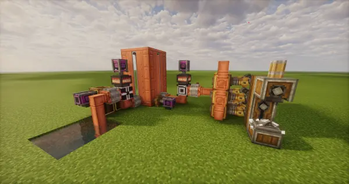
About this Mod
Sourceflow Infinite

Introduction
Sourceflow Infinite is a tech-focused mod built around fluid recycling and production. The core loop connects two machines through an intermediate medium called Void Fluid: players can use the Destruction Machine to “destroy” any fluid and convert it into Void Fluid according to the configured rules, then use the Infinite Fluid Machine to convert Void Fluid into the bound target fluid—enabling a controlled fluid loop and automated production line. It works great with pipes, tanks, and logic control setups to build a stable infinite-fluid factory.
This mod is highly configurable via:
config/yuanliuwujin-server.toml(1.21.1)config/yuanliuwujin-common.toml(1.20.1)
You can customize options such as: the blacklist (supports both IDs and tags), whether unbinding is allowed in Survival, Void Fluid behavior, machine power usage/capacity, conversion ratios for different core levels, and overclock pressure & explosion parameters.
This mod also supports recipe modification through KubeJS.
Example Screenshots
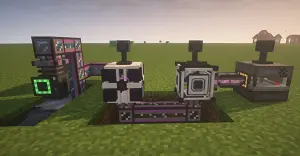
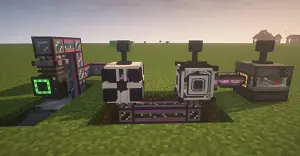
Example usage with Mekanism

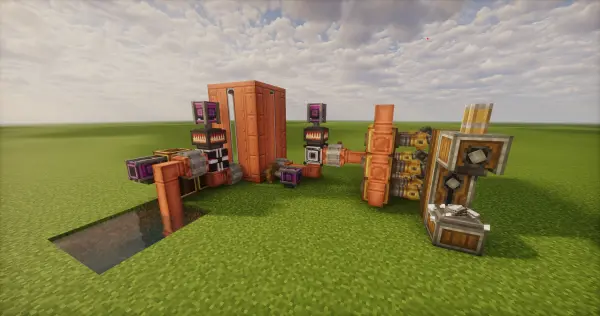
Example usage with Create
Related
This mod is compatible with [Mek] Mekanism, enabling chemical destruction and production.
This mod is compatible with [JEI] Just Enough Items (JEI), allowing you to view the relevant recipes for fluid/chemical production and destruction.
Notes & Closing
If you encounter any issues, or have suggestions for future updates or mod compatibility/integration, feel free to open an issue or submit a report on GitHub Issues.
Contributions are welcome — you’re also welcome to help improve and update this mod’s documentation.
Thank you all for your support and suggestions. Have fun!
More detailed information, introductions, or tutorials for this mod can be found via the link below:
Github
Available Versions
How to Install Sourceflow Infinite on Your Server
Order Server
Order a Minecraft Java server with at least 3 GB RAM (4 GB recommended).
Set forge Loader
In the panel under "Egg", select the forge loader and matching Minecraft version (1.21.1).
Install Mod
Open the mod browser in the dashboard and search for "Sourceflow Infinite". Click "Install" – done! Alternatively, upload the .jar via SFTP to the /mods folder.
Compatibility
Mod Loaders
Minecraft Versions
1.21.1, 1.20.1
Server-side
✓ RequiredRecommended RAM
4 GB(min. 3 GB)Frequently Asked Questions
Sourceflow Infinite server crashes on startup – what to do?
Most common cause: wrong forge version or insufficient RAM. Check the server log (latest.log) for "OutOfMemoryError" or "Mixin" errors. With Mado Hosting: ensure at least 3 GB RAM is allocated and the loader matches the mod version (1.21.1). You can switch loaders with one click in the panel.
Is Sourceflow Infinite compatible with forge and neoforge?
Sourceflow Infinite officially supports forge, neoforge for Minecraft 1.21.1, 1.20.1. The Mado dashboard automatically detects incompatible loader combinations.
Server lagging with Sourceflow Infinite – how to optimize performance?
Recommended RAM: 4 GB (per 8 players). Use /spark profiler to check if Sourceflow Infinite consumes the most tick time. Common fixes: reduce server view-distance to 8-10, install "performant" or "starlight" as supplementary mods on Forge. With Mado Hosting, your server runs on NVMe SSDs with dedicated CPU cores for minimal latency.
Similar Mods


Rent Modded Server
Install Sourceflow Infinite with just one click on your server.