
Space Junk
My very first mod, testing out all the features of the tool MCreator.
Screenshots
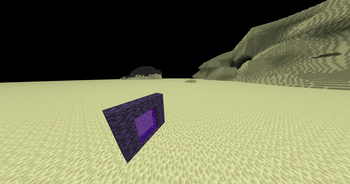
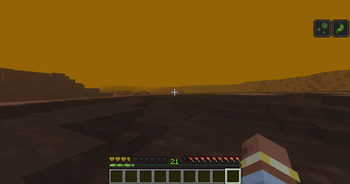
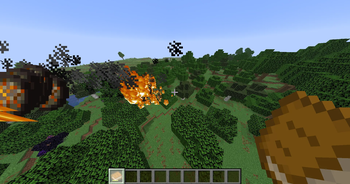
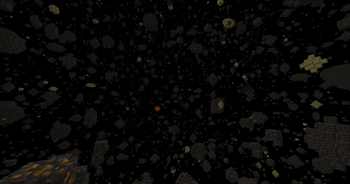
About this Mod
Hello! This is my first, and possibly last mod. It was created with MCreator.
This mod is meant to extend minecrafts progression severely, with the whole mod taking place post-wither.
There is currently no in game way to see how to get into the mod, so here is a tutorial to get into it.
STARTER TUTORIAL
Try finding meteors made out of lunar basalt. Surround it with lapis inside a crafting grid to get an enchanted version, and create a portal frame out of it. Then try finding an Empty Moon Stone, and combine it with a nether star to get the Moon Stone. The Moon Stone can then be used to light the portal and start the mod.
From there, you can use advancements to figure the rest out.
EXTRA NOTES
As it is so early in development, alot is uwnown, like if has incompatibilities, or what versions it works with. It was built for 1.21.8 though. (Multiplayer has been tested and seems to work fine(?))
ISSUES
-Lunar basalt doesnt drop
-Can sometimes snow on moon
-Martian spire sometimes doesnt give loot
Available Versions
How to Install Space Junk on Your Server
Order Server
Order a Minecraft Java server with at least 3 GB RAM (4 GB recommended).
Set neoforge Loader
In the panel under "Egg", select the neoforge loader and matching Minecraft version (1.21.8).
Install Mod
Open the mod browser in the dashboard and search for "Space Junk". Click "Install" – done! Alternatively, upload the .jar via SFTP to the /mods folder.
Compatibility
Mod Loaders
Minecraft Versions
1.21.8
Server-side
✓ RequiredRecommended RAM
4 GB(min. 3 GB)Frequently Asked Questions
Space Junk server crashes on startup – what to do?
Most common cause: wrong neoforge version or insufficient RAM. Check the server log (latest.log) for "OutOfMemoryError" or "Mixin" errors. With Mado Hosting: ensure at least 3 GB RAM is allocated and the loader matches the mod version (1.21.8). You can switch loaders with one click in the panel.
Is Space Junk compatible with neoforge?
Space Junk officially supports neoforge for Minecraft 1.21.8. The Mado dashboard automatically detects incompatible loader combinations.
Server lagging with Space Junk – how to optimize performance?
Recommended RAM: 4 GB (per 8 players). Use /spark profiler to check if Space Junk consumes the most tick time. Common fixes: reduce server view-distance to 8-10, install "performant" or "starlight" as supplementary mods on Forge. With Mado Hosting, your server runs on NVMe SSDs with dedicated CPU cores for minimal latency.
Rent Modded Server
Install Space Junk with just one click on your server.