Spawn Animations
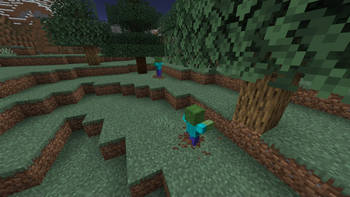
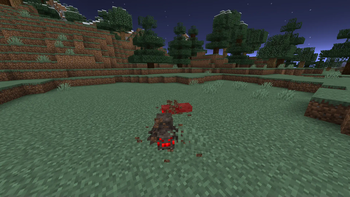
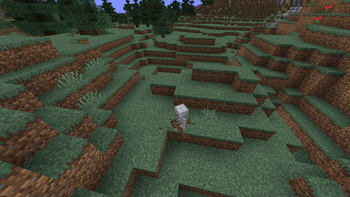
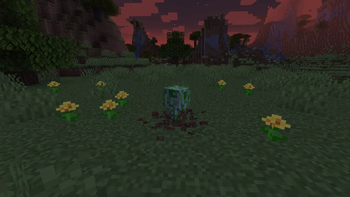
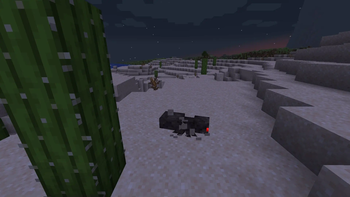
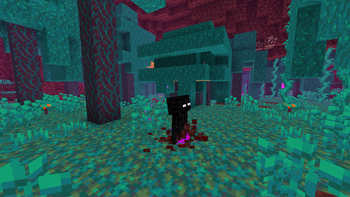
Hostile mobs dig out of the ground or poof into existence when they spawn!
Screenshots
About this Mod
Tschipcraft's Spawn Animations



A server-side data pack/mod for 1.14.x-26.1.x
 Features
Hostile mobs dig out of the ground or poof into existence when they spawn.
Works with:
Zombies, Husks, Drowned, Skeletons, Strays, Bogged, Wither Skeletons, Spiders, Cave Spiders, Creepers, Endermen, Slimes, Magma Cubes, Zombified Piglins, Striders and Giants.
This data pack/mod is designed to be as unintrusive as possible. Hidden entities including their worn armor and tools will only be invisible and silent.
Spawn Animations is completely server-side!
-> For available settings and customization, take a look at the wiki <-
More sophisticated animations with Animated Java are planned for v2.0!
Installation
Install either as:
- Data Pack [DP] ➜ Place
.zipin your world'sdatapacksfolder - Mod [Mod] ➜ Drop into your
modsfolder and optionally install MidnightLib for a global config file and UI
For hiding entities with emissive layers in 1.20.4 or below, and generally smoother animations, you may additionally install Pehkui.
To manage settings, reset, or uninstall the pack, use the command /trigger tschipcraft.menu or /function #tschipcraft:menu.
Demo GIFs
Click here to expand


Compatibility
Forge is only natively supported until Minecraft 1.21.5.
For Minecraft 1.14, 1.15 or 1.16, you can use a legacy version.
For mod support, check out Spawn Animations Compats by Fyoncle.
External Links




Partner Offers
Want to buy Hytale or upgrade your edition? Use creator code Tschipcraft upon checkout for me to receive a commission! (The price for you stays the same)
Available Versions
How to Install Spawn Animations on Your Server
Order Server
Order a Minecraft Java server with at least 3 GB RAM (4 GB recommended).
Set datapack Loader
In the panel under "Egg", select the datapack loader and matching Minecraft version (26.1.2).
Install Mod
Open the mod browser in the dashboard and search for "Spawn Animations". Click "Install" – done! Alternatively, upload the .jar via SFTP to the /mods folder.
Compatibility
Mod Loaders
Minecraft Versions
26.1.2, 26.1.2-rc-1, 26.1.1 (+304 more)
Server-side
✓ RequiredRecommended RAM
4 GB(min. 3 GB)Frequently Asked Questions
Spawn Animations server crashes on startup – what to do?
Most common cause: wrong datapack version or insufficient RAM. Check the server log (latest.log) for "OutOfMemoryError" or "Mixin" errors. With Mado Hosting: ensure at least 3 GB RAM is allocated and the loader matches the mod version (26.1.2). You can switch loaders with one click in the panel.
Is Spawn Animations compatible with datapack and fabric and forge and neoforge and quilt?
Spawn Animations officially supports datapack, fabric, forge, neoforge, quilt for Minecraft 26.1.2, 26.1.2-rc-1, 26.1.1. Note: Forge and Fabric mods are NOT cross-compatible – pick one loader and stick with it. The Mado dashboard automatically detects incompatible loader combinations.
Server lagging with Spawn Animations – how to optimize performance?
Recommended RAM: 4 GB (per 8 players). Use /spark profiler to check if Spawn Animations consumes the most tick time. Common fixes: reduce server view-distance to 8-10, install "performant" or "starlight" as supplementary mods on Forge. With Mado Hosting, your server runs on NVMe SSDs with dedicated CPU cores for minimal latency.
Similar Mods




Rent Modded Server
Install Spawn Animations with just one click on your server.