
Spawn Controller
Allows the player to control how many entities can be in the world at one time and how long before the entity can spawn in again :3
About this Mod
Hey, hi, hello there. With this mod you can easily control how many entities can spawn in a world and how long before that entity can spawn again!
Be sure to download this mods dependency - Fzzy Config
Support me :3
Any questions or suggestions you ahve for me I highly suggest joining our Discord down below I'd be happy to help or to take criticism!




How in tarnation do you configure this
Well go to your escape menu and find the "Mods" button in-game, it MUST be while in a world.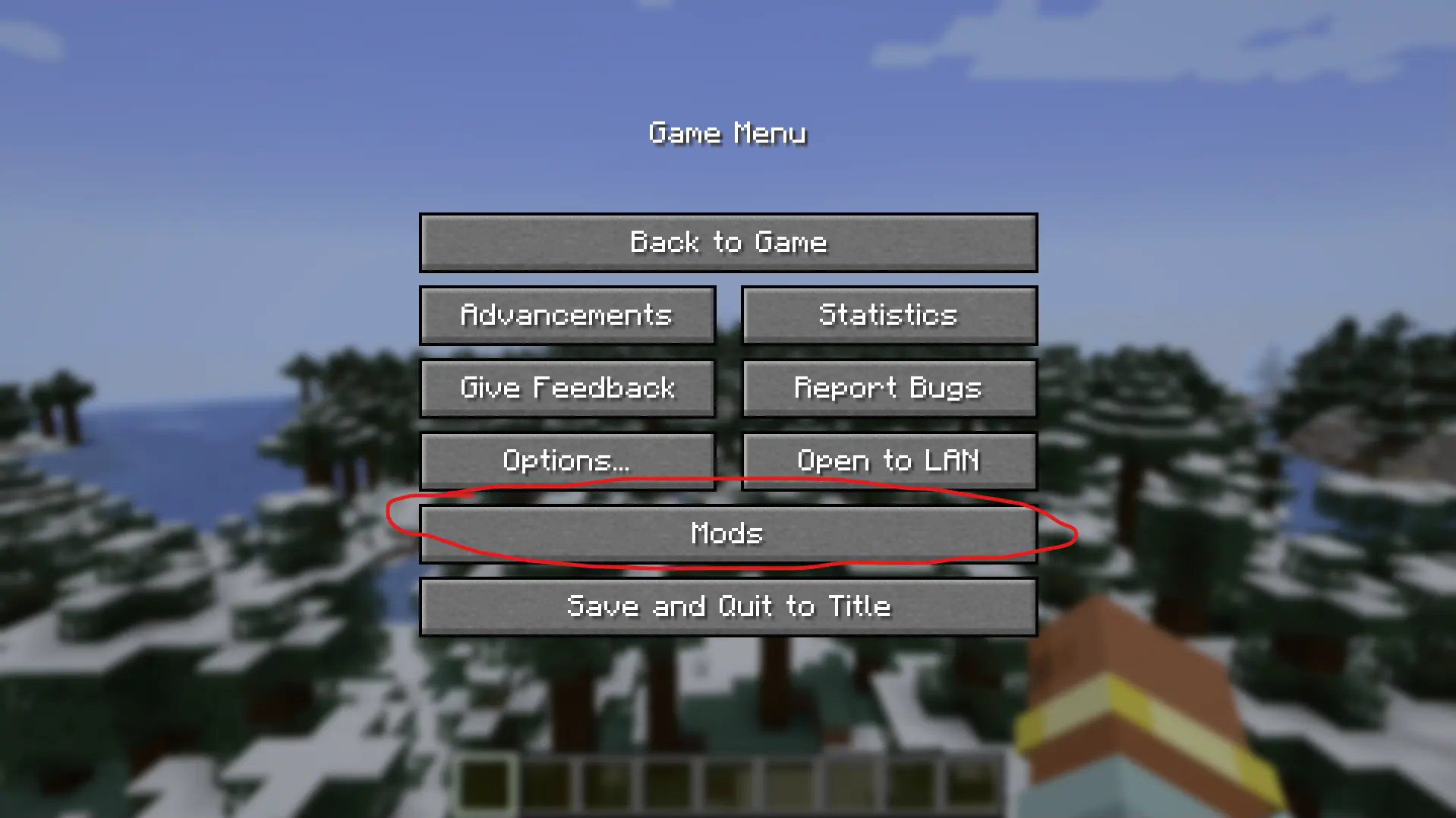
Now find the mod "Spawnrate Control" and click the "Config" button.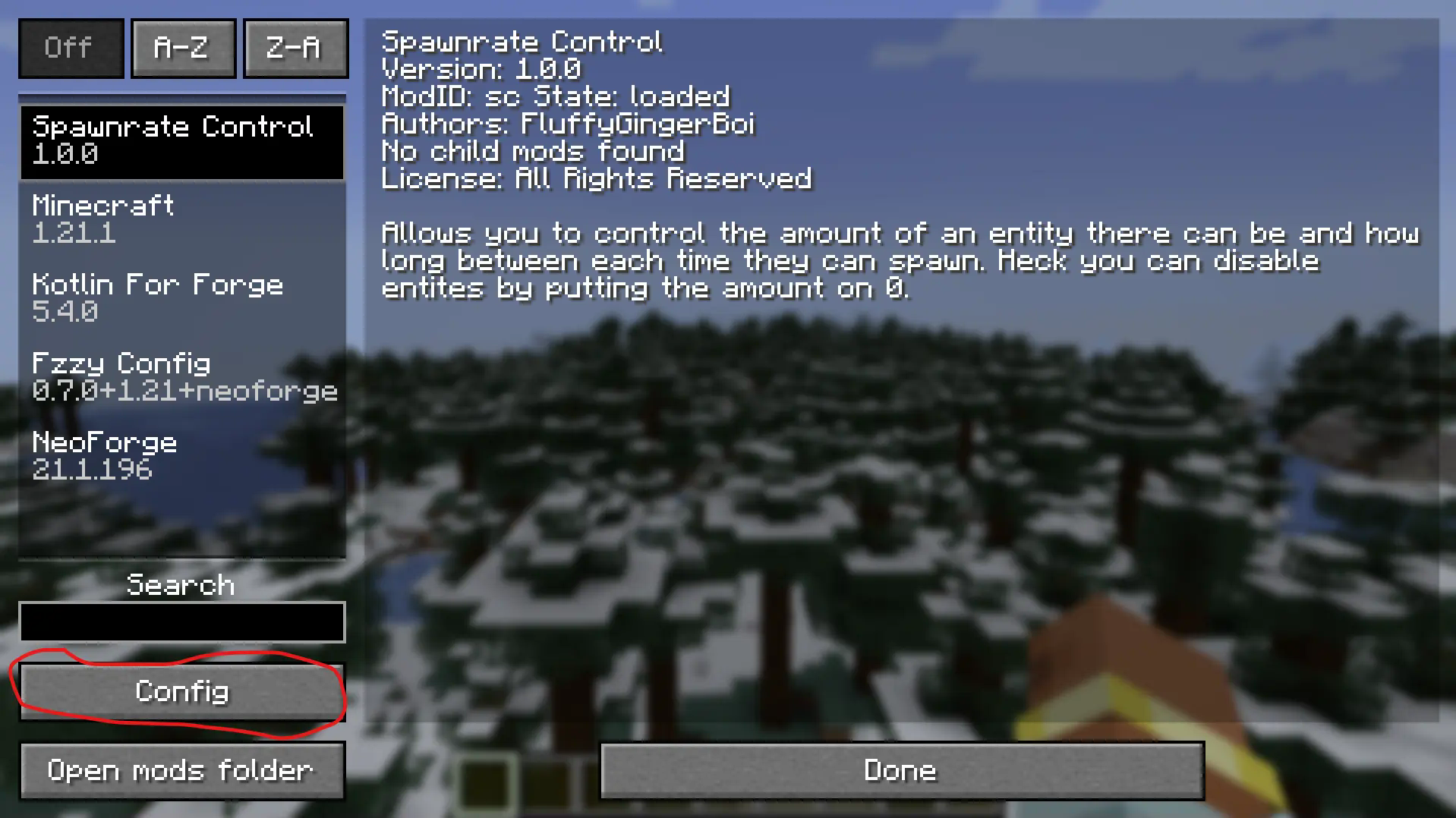
Congrats, you've made it to the actual config menu. Now you'll want to click the "Edit Map" button to add an entity. You may already see three entities in there as an example, and to be fully honest the sole purpos I made this mod. Use these as an example, whenever you add an entity you press the little + button there and define the entity. Now how does one know the entity. Well a great way to check is the "/summon" command. This mod suports modded entities so this is the best way to find their identifier.
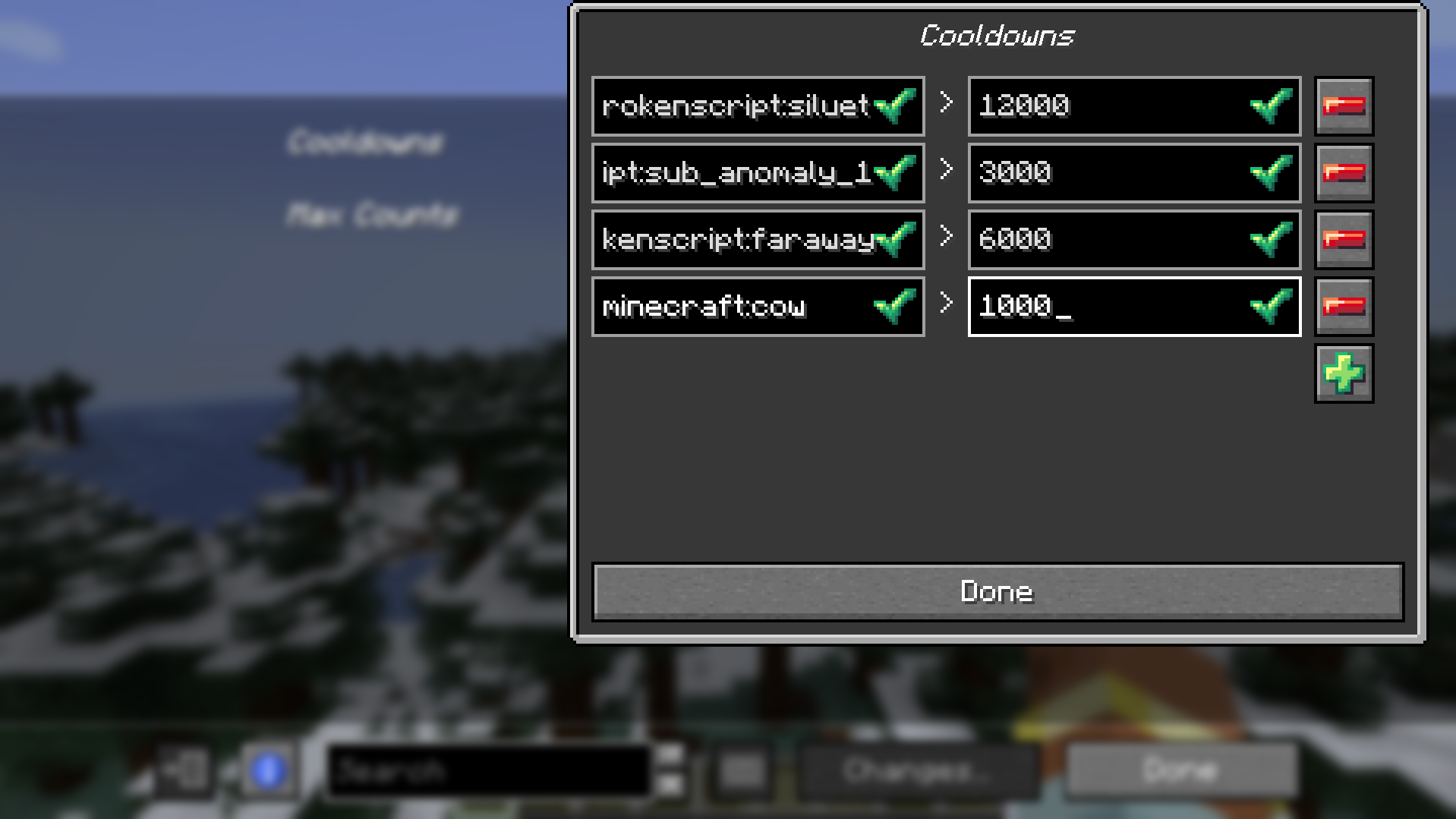
Here is an example above where I added the vanilla entity cow that can only spawn every 1000 ticks. Now if you aren't me you amy not know how to count in ticks. To convert seconds to ticks just simply multiple it by 20. So for example 5 seconds is 100 ticks becasue 5 * 20 = 100. Simple maths, you got this.
Now that you have added your entity, cow in my case, you can now add the amount cap! (This is optional, same with the cooldown you could have a cooldown but no cap or a cap but no cooldown, up to you)
To do this just simply do what you did for the cooldown, add your entities identifier, minecraft:cow in my case and then put your solid number. Not ticks by the way, just a heads up.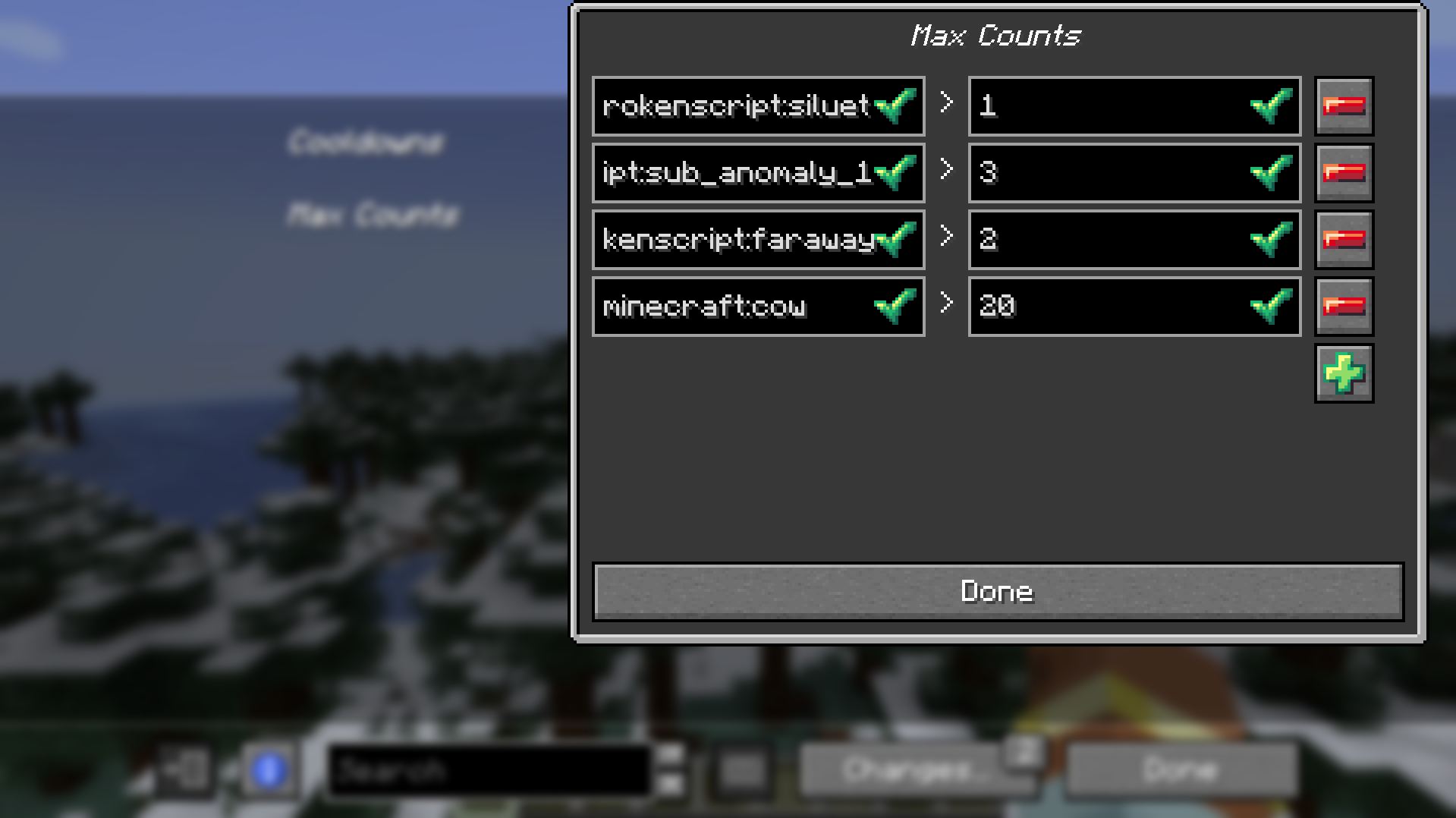
Now the last and final importan thing to do is save your changes, this is actually important DO IT. Press the "Changes..." button and then "Apply Changes".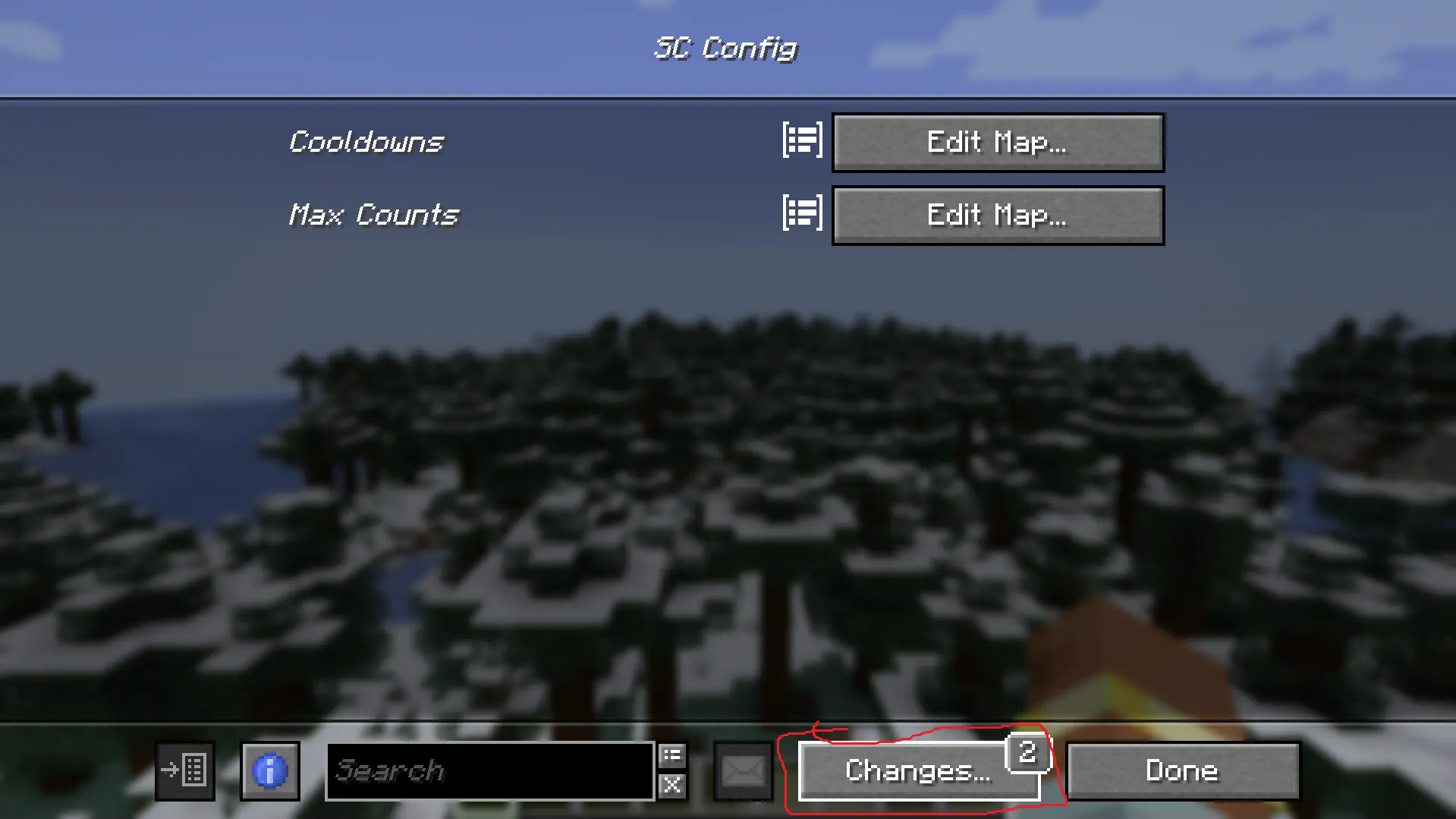
Boom, done mic drop.
Final Notes (from the newest version)
There is now an option to enable per player mode (entity spawns and cooldowns are effected on each player seperately) and a debug mode mostly for me honestly but if you find it of use then hey go ahead man. It isn't the prettiest menu as I am not the best menu maker of all time but the debug do be a debug menu.


Available Versions
How to Install Spawn Controller on Your Server
Order Server
Order a Minecraft Java server with at least 3 GB RAM (4 GB recommended).
Set neoforge Loader
In the panel under "Egg", select the neoforge loader and matching Minecraft version (1.21.1).
Install Mod
Open the mod browser in the dashboard and search for "Spawn Controller". Click "Install" – done! Alternatively, upload the .jar via SFTP to the /mods folder.
Compatibility
Mod Loaders
Minecraft Versions
1.21.1
Server-side
✓ RequiredRecommended RAM
4 GB(min. 3 GB)Frequently Asked Questions
Spawn Controller server crashes on startup – what to do?
Most common cause: wrong neoforge version or insufficient RAM. Check the server log (latest.log) for "OutOfMemoryError" or "Mixin" errors. With Mado Hosting: ensure at least 3 GB RAM is allocated and the loader matches the mod version (1.21.1). You can switch loaders with one click in the panel.
Is Spawn Controller compatible with neoforge?
Spawn Controller officially supports neoforge for Minecraft 1.21.1. The Mado dashboard automatically detects incompatible loader combinations.
Server lagging with Spawn Controller – how to optimize performance?
Recommended RAM: 4 GB (per 8 players). Use /spark profiler to check if Spawn Controller consumes the most tick time. Common fixes: reduce server view-distance to 8-10, install "performant" or "starlight" as supplementary mods on Forge. With Mado Hosting, your server runs on NVMe SSDs with dedicated CPU cores for minimal latency.
Similar Mods






Rent Modded Server
Install Spawn Controller with just one click on your server.