
SpawnHunt
Spawn. Hunt. A new Minecraft item and block scavenger hunt mod.
Screenshots
About this Mod
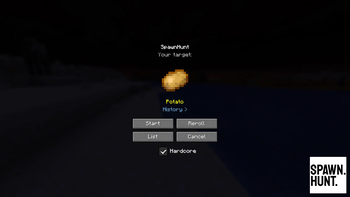
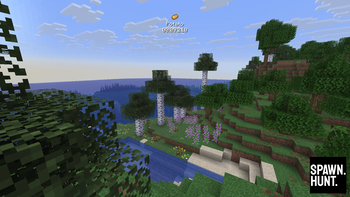
SpawnHunt is a Fabric mod that turns Minecraft into a speedrun scavenger hunt. You're given a random survival-obtainable item — collect it as fast as you can. Play solo in a fresh world or compete with friends on a server.
How It Works
Singleplayer
- Click SpawnHunt on the title screen
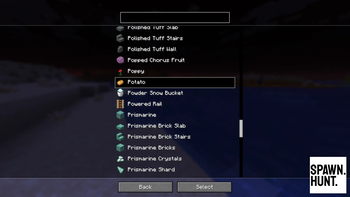
- You're shown a random target item — Reroll for a new one, or pick from the full List
- Hit Start and a new Survival world is created automatically
- Find and collect the target item as fast as possible
- Your time is tracked, and your best runs are saved per item
Multiplayer
- Install SpawnHunt on your Fabric server (players don't need the mod installed)
- An OP runs
/spawnhunt start randomor/spawnhunt start <item> - All players race to find the target item first
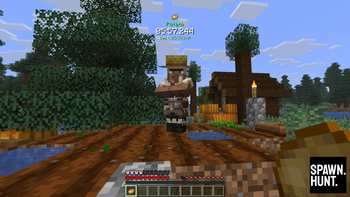
- Players with the mod see a rich HUD; players without see action bar messages
- The first player to collect the item wins
Features
- 400+ target items — every survival-obtainable item in the game
- Singleplayer — built-in timer with pause awareness, run history, hardcore mode
- Multiplayer — server commands, automatic inventory scanning, works with vanilla clients
- Zero setup — singleplayer worlds created with a single click; multiplayer via one command
Requirements
- Minecraft Java Edition 1.21.11
- Fabric Loader 0.18.4+
- Fabric API 0.141.3+
Installation
Client (singleplayer + enhanced multiplayer HUD)
- Install Fabric Loader and Fabric API for Minecraft 1.21.11
- Drop the
spawnhuntjar into yourmodsfolder - Launch the game — the SpawnHunt button appears on the title screen
Server (multiplayer)
- Install Fabric Loader and Fabric API on your server
- Drop the
spawnhuntjar into the server'smodsfolder - Start the server —
/spawnhuntcommands are available to OPs
Players do not need the mod installed to participate. They'll see the hunt via action bar messages and chat. Players with the mod get a richer HUD experience.
Commands
| Command | Permission | Description |
|---|---|---|
/spawnhunt start random |
OP | Start a hunt with a random item |
/spawnhunt start <item> |
OP | Start a hunt with a specific item (tab-completable) |
/spawnhunt stop |
OP | Cancel the current hunt |
/spawnhunt restart [item] |
OP | Stop and start a new hunt |
/spawnhunt status |
Everyone | Show current hunt info |
Community & Support



Available Versions
How to Install SpawnHunt on Your Server
Order Server
Order a Minecraft Java server with at least 3 GB RAM (4 GB recommended).
Set fabric Loader
In the panel under "Egg", select the fabric loader and matching Minecraft version (26.1.2).
Install Mod
Open the mod browser in the dashboard and search for "SpawnHunt". Click "Install" – done! Alternatively, upload the .jar via SFTP to the /mods folder.
Compatibility
Mod Loaders
Minecraft Versions
26.1.2, 26.1.1, 26.1 (+1 more)
Server-side
✗ UnsupportedRecommended RAM
4 GB(min. 3 GB)Frequently Asked Questions
SpawnHunt server crashes on startup – what to do?
Most common cause: wrong fabric version or insufficient RAM. Check the server log (latest.log) for "OutOfMemoryError" or "Mixin" errors. With Mado Hosting: ensure at least 3 GB RAM is allocated and the loader matches the mod version (26.1.2). You can switch loaders with one click in the panel.
Is SpawnHunt compatible with fabric?
SpawnHunt officially supports fabric for Minecraft 26.1.2, 26.1.1, 26.1. The Mado dashboard automatically detects incompatible loader combinations.
Server lagging with SpawnHunt – how to optimize performance?
Recommended RAM: 4 GB (per 8 players). Use /spark profiler to check if SpawnHunt consumes the most tick time. Common fixes: reduce server view-distance to 8-10, install "performant" or "starlight" as supplementary mods on Forge. With Mado Hosting, your server runs on NVMe SSDs with dedicated CPU cores for minimal latency.
Similar Mods




Rent Modded Server
Install SpawnHunt with just one click on your server.