
Additions
More items and tweaks that enhance your minecraft experience!
About this Mod
Additions is a 1.20.1+ mod that adds many new items/tweaks to the game and will be receiving many more!
Additions:
New resources:
Tin
Bronze
Steel
Ruby
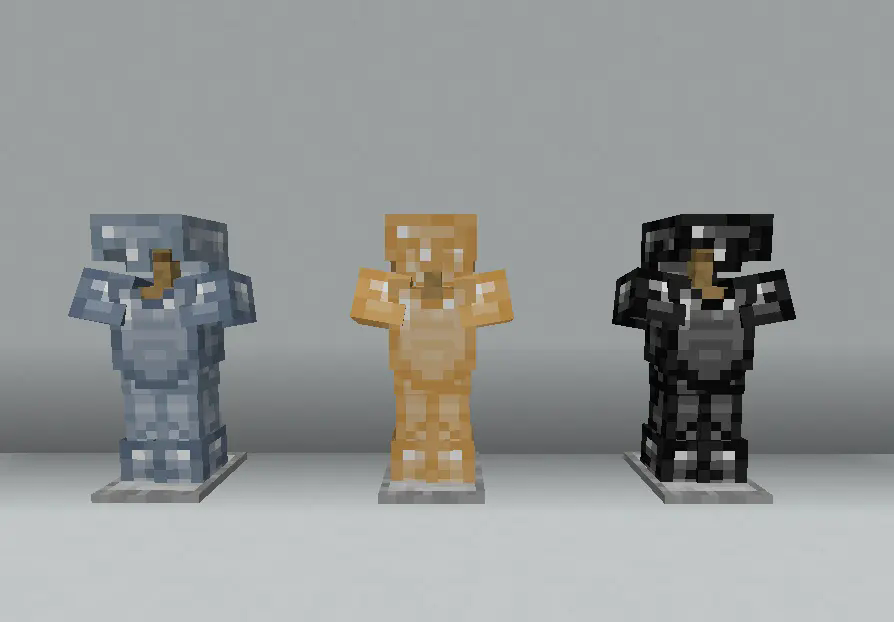
Tin is a common resource found underground in the overworld
Bronze and Steel are craftable
Rubies can be found in the nether
Includes tools/armor/nuggets and everything else you would expect from these resources
Rubies have no use as of now but will in the future
Flint Tools:
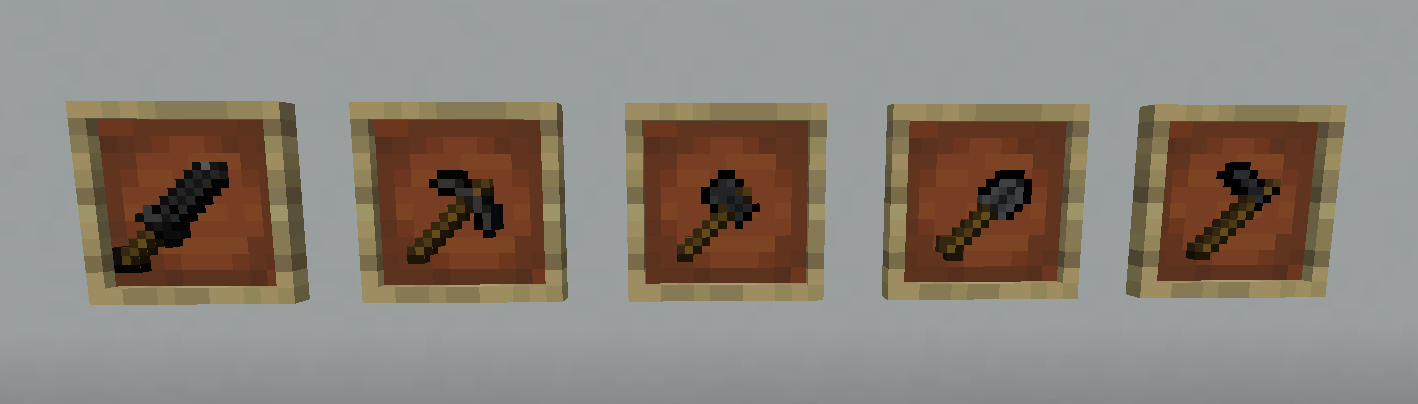
Early game tools craftable from flint
Gems:
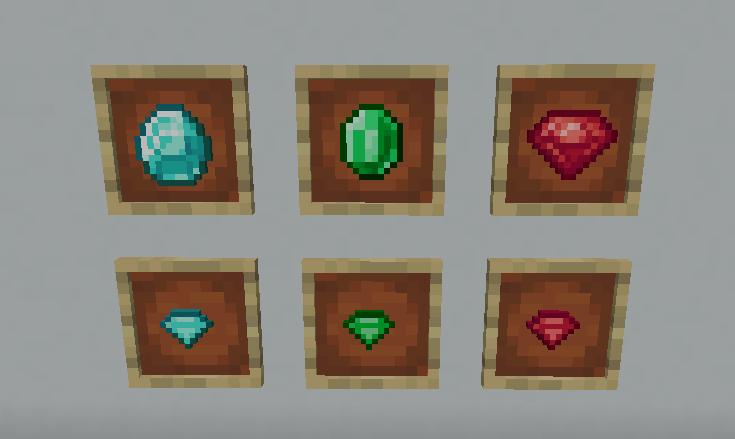
Gems are bascially nuggets for gem type resources and can be crafted into their full form or into their smaller one
compatable with ice and fire sapphire gems
Tweaks:
Additions also adds some tweaks to the game as well
Blast Furnace Tweak:
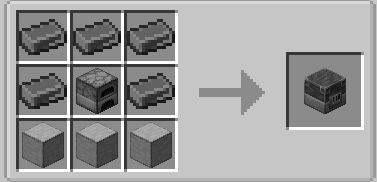
Makes the blast furnace require steel instead of iron (can be disabled)
Recipes:
Horse armor recipes
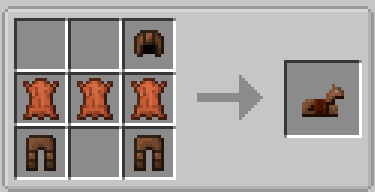
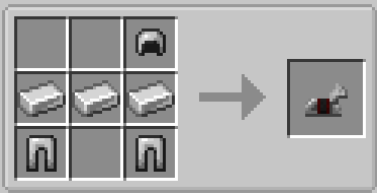
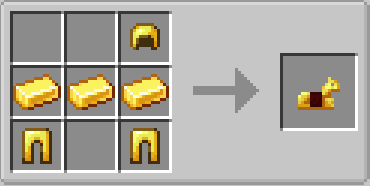
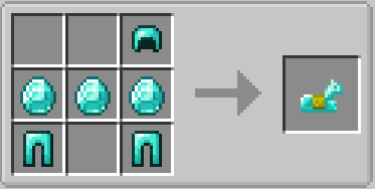
Enables the bundle with a recipe for it
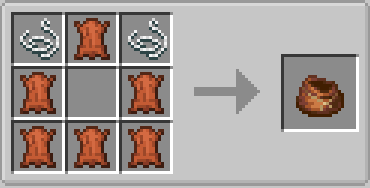
Saddle Recipe:
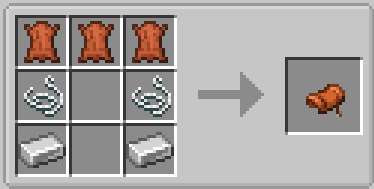
Gameplay Tweaks:
Spoiler
Attack Through Grass
Allows attacking entities through grass without breaking the grass
Lightning Prevention
Disables items from being destroyed when struck by lightning
Random Mob HP (Mob Rarities)
Makes mobs now spawn with rarities with there being common/uncommon/rare/epic/legendary/shiny variants, each variant increases mobs max hp by higher amounts with small ranges while epic and legendary variants drop increased experience.
Future Plans:
Rextextures for many items
More config options and balances as well as more big features
Available Versions
How to Install Additions on Your Server
Order Server
Order a Minecraft Java server with at least 3 GB RAM (4 GB recommended).
Set forge Loader
In the panel under "Egg", select the forge loader and matching Minecraft version (1.20.1).
Install Mod
Open the mod browser in the dashboard and search for "Additions". Click "Install" – done! Alternatively, upload the .jar via SFTP to the /mods folder.
Compatibility
Mod Loaders
Minecraft Versions
1.20.1
Server-side
✓ RequiredRecommended RAM
4 GB(min. 3 GB)Frequently Asked Questions
Additions server crashes on startup – what to do?
Most common cause: wrong forge version or insufficient RAM. Check the server log (latest.log) for "OutOfMemoryError" or "Mixin" errors. With Mado Hosting: ensure at least 3 GB RAM is allocated and the loader matches the mod version (1.20.1). You can switch loaders with one click in the panel.
Is Additions compatible with forge?
Additions officially supports forge for Minecraft 1.20.1. The Mado dashboard automatically detects incompatible loader combinations.
Server lagging with Additions – how to optimize performance?
Recommended RAM: 4 GB (per 8 players). Use /spark profiler to check if Additions consumes the most tick time. Common fixes: reduce server view-distance to 8-10, install "performant" or "starlight" as supplementary mods on Forge. With Mado Hosting, your server runs on NVMe SSDs with dedicated CPU cores for minimal latency.
Similar Mods




![[TaCZ] Timeless and Classics Zero](https://cdn.modrinth.com/data/SzzJttH8/fd27766d2bb8390d284696b1dbd358f87e081439_96.webp)

Rent Modded Server
Install Additions with just one click on your server.