
SPiNDLE
Copper is life, overworld is full.
Screenshots

About this Mod
Have you ever felt like Minecraft was lacking some good old rusty copper content? Is the content of the Copper Age drop just not RUSTY enough for you?? Well... uhh you could be in luck. Am not sure, though.
Contents
Features
More content is planned for future updates, stay tunned.
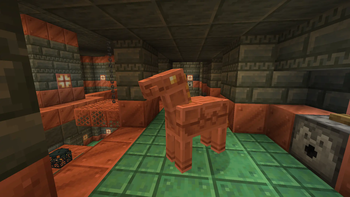
- Copper Horse
- Copper Frog
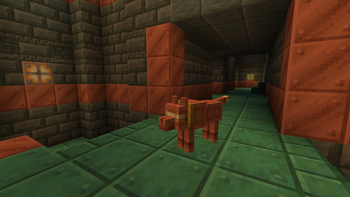
- Copper Wolf
- Copper Cat
- Copper... SHOTGUN?
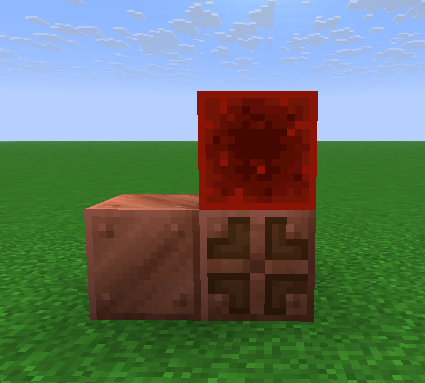
The Copper Horse is summoned building a specific structure, check the Gallery for that.
Frequent Issues
Missing item textures
Make sure you download and enable the required resource pack to play with this data pack, you can find it by clicking in the version you want to download and scrolling down a bit. This isn't needed if you are using the mod version, as the resource pack is bundled with it.
Creative mode
Datapacks are not able to add custom items or spawn eggs to the creative inventory. The following works for a lot of datapacks, including this one:
- To spawn items, use
/loot give @s loot <datapack>:items/<item> - To spawn mobs, use
/function <datapack>:commands/summon/<mob>
Special thanks to the Smithed community!
Available Versions
How to Install SPiNDLE on Your Server
Order Server
Order a Minecraft Java server with at least 3 GB RAM (4 GB recommended).
Set datapack Loader
In the panel under "Egg", select the datapack loader and matching Minecraft version (26.1.1).
Install Mod
Open the mod browser in the dashboard and search for "SPiNDLE". Click "Install" – done! Alternatively, upload the .jar via SFTP to the /mods folder.
Compatibility
Mod Loaders
Minecraft Versions
26.1.1, 26.1, 1.21.11 (+2 more)
Server-side
✓ RequiredRecommended RAM
4 GB(min. 3 GB)Frequently Asked Questions
SPiNDLE server crashes on startup – what to do?
Most common cause: wrong datapack version or insufficient RAM. Check the server log (latest.log) for "OutOfMemoryError" or "Mixin" errors. With Mado Hosting: ensure at least 3 GB RAM is allocated and the loader matches the mod version (26.1.1). You can switch loaders with one click in the panel.
Is SPiNDLE compatible with datapack and fabric and forge and neoforge and quilt?
SPiNDLE officially supports datapack, fabric, forge, neoforge, quilt for Minecraft 26.1.1, 26.1, 1.21.11. Note: Forge and Fabric mods are NOT cross-compatible – pick one loader and stick with it. The Mado dashboard automatically detects incompatible loader combinations.
Server lagging with SPiNDLE – how to optimize performance?
Recommended RAM: 4 GB (per 8 players). Use /spark profiler to check if SPiNDLE consumes the most tick time. Common fixes: reduce server view-distance to 8-10, install "performant" or "starlight" as supplementary mods on Forge. With Mado Hosting, your server runs on NVMe SSDs with dedicated CPU cores for minimal latency.
Similar Mods





Rent Modded Server
Install SPiNDLE with just one click on your server.