Stardom's Client
Several additions to the Minecraft client to add more customization
Screenshots
About this Mod
Stardom's Client
Stardom's Client is a comprehensive client-side utility mod for Minecraft 1.21.6 (Fabric), designed to enhance your gameplay experience with a wide array of visual and quality-of-life improvements.
Features
Visual Customization
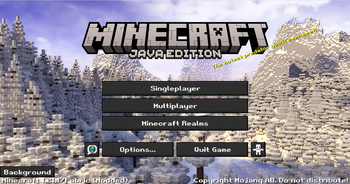
- Custom Main Menu: Set a custom panorama as your main menu background.
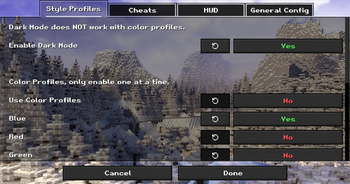
- Dark Mode: A sleek, dark theme for all UI screens.
- Color Profiles & Fonts: Customize the look of your game with various color profiles and font choices.
- Custom Window Title & Splash Text: Personalize the game's window title and main menu splash text.
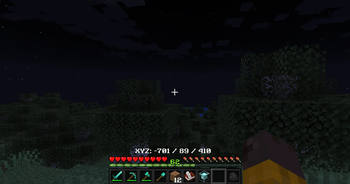
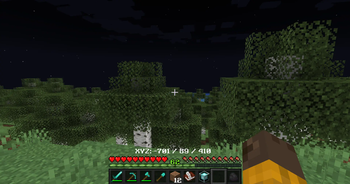
- Fullbright: See clearly in dark areas without needing torches.
- Unique World Renders: Experience visual modes like "Blue World" and "Australia Mode".
HUD Enhancements
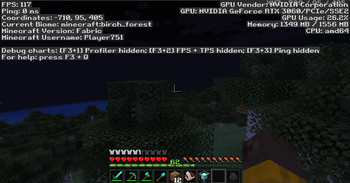
- Customizable HUD: Toggle the visibility of the health bar, armor bar, hunger bar, and XP bar.
- Coordinates & Biome Display: Show your current coordinates and biome directly on the HUD, with configurable positions.
- Cleaner F3 Menu: A streamlined debug menu that's easier to read.
Quality-of-Life Tools
- In-Game Notes: A complete note-taking system accessible via the
/notecommand or a button in the pause menu. Features a multi-line, word-wrapping text editor. - Hotbar Tool Sorting: Instantly sort your hotbar with the press of a key, arranging tools, weapons, and blocks according to a set priority.
- Recipe Viewer: Show an item's crafting recipe by clicking on it in the new section in the player inventory. (NOTE: Only supports vanilla recipes and select mods. If you are a developer and want to make your recipes available, then copy your recipe folder from your data folder into your assets folder)
How to Use
- Settings Menu: Nearly all visual and HUD settings can be configured in a new "Stardom's Client" settings screen, accessible from a button added to the main Options menu.
- Note System: Use
/noteto manage your notes or click the "Notes" button in the Game Menu (when paused). - Calculator: Use
/calculateto calculate a mathmatical equation fully in-game. - Hotbar Sorting: Press the assigned hotkey (check your keybindings) to sort your hotbar.
Available Versions
How to Install Stardom's Client on Your Server
Order Server
Order a Minecraft Java server with at least 3 GB RAM (4 GB recommended).
Set fabric Loader
In the panel under "Egg", select the fabric loader and matching Minecraft version (1.21.11).
Install Mod
Open the mod browser in the dashboard and search for "Stardom's Client". Click "Install" – done! Alternatively, upload the .jar via SFTP to the /mods folder.
Compatibility
Mod Loaders
Minecraft Versions
1.21.11, 1.21.9, 1.21.8 (+6 more)
Server-side
✓ RequiredRecommended RAM
4 GB(min. 3 GB)Frequently Asked Questions
Stardom's Client server crashes on startup – what to do?
Most common cause: wrong fabric version or insufficient RAM. Check the server log (latest.log) for "OutOfMemoryError" or "Mixin" errors. With Mado Hosting: ensure at least 3 GB RAM is allocated and the loader matches the mod version (1.21.11). You can switch loaders with one click in the panel.
Is Stardom's Client compatible with fabric?
Stardom's Client officially supports fabric for Minecraft 1.21.11, 1.21.9, 1.21.8. The Mado dashboard automatically detects incompatible loader combinations.
Server lagging with Stardom's Client – how to optimize performance?
Recommended RAM: 4 GB (per 8 players). Use /spark profiler to check if Stardom's Client consumes the most tick time. Common fixes: reduce server view-distance to 8-10, install "performant" or "starlight" as supplementary mods on Forge. With Mado Hosting, your server runs on NVMe SSDs with dedicated CPU cores for minimal latency.
Similar Mods




Rent Modded Server
Install Stardom's Client with just one click on your server.