
Stasis Paradox
A mod that puts the power to stop time entirely right in your hands.
Screenshots


About this Mod





What it does
A Fabric mod that gives you the ability to stop the time at your will, using the Paradox.
- Adds the Paradox item.
- Lets you freeze most world activity (mobs, music, projectiles, ticks, weather, etc.)
- Adds smooth transition effects: blur/grayscale/audio/shockwave/trails.
- Has 3 upgrade tiers: Golden Tier, Diamond Tier, Netherite Tier.
- Has a custom GUI for choosing durations.
- Includes a safety command:
/stasis break
Important
Quick Note: you might want to use this command if you put a really long time in your custom timer or if u stay trapped inside the paradox.
You can interact with anything while the time is paused, kill mobs, build, or shoot proyectiles, even interact with redstone! All of these interactions will be activated once the time resumes, redstone interactions will go in order of where u pressed AND by the way, u can still recieve fall damage or burns, but you will only recieve these when the time resumes.

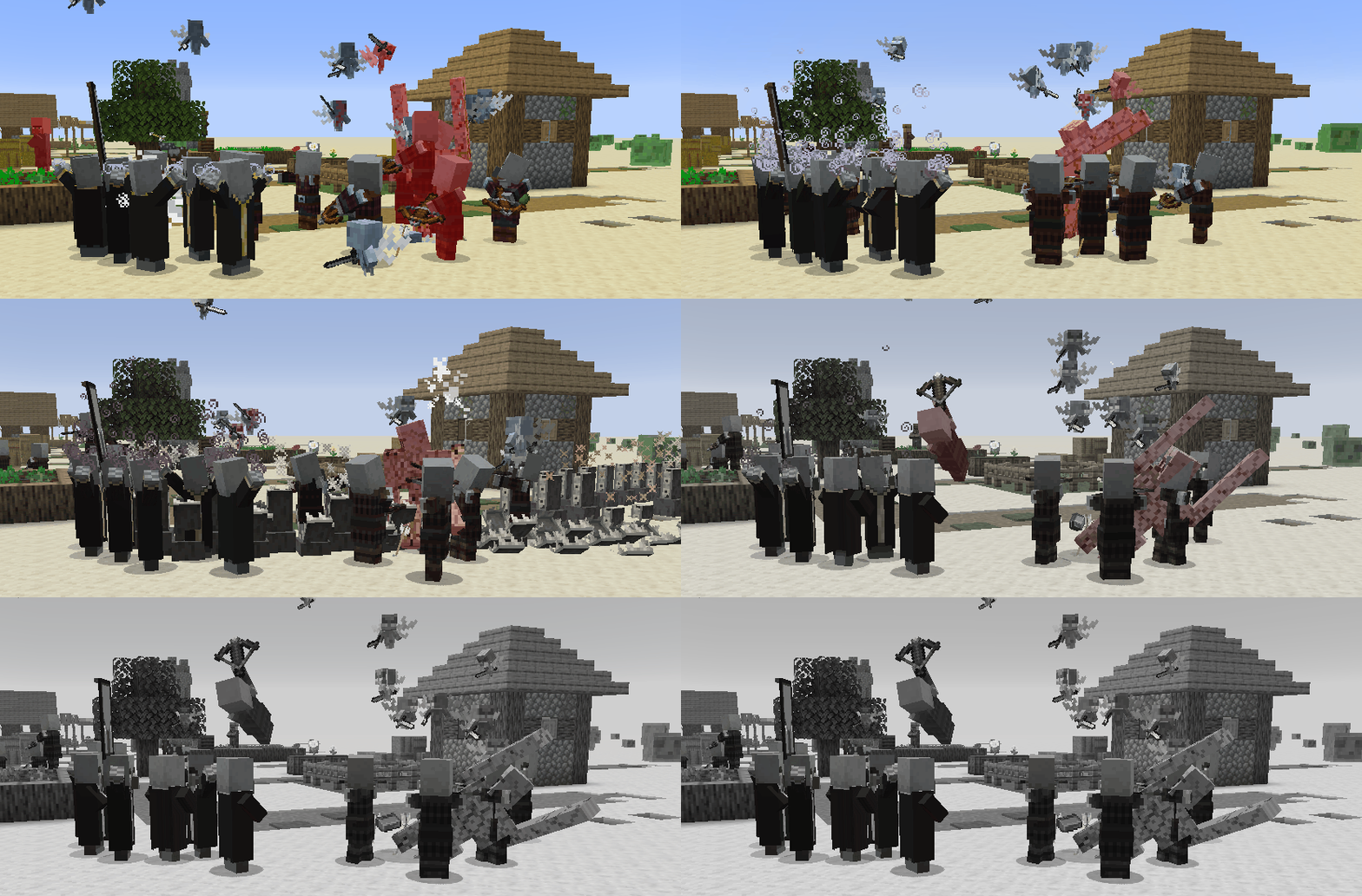
Golem fighting a bunch of mobs and is stopped mid dead by the stasis.
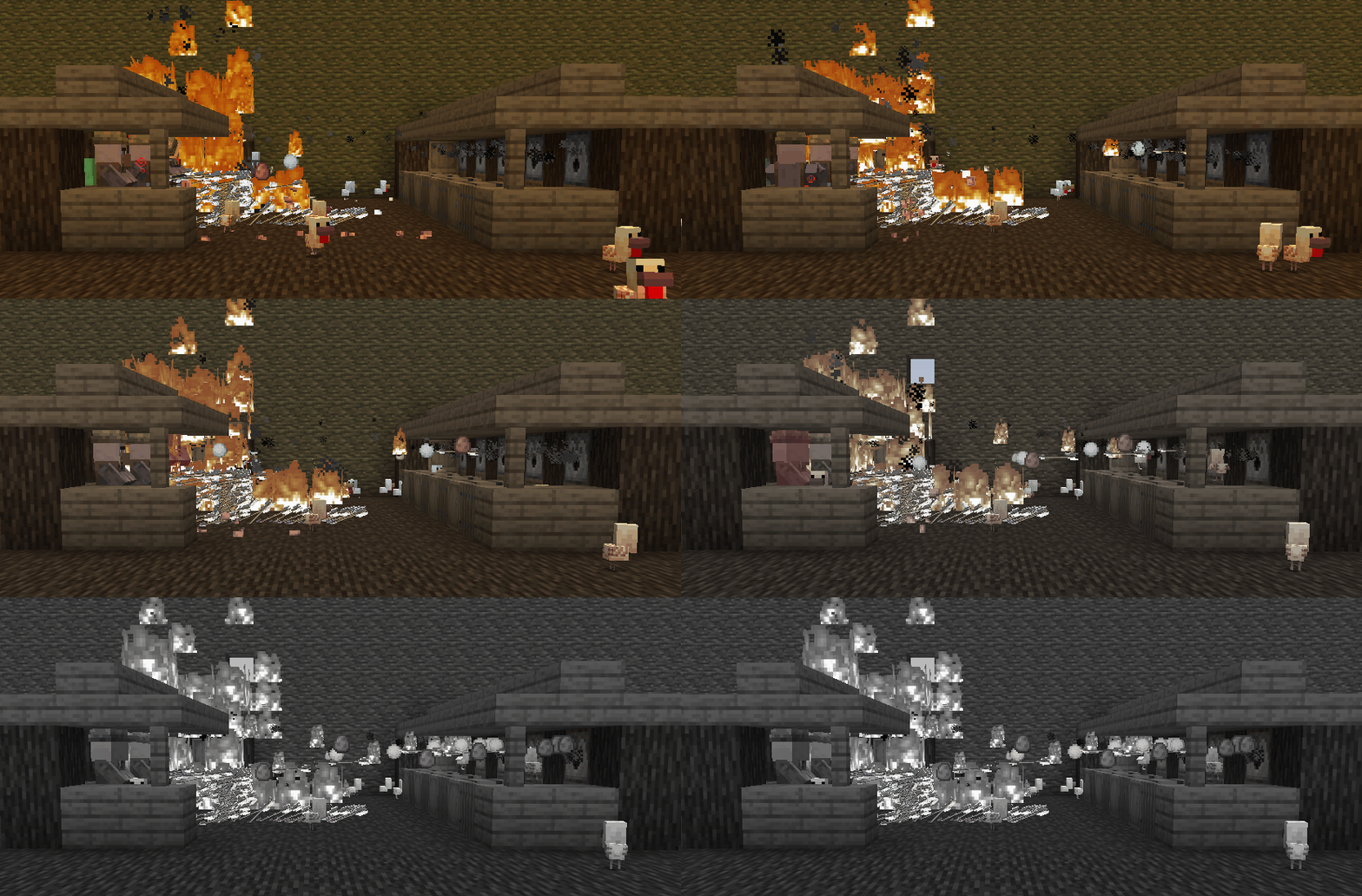
Proyectiles being shot at villagers get slowed down by the stasis until they cant move.
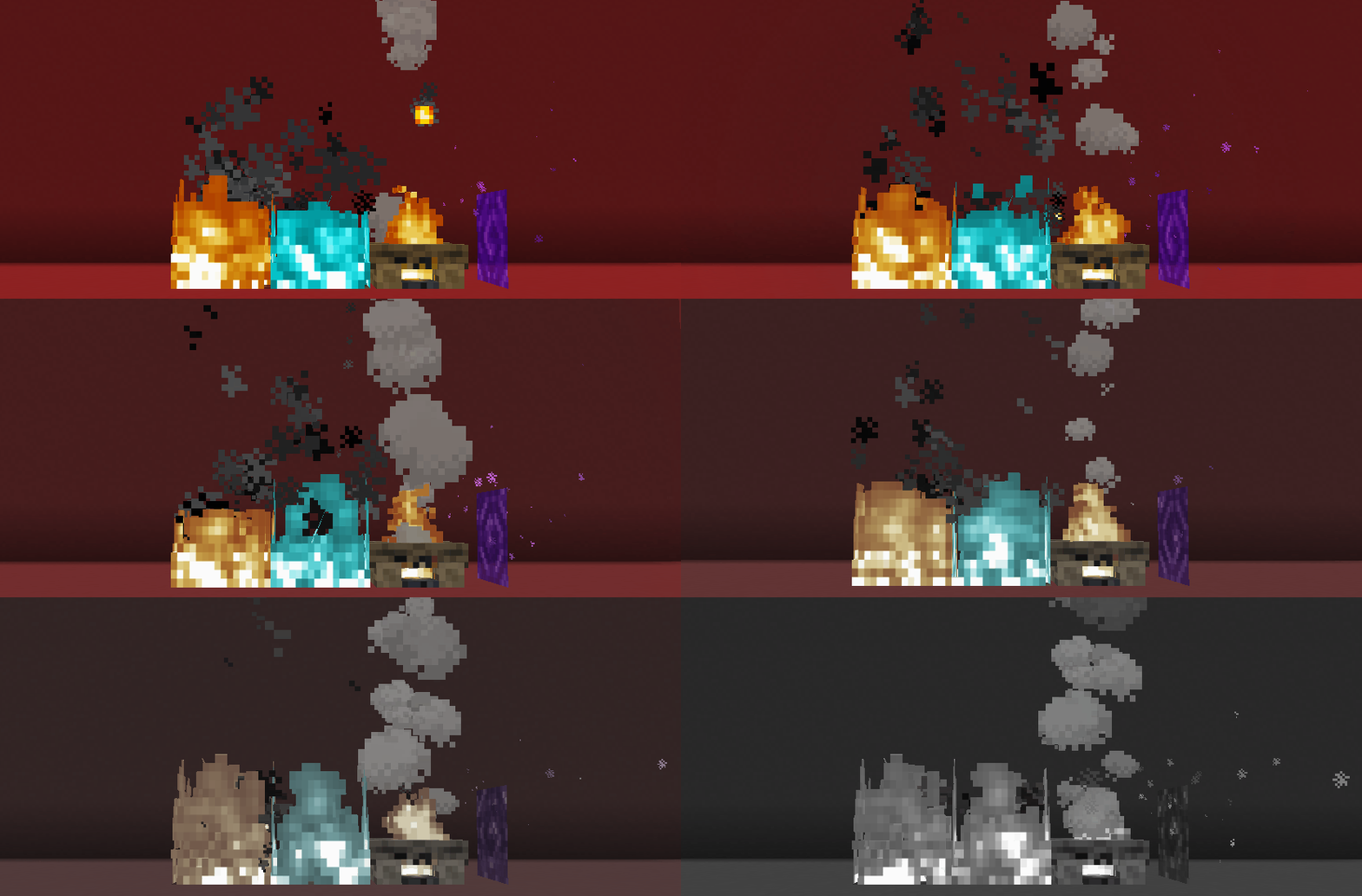
Animated Textures and Particles being slowed down until freezed by the stasis.

Showcase of rain and snow being slowed down, freezed by the timestop, and then resumed.

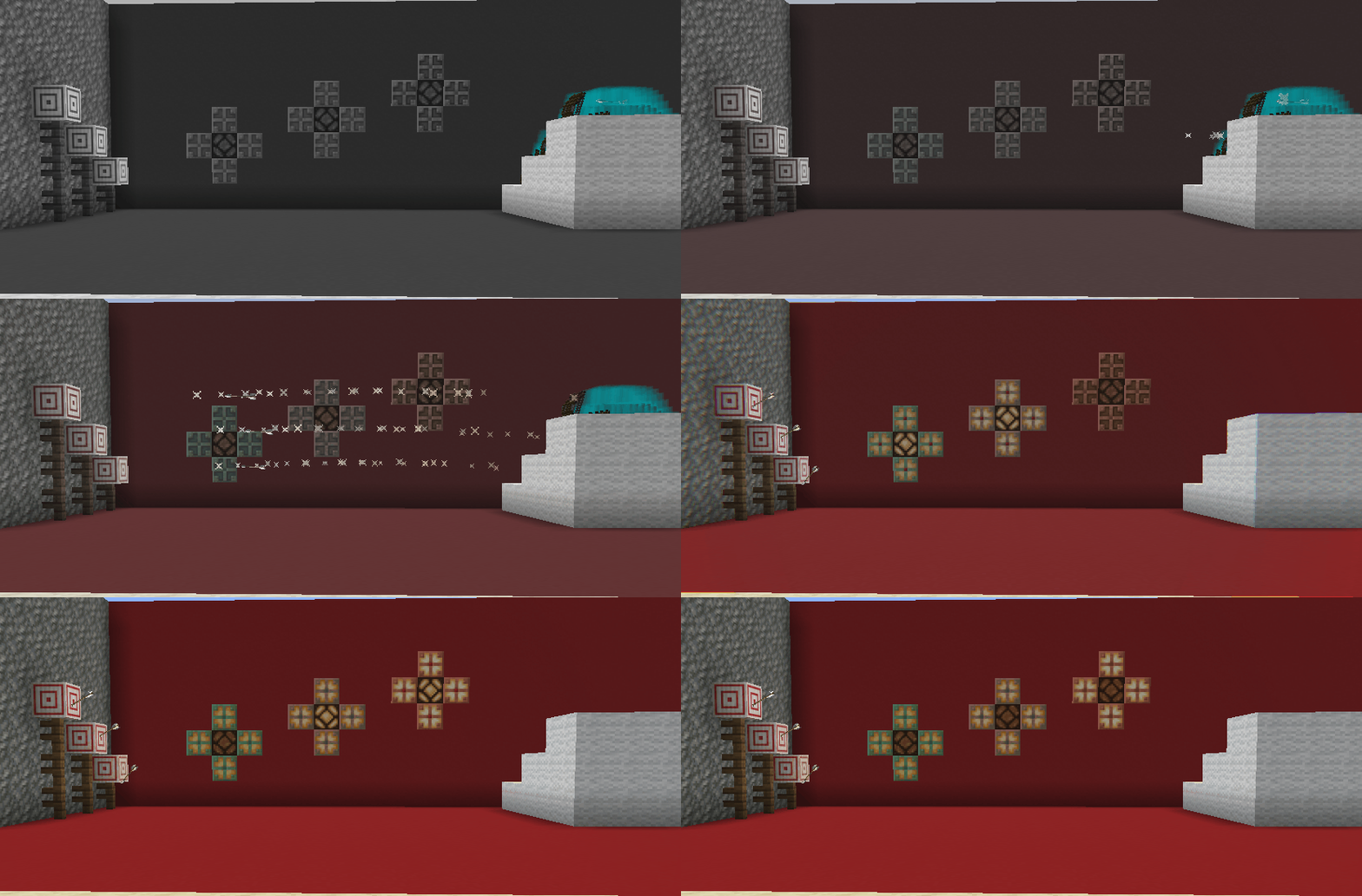
3 arrows that were shot during stasis being smoothly resumed to hit their target.
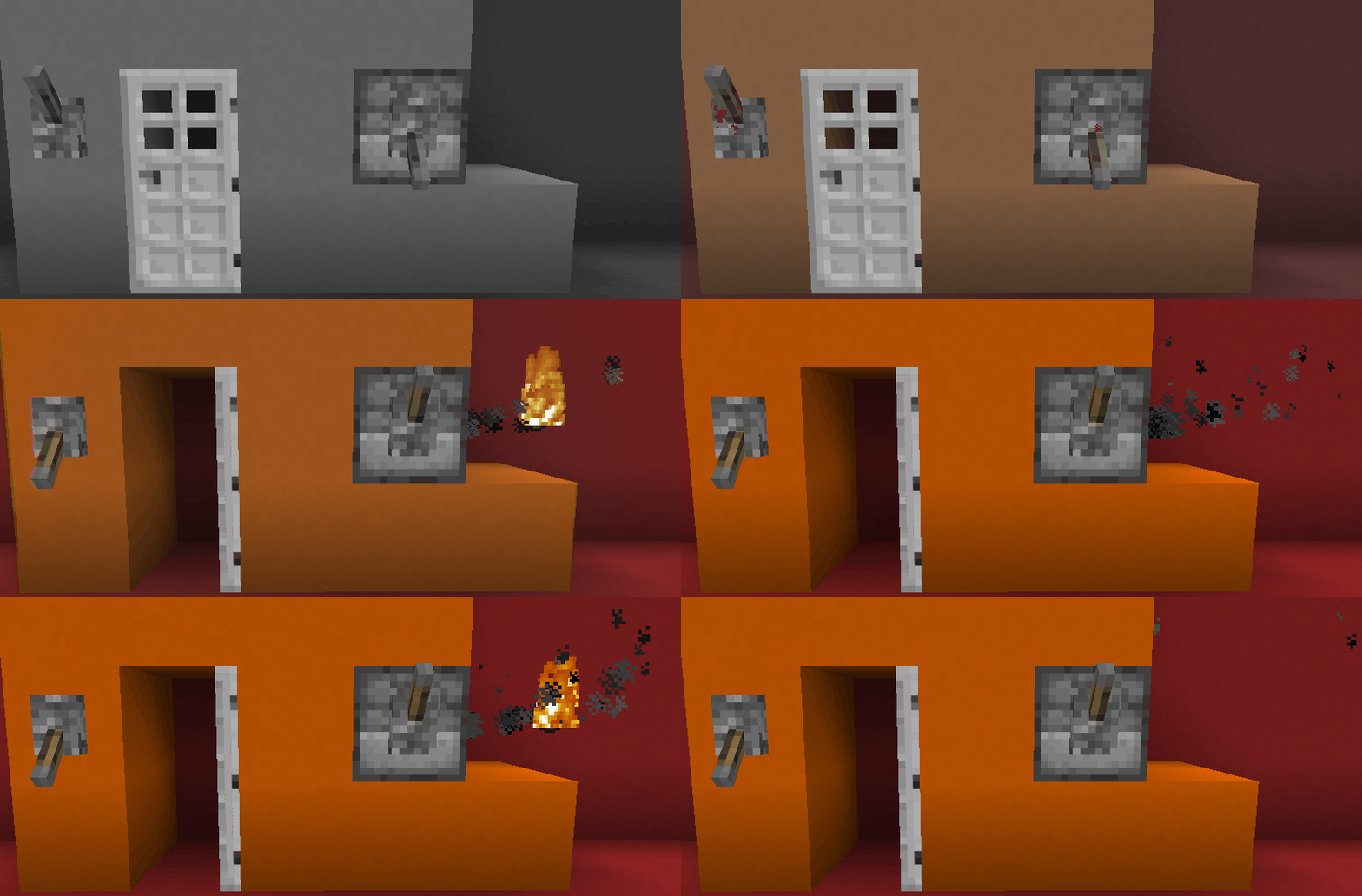
Interactions with redstone being restored by order and quantity on resume.
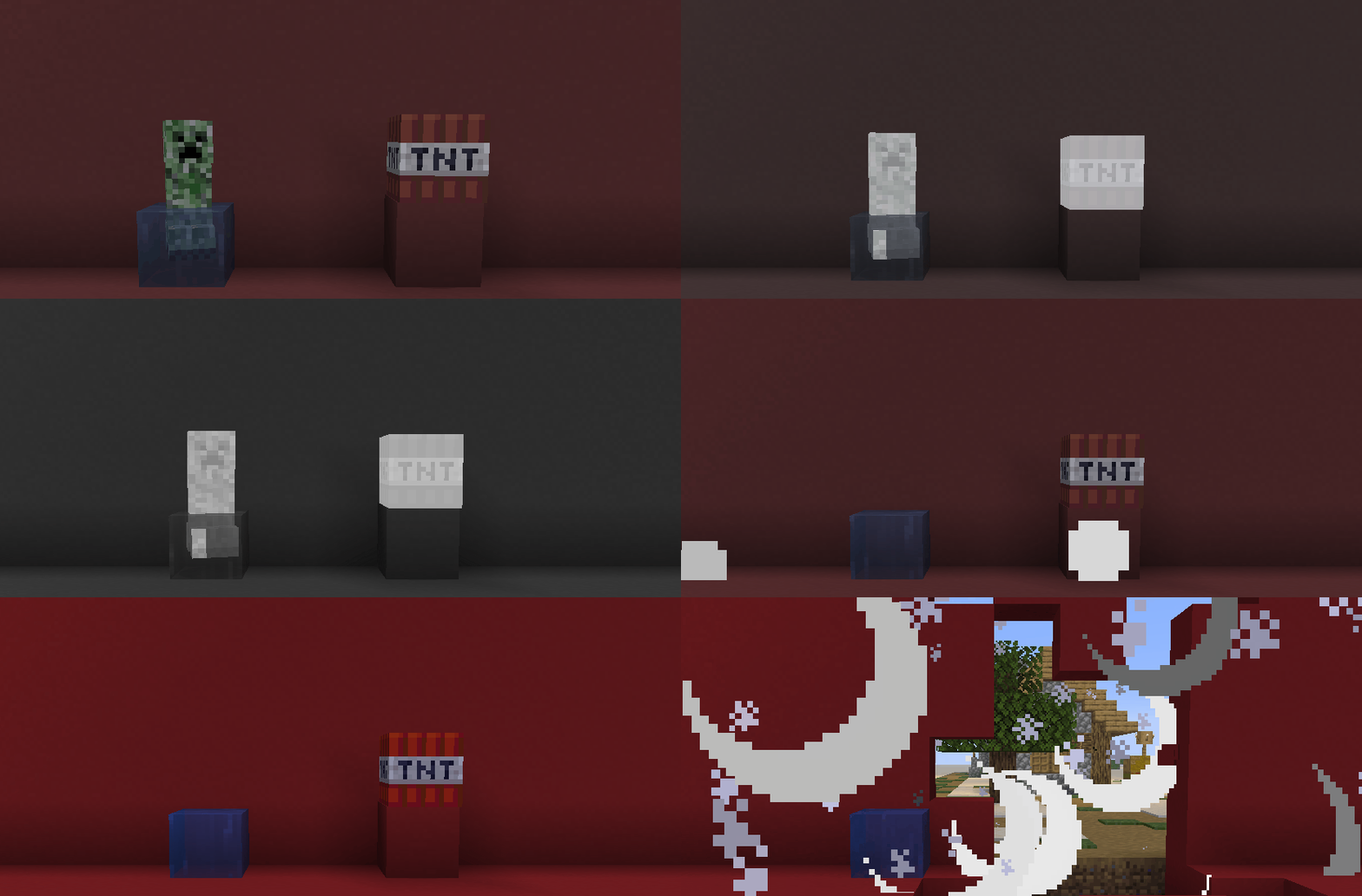
A Creeper and a TNT block being freezed on their primed state and then resuming after.

Quick usage
- Right-click Paradox: Pauses the time with the selected lapse.
- Sneak + right-click: Opens the Paradox Control Panel.

- Insert Temporal Grits on the slots to provide charges.
- Upgrade the tiers using reinforced materials in the Paradox UI.
Tiers
 Gold : 10s lapses, 4 grits.
 Diamond : 20s lapses, 12 grits.
 Netherite : 30s + Custom lapses, 40 grits.
Crafting
Temporal Grit: Ender Eye + Ender Pearl → 2

Stasis Core: 4 Grit (At the center of each side) + Diamond

Paradox: 4 Gold (Corners) + 4 Temporal Grits + Stasis Core

Reinforced Diamond: Diamond + Echo Shard

Reinforced Netherite: Netherite + Echo Shard

To Upgrade your Paradox
- Place 4 Reinforced Diamonds in the corner slots of the
Paradox control panelto go from Golden Tier to Diamond Tier - Place 4 of Reinforced Netherite in the corner slots of the
Paradox control panelto go from Diamond Tier to Netherite Tier
Config File
This section explains what each variable does on the config file.
TrailsActive: Defines if the trails are generated, when false, player trails are not generated or rendered.
TrailsRenderCapes: Basically decides if the trails render the cape of the player or not.
TrailsAmountLimit: Maximum number of trail snapshots kept. When the limit is reached, the oldest trail is deleted first.
TrailsGenerationType: How trails are generated.
C = Continuous (generates trails every X seconds)
S = Seconds (generates trails once per in-game second)
TrailsContinuousTimings: Time between trails (in seconds) when TrailsGenerationType=C.
TrailsMidSecondsGeneration: Only for TrailsGenerationType=S. If true, also generates a trail every half second (2 trails per second). If false, generates 1 trail per second.

To take in count
- This mod is VERY recent, and im just starting to develop it, please, if you find any incompatibilities or bugs, report them in the issues page in github! Thank you.
Available Versions
How to Install Stasis Paradox on Your Server
Order Server
Order a Minecraft Java server with at least 3 GB RAM (4 GB recommended).
Set fabric Loader
In the panel under "Egg", select the fabric loader and matching Minecraft version (1.21.11).
Install Mod
Open the mod browser in the dashboard and search for "Stasis Paradox". Click "Install" – done! Alternatively, upload the .jar via SFTP to the /mods folder.
Compatibility
Mod Loaders
Minecraft Versions
1.21.11, 1.21.1, 1.20.1
Server-side
✓ RequiredRecommended RAM
4 GB(min. 3 GB)Frequently Asked Questions
Stasis Paradox server crashes on startup – what to do?
Most common cause: wrong fabric version or insufficient RAM. Check the server log (latest.log) for "OutOfMemoryError" or "Mixin" errors. With Mado Hosting: ensure at least 3 GB RAM is allocated and the loader matches the mod version (1.21.11). You can switch loaders with one click in the panel.
Is Stasis Paradox compatible with fabric?
Stasis Paradox officially supports fabric for Minecraft 1.21.11, 1.21.1, 1.20.1. The Mado dashboard automatically detects incompatible loader combinations.
Server lagging with Stasis Paradox – how to optimize performance?
Recommended RAM: 4 GB (per 8 players). Use /spark profiler to check if Stasis Paradox consumes the most tick time. Common fixes: reduce server view-distance to 8-10, install "performant" or "starlight" as supplementary mods on Forge. With Mado Hosting, your server runs on NVMe SSDs with dedicated CPU cores for minimal latency.
Similar Mods





Rent Modded Server
Install Stasis Paradox with just one click on your server.