
StaticParticle
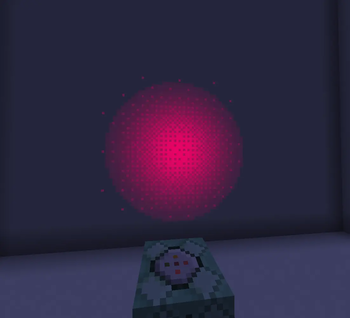
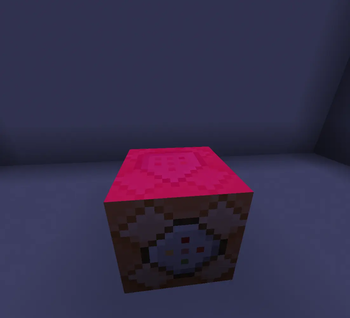
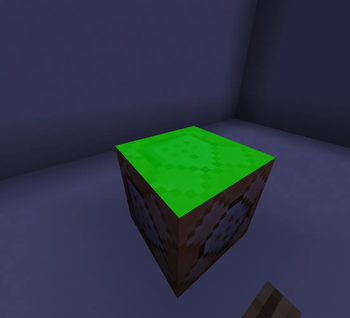
adds configurable particle types, useful for datapack VFX
Screenshots
About this Mod
⚠️ please keep in mind that the description is only maintained for the latest version
2 particle types are implemented
particles
static_particle
- configurable
color,alpha,startSize,size,endSize,lifetime,texture - is emissive (glow in the dark)
static_oriented
- configurable
color,alpha,startSizeX,sizeX,endSizeX,startSizeY,sizeY,endSizeY,lifetime,rotation,post_rotation,cull,texture - is emissive (glow in the dark)
note
important thing to know is that all number arguments are actually string arguments, due to a limitation of minecrafts codebase, its so that the stuff listed below can work⠀
all number arguments(the particle parameters) support ranges ("x..y"=random from x to y), rotation arguments also support ~ which will use the command rotation context on the appropriate axis
⠀
also if youre wondering, post_rotation is just a second pass of rotation, technically redundant, just convenient
textures
currently only 4 textures are implemented: dot
dither
smooth
pixel
there are 3 standalone commands
commands
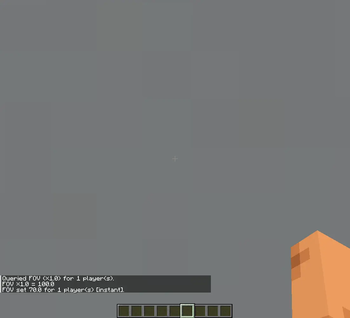
/fov <add|multiply|set|query>
[interpolation type] [interpolation duration]
- changes/gets the client FOV of the targets
/rendertext
[duration] [opacity] [gui scale independent] [hide with HUD] [overlay] [shadow Color(RGBA HEX)]
- displays text on the targets screens at the inputted position
- boolean argument for making the text size independent of the clients GUI scale setting
- boolean argument for forcing the text to display even if the HUD is hidden (F1)
- boolean argument for the size being multiplied by the client window aspect ratio
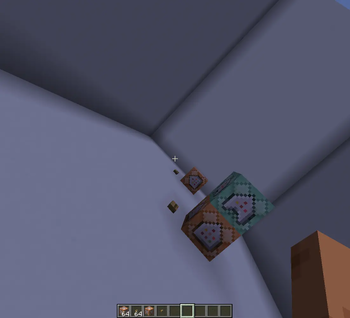
/camerarot
[duration]
- adds rotation offset to the client camera (linear interpolation)
note
(roll works perfectly, yaw and pitch technically do too, just a bit un-intuitive, in most cases its better to use actual entity rotation instead)the mod adds two conditions for predicates
predicates
mouse* condition
{
  "condition": "staticparticle:player_action",
  "action": "attack"/"pick_item"/"use",
  "context": "in_game"/"in_menu"
}
- true when the target of the predicate is holding the respective buttons in the respective context
key condition
- the mod adds 5 new keybinds that dont do anything, except for tell the server theyve been pressed by a client
{
  "condition": "staticparticle:special_key",
  "key": 0/1/2/3/4
}
- true when the target of the predicate is holding the respective key
Available Versions
How to Install StaticParticle on Your Server
Order Server
Order a Minecraft Java server with at least 3 GB RAM (4 GB recommended).
Set fabric Loader
In the panel under "Egg", select the fabric loader and matching Minecraft version (1.21.11).
Install Mod
Open the mod browser in the dashboard and search for "StaticParticle". Click "Install" – done! Alternatively, upload the .jar via SFTP to the /mods folder.
Compatibility
Mod Loaders
Minecraft Versions
1.21.11, 1.21.8, 1.21.7 (+7 more)
Server-side
✓ RequiredRecommended RAM
4 GB(min. 3 GB)Frequently Asked Questions
StaticParticle server crashes on startup – what to do?
Most common cause: wrong fabric version or insufficient RAM. Check the server log (latest.log) for "OutOfMemoryError" or "Mixin" errors. With Mado Hosting: ensure at least 3 GB RAM is allocated and the loader matches the mod version (1.21.11). You can switch loaders with one click in the panel.
Is StaticParticle compatible with fabric and quilt?
StaticParticle officially supports fabric, quilt for Minecraft 1.21.11, 1.21.8, 1.21.7. The Mado dashboard automatically detects incompatible loader combinations.
Server lagging with StaticParticle – how to optimize performance?
Recommended RAM: 4 GB (per 8 players). Use /spark profiler to check if StaticParticle consumes the most tick time. Common fixes: reduce server view-distance to 8-10, install "performant" or "starlight" as supplementary mods on Forge. With Mado Hosting, your server runs on NVMe SSDs with dedicated CPU cores for minimal latency.
Rent Modded Server
Install StaticParticle with just one click on your server.