
Statues Classic
Allows creating posable statues of players from most blocks.
Screenshots
About this Mod
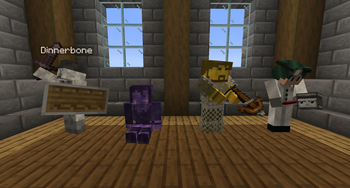
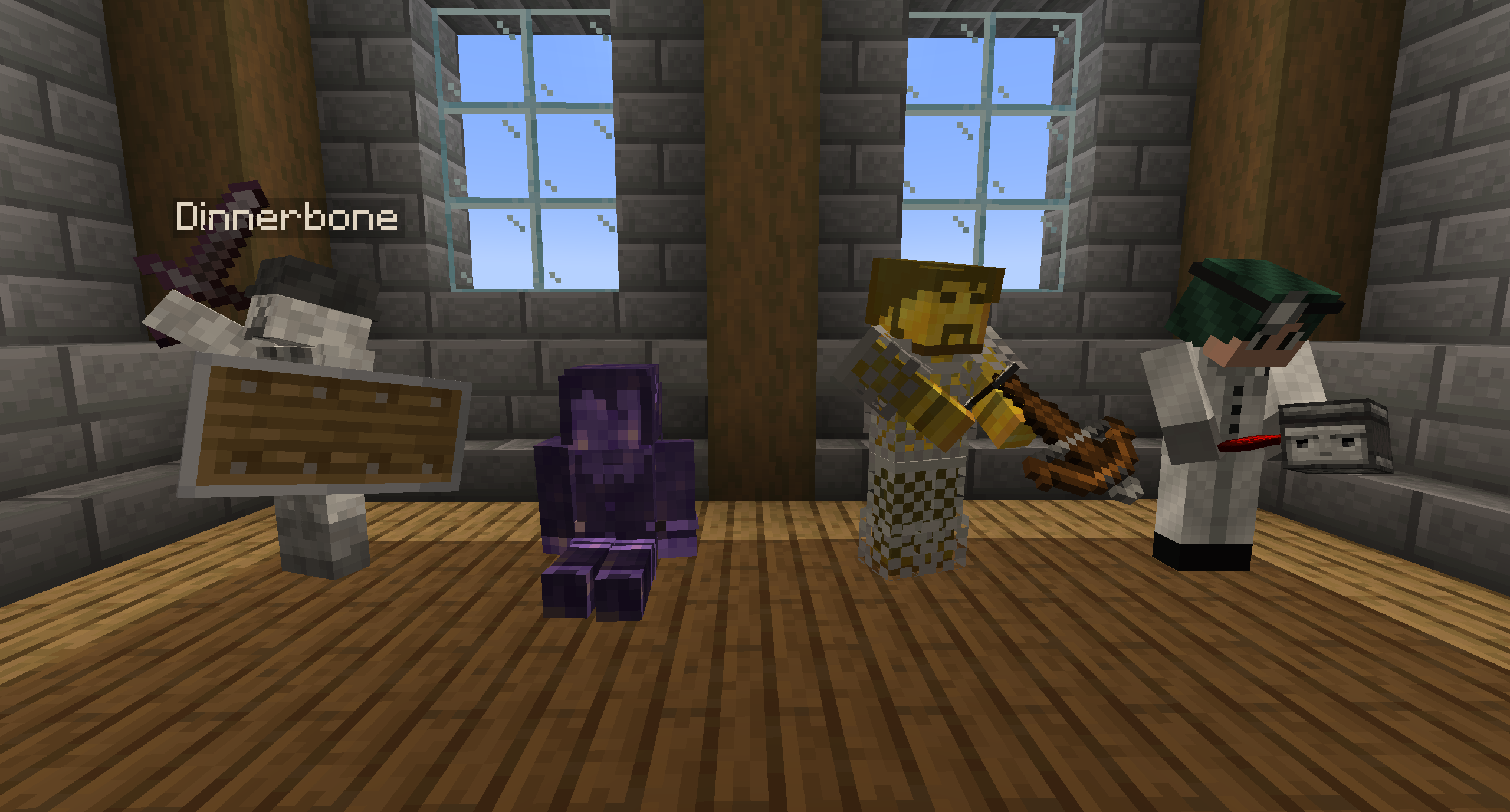
Statues Classic is a re-creation of AUTOMATIC_MAIDEN / asie's 1.6/1.7 Statues mod. It allows creating posable statues of players from most blocks, which can be equipped with items and armour, given name tags, capes* and even banners!
*Capes can be shown on statues only if the statued player has an official cape active
This mod requires Fabric API, Fabric Language Kotlin and MarderLib
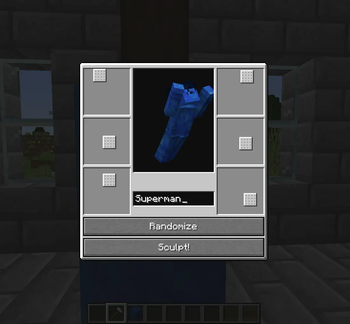
To create a statue, make a pillar of two (identical) blocks and use a Statue Hammer on them. This will open a UI that lets you enter a username and pose the statue.
Statues look like the block used to create them and if that block emits light, the statue will too.
You can also
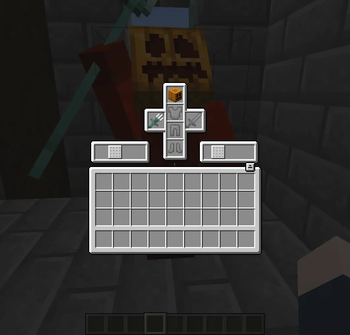
- Give statues items and armour. Blocks and banners can be added to the head slot.
- Click with paper on a statue to display a nametag.
- Click with a Palette to colourize a statue, like the player's actual skin.
- Click with leather to add a cape.
- Use glowstone dust to make a statue emit light, or gunpowder to stop it from doing so.
All recipes are included in the vanilla recipe book.
Known Incompatibilities:
- CustomSkinLoader - Statues are invisible. - Fabric Tailor is a possible alternative.
- 3d Skin Layers - The mod will work, but statue skins will not be changed.
- Ears - Ears/Tails will not appear on statues. This will be fixed sometime soon(tm)
Available Versions
How to Install Statues Classic on Your Server
Order Server
Order a Minecraft Java server with at least 3 GB RAM (4 GB recommended).
Set fabric Loader
In the panel under "Egg", select the fabric loader and matching Minecraft version (1.19.4).
Install Mod
Open the mod browser in the dashboard and search for "Statues Classic". Click "Install" – done! Alternatively, upload the .jar via SFTP to the /mods folder.
Compatibility
Mod Loaders
Minecraft Versions
1.19.4, 1.19.3, 1.19.2 (+1 more)
Server-side
✓ RequiredRecommended RAM
4 GB(min. 3 GB)Frequently Asked Questions
Statues Classic server crashes on startup – what to do?
Most common cause: wrong fabric version or insufficient RAM. Check the server log (latest.log) for "OutOfMemoryError" or "Mixin" errors. With Mado Hosting: ensure at least 3 GB RAM is allocated and the loader matches the mod version (1.19.4). You can switch loaders with one click in the panel.
Is Statues Classic compatible with fabric?
Statues Classic officially supports fabric for Minecraft 1.19.4, 1.19.3, 1.19.2. The Mado dashboard automatically detects incompatible loader combinations.
Server lagging with Statues Classic – how to optimize performance?
Recommended RAM: 4 GB (per 8 players). Use /spark profiler to check if Statues Classic consumes the most tick time. Common fixes: reduce server view-distance to 8-10, install "performant" or "starlight" as supplementary mods on Forge. With Mado Hosting, your server runs on NVMe SSDs with dedicated CPU cores for minimal latency.
Rent Modded Server
Install Statues Classic with just one click on your server.