
Stealth and Alert
A Minecraft mod bringing a stealth and alert system just like what in other games.
Screenshots
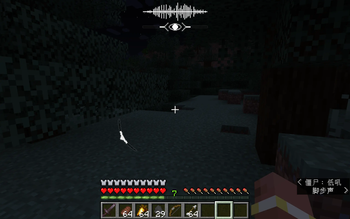
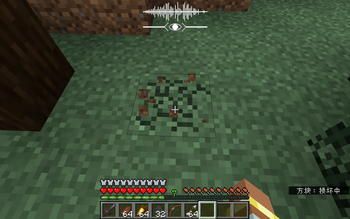
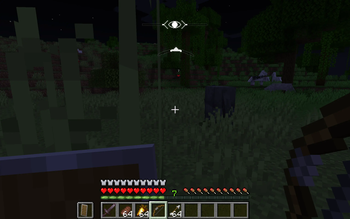
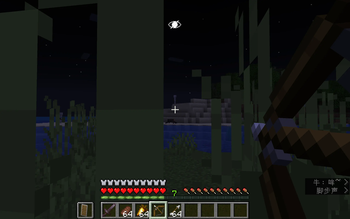
About this Mod
Stealth & Alert
The mod is new. There maybe many bugs and feel free to report them. More mechanics are under development.
Stealth & Alert introduces a tactical stealth system to Minecraft, inspired by the perception mechanics of some games like Assassin's Creed.
🎯 Key Features
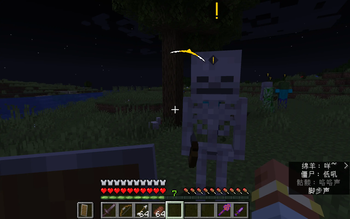
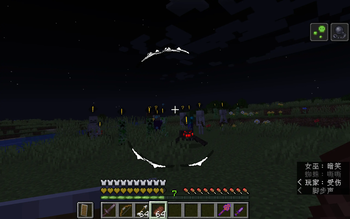
- Circular HUD: A dynamic indicator around the crosshair tracking enemy positions and alert levels (White/Yellow/Red).
- Perception AI: Mobs with the added entity tag now possess realistic FOV and transition through Idle, Suspicious, Searching, and Fighting states.
- In-world Alert Symbol: There will be spesific symbols and animations to indicate their alert state and to indicate if they've seen a player.
- Target Tracking States: The mod distinguishes between the mob's overall alertness and its specific observation status of each player, ensuring a deep and logical detection flow.
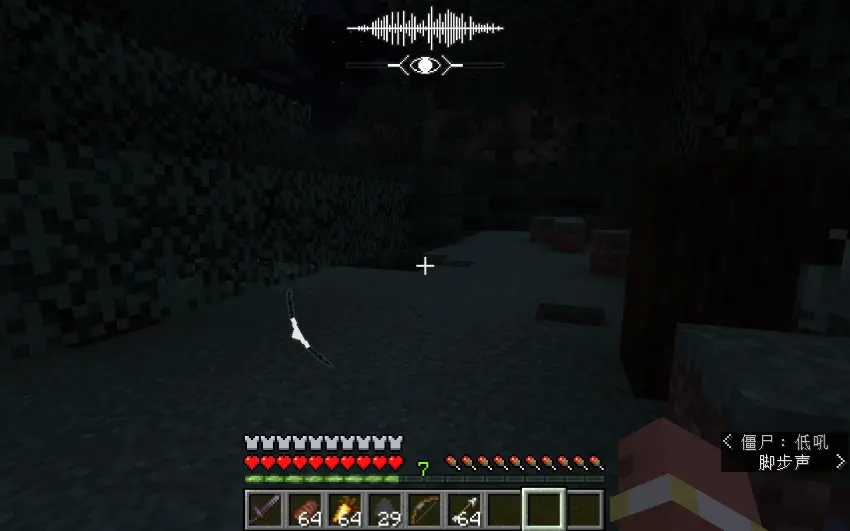
- Visibility System: Light, environment and player's action can affect player's Visibility to make an influence on enemies' awareness towards player. When Visibility is lower than a threshold, player will be invisible; but getting too close to enemies will still make enemies spot you. It is showned by an HUD.
- Environment Stealth: When standing in an area full of tall grass, or crawling in an area full of short grass, or staying in a place dark enough, and so on, will make you invisible, which means a player can sneak taking advantage of environments to be not seen by enemies.
- Sound System: What players do will make sounds, reacted to by enemies - but you can also make use of that feature, using Pebbles or other throwables to attract them away.
- LKP (Last Known Position): Mobs investigate the spot where they last saw the player, rather than using "god-mode" tracking.
🚀 The Vision
- This mod aims to build a comprehensive stealth ecosystem. Upcoming updates will keep improving the mechanics introduced, and introduce Assassinations, and Corpse Discovery.
Available Versions
How to Install Stealth and Alert on Your Server
Order Server
Order a Minecraft Java server with at least 3 GB RAM (4 GB recommended).
Set neoforge Loader
In the panel under "Egg", select the neoforge loader and matching Minecraft version (1.21.1).
Install Mod
Open the mod browser in the dashboard and search for "Stealth and Alert". Click "Install" – done! Alternatively, upload the .jar via SFTP to the /mods folder.
Compatibility
Mod Loaders
Minecraft Versions
1.21.1
Server-side
✓ RequiredRecommended RAM
4 GB(min. 3 GB)Frequently Asked Questions
Stealth and Alert server crashes on startup – what to do?
Most common cause: wrong neoforge version or insufficient RAM. Check the server log (latest.log) for "OutOfMemoryError" or "Mixin" errors. With Mado Hosting: ensure at least 3 GB RAM is allocated and the loader matches the mod version (1.21.1). You can switch loaders with one click in the panel.
Is Stealth and Alert compatible with neoforge?
Stealth and Alert officially supports neoforge for Minecraft 1.21.1. The Mado dashboard automatically detects incompatible loader combinations.
Server lagging with Stealth and Alert – how to optimize performance?
Recommended RAM: 4 GB (per 8 players). Use /spark profiler to check if Stealth and Alert consumes the most tick time. Common fixes: reduce server view-distance to 8-10, install "performant" or "starlight" as supplementary mods on Forge. With Mado Hosting, your server runs on NVMe SSDs with dedicated CPU cores for minimal latency.
Similar Mods




Rent Modded Server
Install Stealth and Alert with just one click on your server.