
Sticky Fireworks
Rockets that stick to nearby mobs and launch them into the sky!
Screenshots
About this Mod
🌐 ITITAN Hosting
Sticky Fireworks
Sticky Fireworks is a chaotic twist on vanilla rockets. When launched, they grab nearby mobs and blast off into the sky, dragging everything in their path with them. Explosive fun with a sticky surprise!
Craft
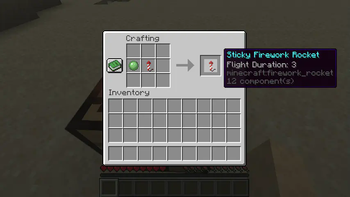
You can craft with a rocket of your choice and a slime ball.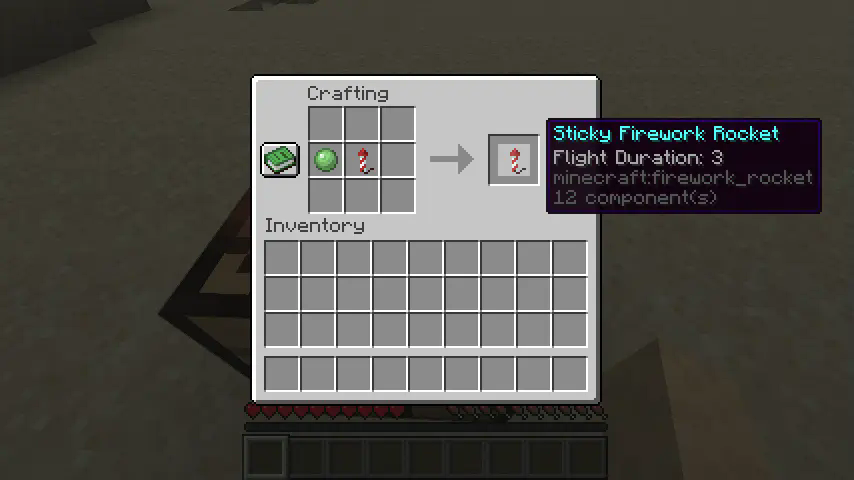
Entities
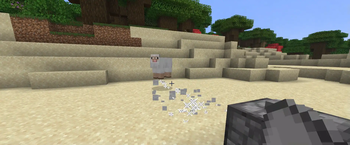
Known bug: I don't know why, but mojang decided that in the new versions, if the entity gets on the rocket immediately, the rocket will explode. So you need to fire the rocket from a little bit below. We will try to fix this bug in the future

Dispensers
Sticky fireworks also work with dispensers! Unfortunately, the same bug with entities applies here. The solution is shown in the image.

Projectiles
If you master sticky fireworks, you can block projectiles or find a new way to set traps!

Items
You can also move items with sticky fireworks. Maybe you will find a new method of item transportation :D

You can change the entities that sticky fireworks will not affect from tags>entity_type>entity_exclude_list in the datapack.
Your feedback is important to us. You can write on Discord. Discord name: tpcoffline
Available Versions
How to Install Sticky Fireworks on Your Server
Order Server
Order a Minecraft Java server with at least 3 GB RAM (4 GB recommended).
Set datapack Loader
In the panel under "Egg", select the datapack loader and matching Minecraft version (26.1.2).
Install Mod
Open the mod browser in the dashboard and search for "Sticky Fireworks". Click "Install" – done! Alternatively, upload the .jar via SFTP to the /mods folder.
Compatibility
Mod Loaders
Minecraft Versions
26.1.2, 26.1.1, 26.1 (+7 more)
Server-side
✓ RequiredRecommended RAM
4 GB(min. 3 GB)Frequently Asked Questions
Sticky Fireworks server crashes on startup – what to do?
Most common cause: wrong datapack version or insufficient RAM. Check the server log (latest.log) for "OutOfMemoryError" or "Mixin" errors. With Mado Hosting: ensure at least 3 GB RAM is allocated and the loader matches the mod version (26.1.2). You can switch loaders with one click in the panel.
Is Sticky Fireworks compatible with datapack and fabric and forge and neoforge and quilt?
Sticky Fireworks officially supports datapack, fabric, forge, neoforge, quilt for Minecraft 26.1.2, 26.1.1, 26.1. Note: Forge and Fabric mods are NOT cross-compatible – pick one loader and stick with it. The Mado dashboard automatically detects incompatible loader combinations.
Server lagging with Sticky Fireworks – how to optimize performance?
Recommended RAM: 4 GB (per 8 players). Use /spark profiler to check if Sticky Fireworks consumes the most tick time. Common fixes: reduce server view-distance to 8-10, install "performant" or "starlight" as supplementary mods on Forge. With Mado Hosting, your server runs on NVMe SSDs with dedicated CPU cores for minimal latency.
Similar Mods




Rent Modded Server
Install Sticky Fireworks with just one click on your server.