
Stockkeeping
Adds a redstone component that reads the amount of a specific item in an inventory.
Screenshots
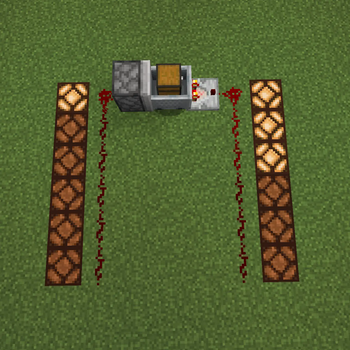
About this Mod
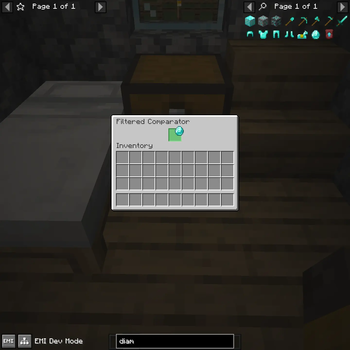
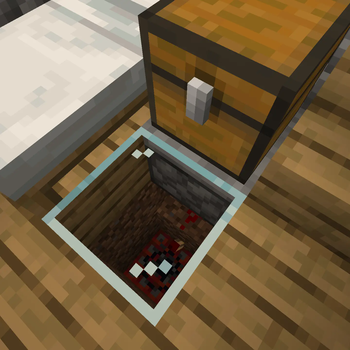
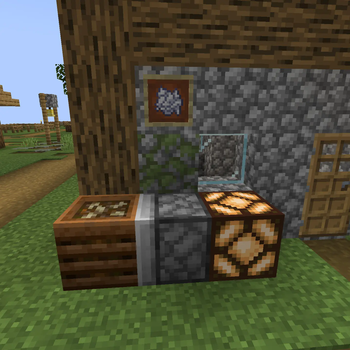
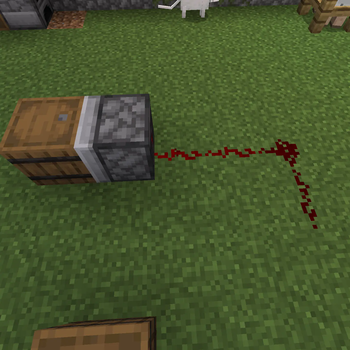
Adds a comparator-like block that reads the amount of an item in the inventory it faces.
The filtered comparator can be placed in any direction, and outputs an analogue redstone signal like a comparator facing the inventory-containing block (or, inventory-containing minecart on a detector rail) - but the filtered comparator only counts the item in it's filter slot.
Performance
- To avoid constantly checking each inventory every tick, the Filtered Comparator only updates upon a comparator update from the block it's facing.
- (This may cause edge cases with inventories that don't output comparator updates, or upon placement facing a chest minecart with no detector rail.)
Compatibility
- Supports drag and drop for setting filters by EMI.
- The Serial Port from TIS-3D can read the exact number of detected items (provided it fits in a short, that is.)
- Functions as an InRed device for YTTR's WIP Cuprosteel wires, providing a range from 0-63 that doesn't attenuate.
...And lack thereof
- Whilst I'm unsure, I believe this will not function with Modern Industrialization machines, as from what I recall, those do not output Comparator Updates.
- If an inventory cannot be seen by an unmodified vanilla hopper, then the Filtered Comparator will be unable to read it.
Mixins
AbstractBlockStateMixin: injects at the head ofisOfto returntrueif a Filtered Comparator is checked if it's a regular comparator.World: injects at the head ofupdateComparatorsto also update vertically, but only for Filtered Comparators.- Several mixins to itself for adding conditional compatibility for YTTR when both mods are loaded.
Available Versions
How to Install Stockkeeping on Your Server
Order Server
Order a Minecraft Java server with at least 3 GB RAM (4 GB recommended).
Set fabric Loader
In the panel under "Egg", select the fabric loader and matching Minecraft version (1.20.1).
Install Mod
Open the mod browser in the dashboard and search for "Stockkeeping". Click "Install" – done! Alternatively, upload the .jar via SFTP to the /mods folder.
Compatibility
Mod Loaders
Minecraft Versions
1.20.1
Server-side
✓ RequiredRecommended RAM
4 GB(min. 3 GB)Frequently Asked Questions
Stockkeeping server crashes on startup – what to do?
Most common cause: wrong fabric version or insufficient RAM. Check the server log (latest.log) for "OutOfMemoryError" or "Mixin" errors. With Mado Hosting: ensure at least 3 GB RAM is allocated and the loader matches the mod version (1.20.1). You can switch loaders with one click in the panel.
Is Stockkeeping compatible with fabric and quilt?
Stockkeeping officially supports fabric, quilt for Minecraft 1.20.1. The Mado dashboard automatically detects incompatible loader combinations.
Server lagging with Stockkeeping – how to optimize performance?
Recommended RAM: 4 GB (per 8 players). Use /spark profiler to check if Stockkeeping consumes the most tick time. Common fixes: reduce server view-distance to 8-10, install "performant" or "starlight" as supplementary mods on Forge. With Mado Hosting, your server runs on NVMe SSDs with dedicated CPU cores for minimal latency.
Similar Mods


Rent Modded Server
Install Stockkeeping with just one click on your server.