
StreamChat
Seamlessly integrate Twitch & YouTube chat into Minecraft! Custom UI, history saving, and no passwords required.
About this Mod
Goal: 400 Downloads!
StreamChat [EN]
StreamChat is the ultimate client-side mod designed specifically for streamers. Read your Twitch and YouTube chat directly in Minecraft without needing a second monitor, complicated setups, or sharing your passwords.
Key Features:
Interactive Chat GUI: Press Z (configurable) to open a chat history right in the game.
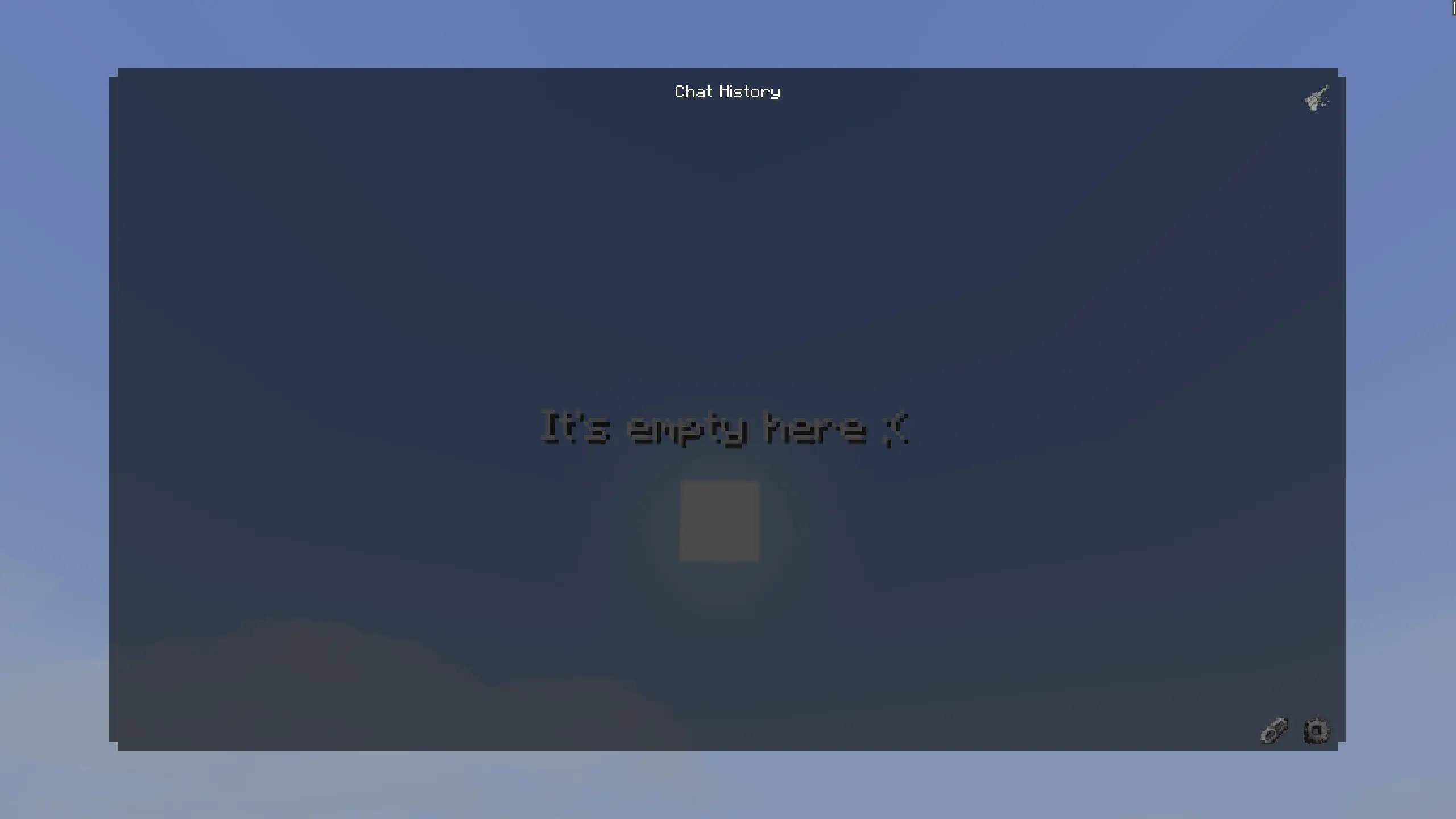
Dual Platform Support: Supports both Twitch and YouTube simultaneously.

No Passwords Required: Uses anonymous connections. Just paste your Twitch channel name or YouTube stream link, and you are good to go.
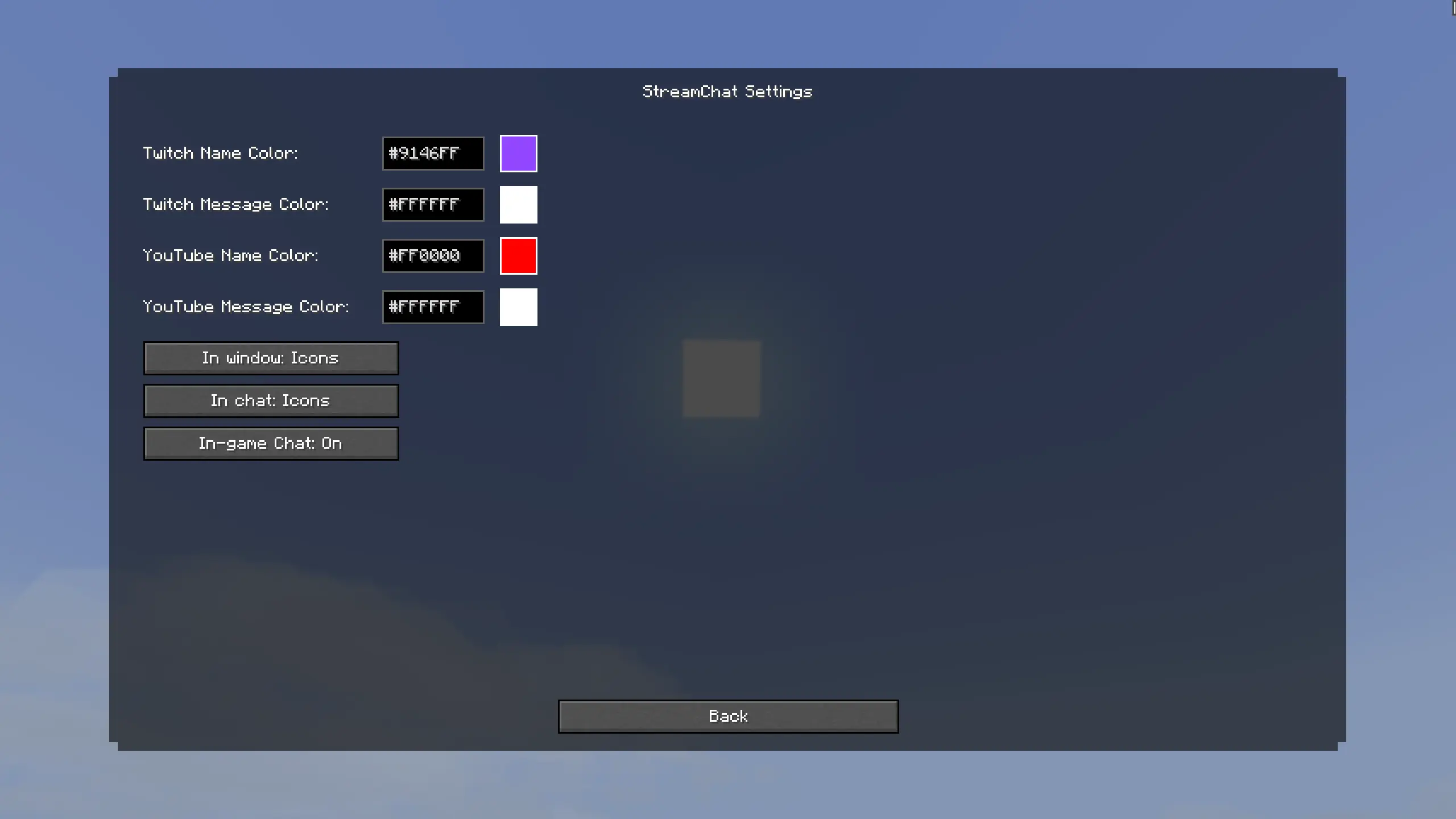
Customization: Change name and message colors (HEX support) for each platform. Choose between custom icons or text prefixes ([Twitch]).
Smart Auto-Scroll & History: The chat history is saved across your sessions. The window features smooth scrolling and automatically jumps to new messages if you are at the bottom.
Vanilla Chat Integration: Messages can appear in your standard Minecraft chat with custom icons. If getting spammed you can easily toggle this off in the settings!

Connection Status: Handy colored indicators (Green/Gray/Red) in the connections menu so you always know if your chat is connected.
Highly Optimized: Multithreaded background processing ensures your game runs at max FPS without lag spikes.
How to use:
- Press Z to open the StreamChat UI.
- Click the Connections button.
- Enter your Twitch channel name or paste your active YouTube stream link.
- Enjoy your chat in-game! Use the Settings (gear icon) to customize colors and toggles.
Supported Languages:
- 🇺🇸 English (US)
- 🇷🇺 Russian (Русский)
- 🇪🇸 Spanish (Español)
- 🇩🇪 German (Deutsch)
- 🇨🇳 Chinese Simplified (简体中文)
Цель: 400 скачиваний!
StreamChat [RU]
StreamChat — это идеальный клиентский мод, созданный специально для стримеров. Читайте чат с Twitch и YouTube прямо в майнкрафте. Вам больше не нужен второй монитор, сложные программы или ввод паролей от аккаунтов.
Главные функции:
Стильный интерфейс: Нажмите Z (можно изменить в управлении), чтобы открыть красивое окно истории чата.
Поддержка двух платформ: Читайте чат Twitch и YouTube одновременно
Никаких паролей: Мод использует анонимное подключение. Просто впишите ник Twitch-канала или вставьте ссылку на стрим YouTube, и чат заработает.
Полная кастомизация: Настраивайте цвета ников и сообщений через HEX-коды. Выбирайте между красивыми иконками платформ или текстовыми префиксами ([Twitch]).
Умный скроллинг и Блокнот: История чата сохраняется даже после перезапуска игры. Окно имеет плавную прокрутку и умный автоскролл для новых сообщений.
Интеграция в ванильный чат: Сообщения могут выводиться в стандартный чат майнкрафта с иконками. Если слишком много спама — можете отключить эту функцию в настройках.
Индикаторы состояния: Удобные цветные индикаторы в меню подключений всегда покажут, успешно ли мод подключился к вашему стриму.
Максимальная оптимизация: Мод работает в отдельных потоках (Multithreading). Это гарантирует, что ваш майнкрафт не потеряет FPS.
Как использовать:
- Нажмите Z, чтобы открыть окно StreamChat.
- Нажмите на кнопку Подключения.
- Введите название канала Twitch или вставьте ссылку на прямой эфир YouTube.
- Готово! Используйте Настройки (иконка шестеренки) для настройки цветов и режимов.
Поддерживаемые языки:
- 🇷🇺 Русский (Russian)
- 🇺🇸 Английский (English)
- 🇪🇸 Испанский (Español)
- 🇩🇪 Немецкий (Deutsch)
- 🇨🇳 Китайский упр. (简体中文)
Available Versions
How to Install StreamChat on Your Server
Order Server
Order a Minecraft Java server with at least 3 GB RAM (4 GB recommended).
Set fabric Loader
In the panel under "Egg", select the fabric loader and matching Minecraft version (26.1.2).
Install Mod
Open the mod browser in the dashboard and search for "StreamChat". Click "Install" – done! Alternatively, upload the .jar via SFTP to the /mods folder.
Compatibility
Mod Loaders
Minecraft Versions
26.1.2, 26.1.1, 26.1 (+6 more)
Server-side
✗ UnsupportedRecommended RAM
4 GB(min. 3 GB)Frequently Asked Questions
StreamChat server crashes on startup – what to do?
Most common cause: wrong fabric version or insufficient RAM. Check the server log (latest.log) for "OutOfMemoryError" or "Mixin" errors. With Mado Hosting: ensure at least 3 GB RAM is allocated and the loader matches the mod version (26.1.2). You can switch loaders with one click in the panel.
Is StreamChat compatible with fabric?
StreamChat officially supports fabric for Minecraft 26.1.2, 26.1.1, 26.1. The Mado dashboard automatically detects incompatible loader combinations.
Server lagging with StreamChat – how to optimize performance?
Recommended RAM: 4 GB (per 8 players). Use /spark profiler to check if StreamChat consumes the most tick time. Common fixes: reduce server view-distance to 8-10, install "performant" or "starlight" as supplementary mods on Forge. With Mado Hosting, your server runs on NVMe SSDs with dedicated CPU cores for minimal latency.
Similar Mods






Rent Modded Server
Install StreamChat with just one click on your server.