
Succ™️
A Minecraft mod about suction cups. Made for Modfest: Singularity.
Screenshots
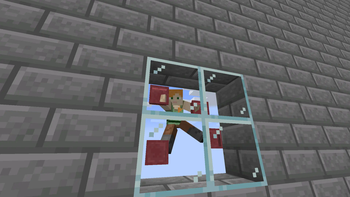
About this Mod
Succ™
Look at me go!
A Minecraft mod about suction cups. Made for Modfest: Singularity.
The Suction Cup
The Suction Cup is a powerful tool. Using it, you can climb walls!
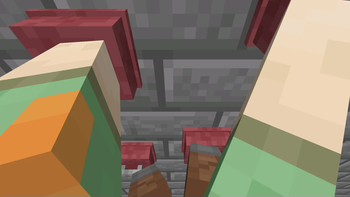
[Refer to Climbing, First Person Climbing, and I am living on your walls in Gallery]
Getting started
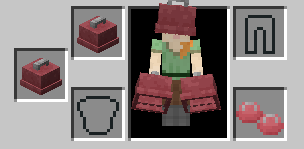
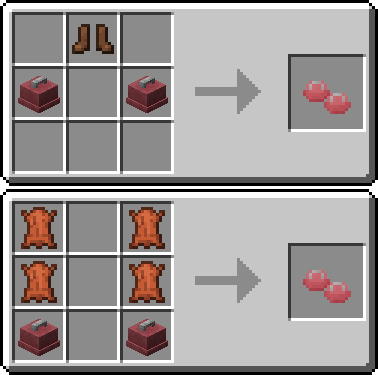
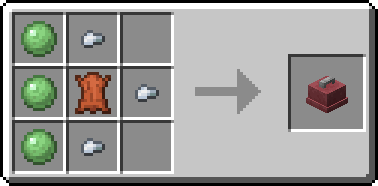
To get climbing, you'll need a pair of Suction Cups, and a set of Suction Cup Boots.
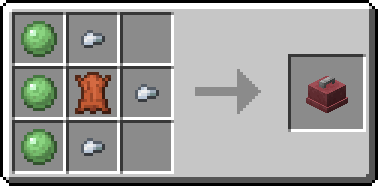

Featuring EMI integration!
[Refer to EMI Compat image in Gallery]
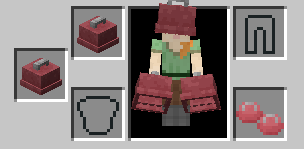
To start climbing, hold a Suction Cup on each limb. That means you need a Suction Cup
in your main hand and your offhand, and you need a set of Suction Cup Boots equipped.
Controls
Once you're ready to climb, click a wall to start.
Once you're climbing, each Suction Cup is bound to a key. When each key is pressed,
the Suction Cup will toggle between sticking and not sticking.
| Limb | Default keybind |
|---|---|
| Left arm | Left mouse button |
| Right arm | Right mouse button |
| Left leg | Left shift |
| Right leg | Space |
Each key can be rebound in the keybinds menu.
When not stuck to the wall, a Suction Cup can be moved with your movement keys (WASD).
Click again to stick it back to the wall. Repeat until you've reached your destination.
When you want to stop climbing, you have two options.
To stop immediately, release all Suction Cups.
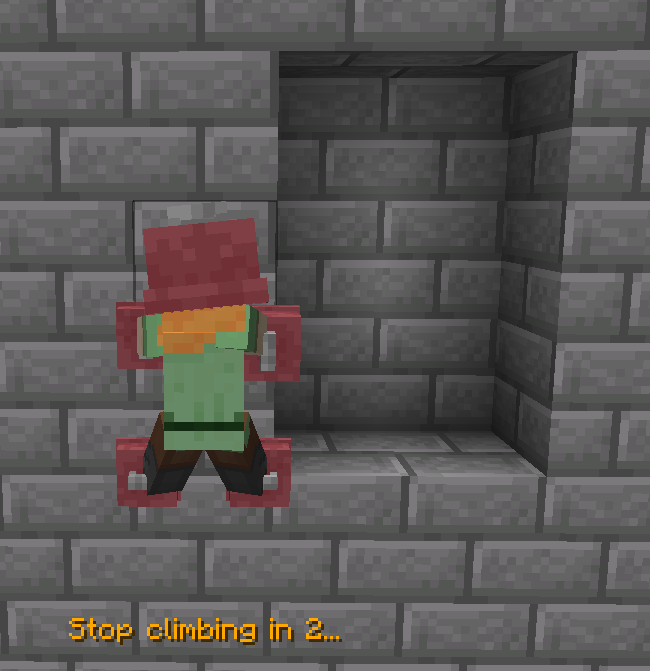
For a more controlled stop, move a Suction Cup over towards a suitable position,
like a ledge. If you hold this direction, you'll stop in 3 seconds.
In this image, the right-hand Suction Cup is off the wall. D is held, so it's
moving to the right.
[Refer to Stopping image in Gallery]
Development
Succ™ is on Maven.
maven { url = "https://mvn.devos.one/snapshots/" }
modImplementation("one.devos.nautical:succ:<version>")
Which items are valid Suction Cups are determined by tags:succ:hand_climbing_cups and succ:feet_climbing_cups
Available Versions
How to Install Succ™️ on Your Server
Order Server
Order a Minecraft Java server with at least 3 GB RAM (4 GB recommended).
Set quilt Loader
In the panel under "Egg", select the quilt loader and matching Minecraft version (1.20.1).
Install Mod
Open the mod browser in the dashboard and search for "Succ™️". Click "Install" – done! Alternatively, upload the .jar via SFTP to the /mods folder.
Compatibility
Mod Loaders
Minecraft Versions
1.20.1, 1.19.2
Server-side
✓ RequiredRecommended RAM
4 GB(min. 3 GB)Frequently Asked Questions
Succ™️ server crashes on startup – what to do?
Most common cause: wrong quilt version or insufficient RAM. Check the server log (latest.log) for "OutOfMemoryError" or "Mixin" errors. With Mado Hosting: ensure at least 3 GB RAM is allocated and the loader matches the mod version (1.20.1). You can switch loaders with one click in the panel.
Is Succ™️ compatible with quilt?
Succ™️ officially supports quilt for Minecraft 1.20.1, 1.19.2. The Mado dashboard automatically detects incompatible loader combinations.
Server lagging with Succ™️ – how to optimize performance?
Recommended RAM: 4 GB (per 8 players). Use /spark profiler to check if Succ™️ consumes the most tick time. Common fixes: reduce server view-distance to 8-10, install "performant" or "starlight" as supplementary mods on Forge. With Mado Hosting, your server runs on NVMe SSDs with dedicated CPU cores for minimal latency.
Similar Mods





Rent Modded Server
Install Succ™️ with just one click on your server.